Categories
1:35 Armor Projects

M1A2 Abrams SEP V2: Weathering

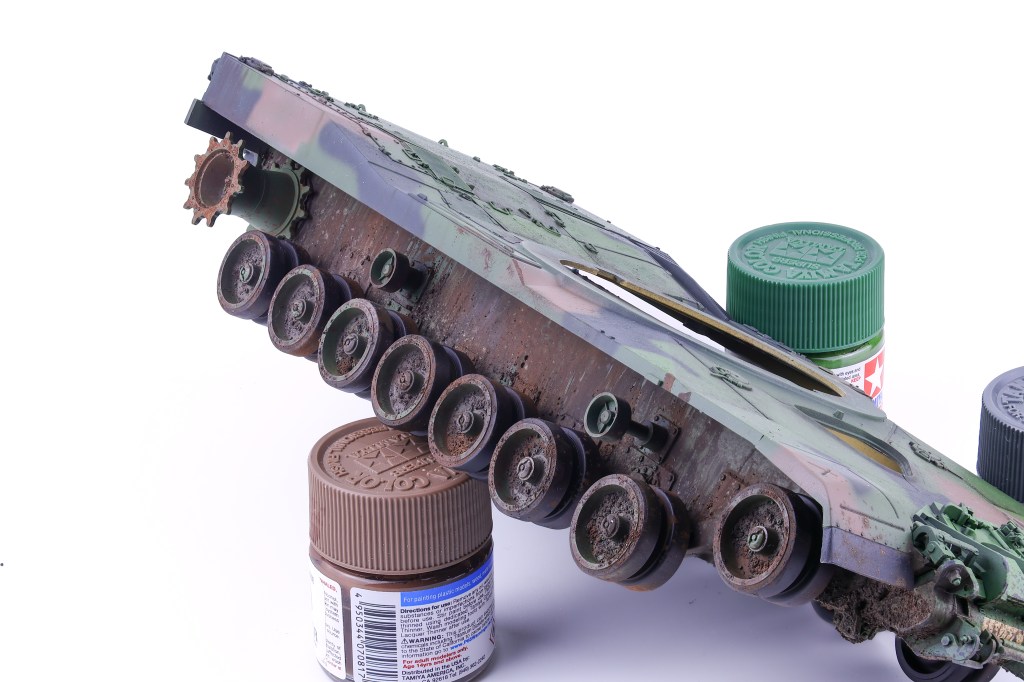
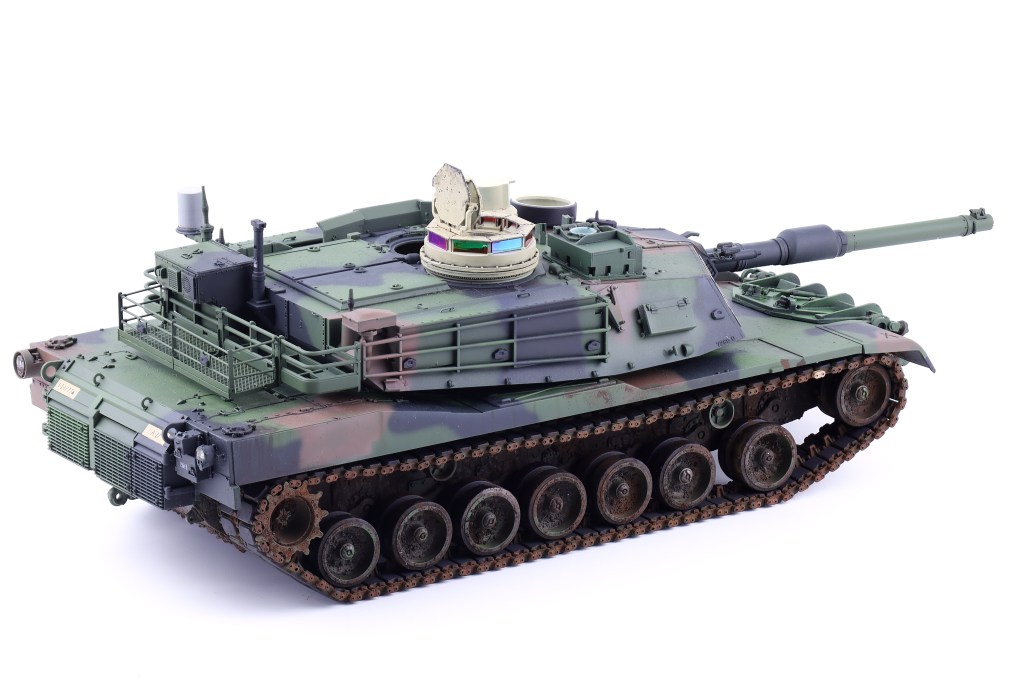
With the Abrams sealed with a satin coat, I was now able to move on to the weathering process. I again with a fairly basic, dark brown pinwash, taking care not to overload the model and tint the completed paintwork. I intentionally chose restraint in this step, as I felt that my paint modulation work during the painting phase was the primary weathering effect I wanted to be noticed. After the wash was completed, I then got to work with an enamel paint streaking effect.

This technique has become one of my favourites as a precursor to more substantial earth and mud effects seen on armoured vehicles, I find this effect perfectly recreates the slow buildup of dirt and dust that is seen in many armoured vehicles. To achieve this effect, I airbrushed XF-10 “Flat Brown” and XF-52 “Flat Earth” thinned 3/7 paint to thinner. Onto the lower areas of the model where dirt and dust was most likely to streak down to and collect. Shortly after the dust layer is airbrushed onto the model, enamel thinner is lightly brushed over top before vertical brushstrokes are applied, creating the effect that dirt and dust has been washed away from rain and the streaks are all that are left.

With this approach it is important to only spray thin layers of paint because if too much is applied, it will be difficult to control when attempting to apply the downward brushstrokes. After completing this first step of the enviromental weathering, I could then move on to more substantive mud and dirt effects. To achieve this, I followed the same procedure as seen in my Tiger I project last year. I chose three shades of pigments (a highlight, middle, and shadow tone) along with three complimentary shades of enamel mud effects. Knowing that this vehicle would be based in a cold, damp environment I chose colours that were somewhat darker in an attempt to recreate the correct mud I wanted to depict. The following pigments were chosen: ABTP060 “Trench earth” P414 ‘Track Brown” and ABTP235 “Cargo dust”.
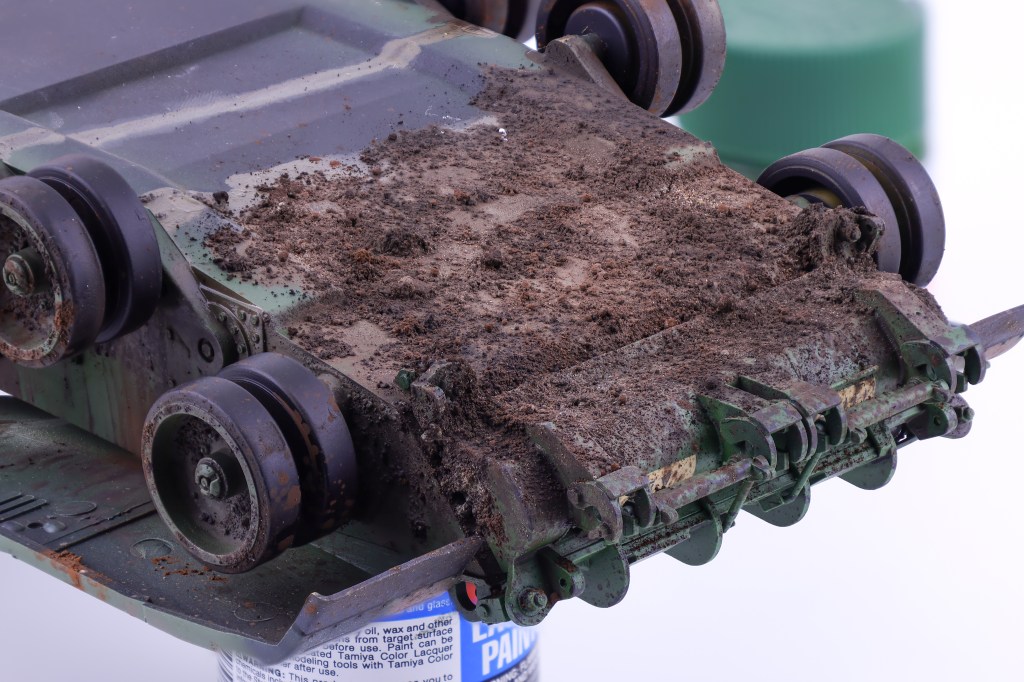
For the application of the pigments, my approach was as follows. I first added clumps of pigment straight from the jar onto areas where I wanted significant mud buildup to occur. After I was satisfied with the initial placement, I then added drops of pigment fixer onto the pigments which wetted them and fixed them in place. This approach can be varied to get a wide range of results. If applying a limited amount of fixer, the pigments will retain their clumpy shape. If more fixer is applied, they will begin to liquify and appear far wetter.
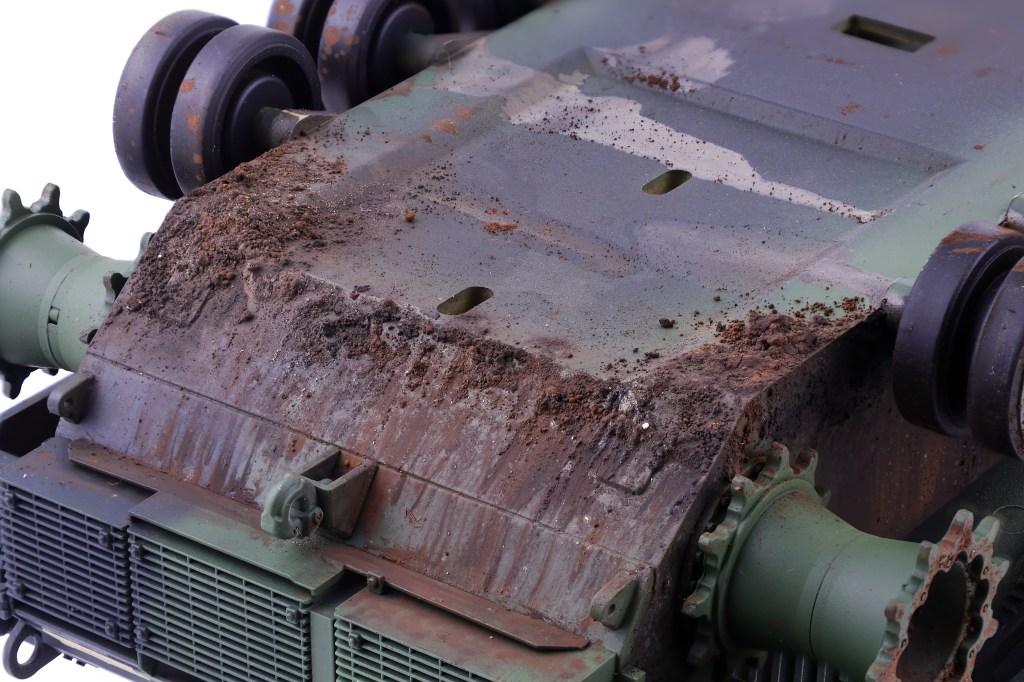
While the pigments are still wet, I then stipple on complimentary colours of enamel mud effects from AK. After this first round of stippling is done, apply vertical brushstrokes to make it appear that the mud has been flung onto the vehicle and slowly drooped down the vehicle. I find that this approach does a great job in ensuring that the mud effects have the proper volume and shape.

Categories
1:48 Aircraft Projects

RF-4E Phantom II: Nose gear and photo bay

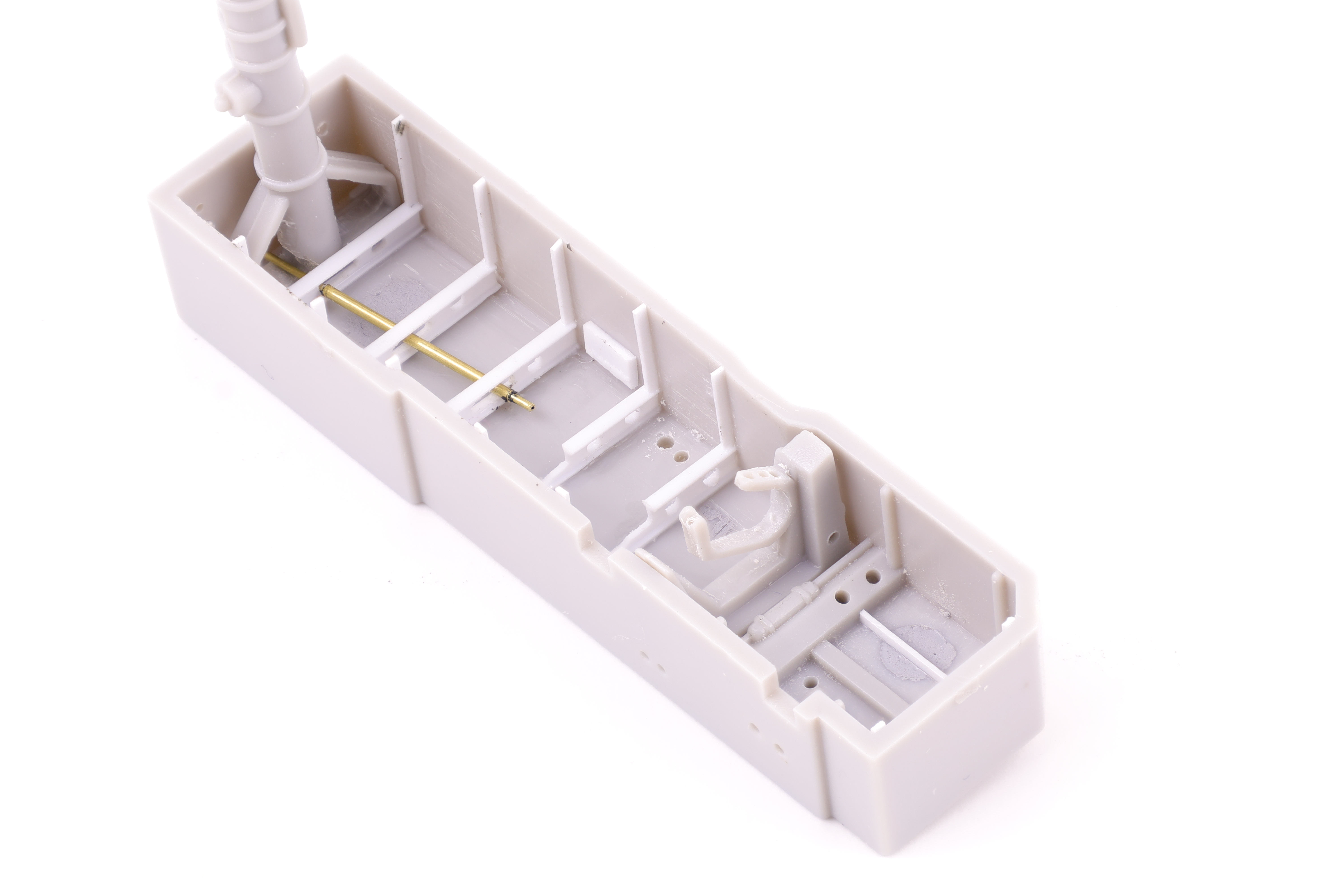
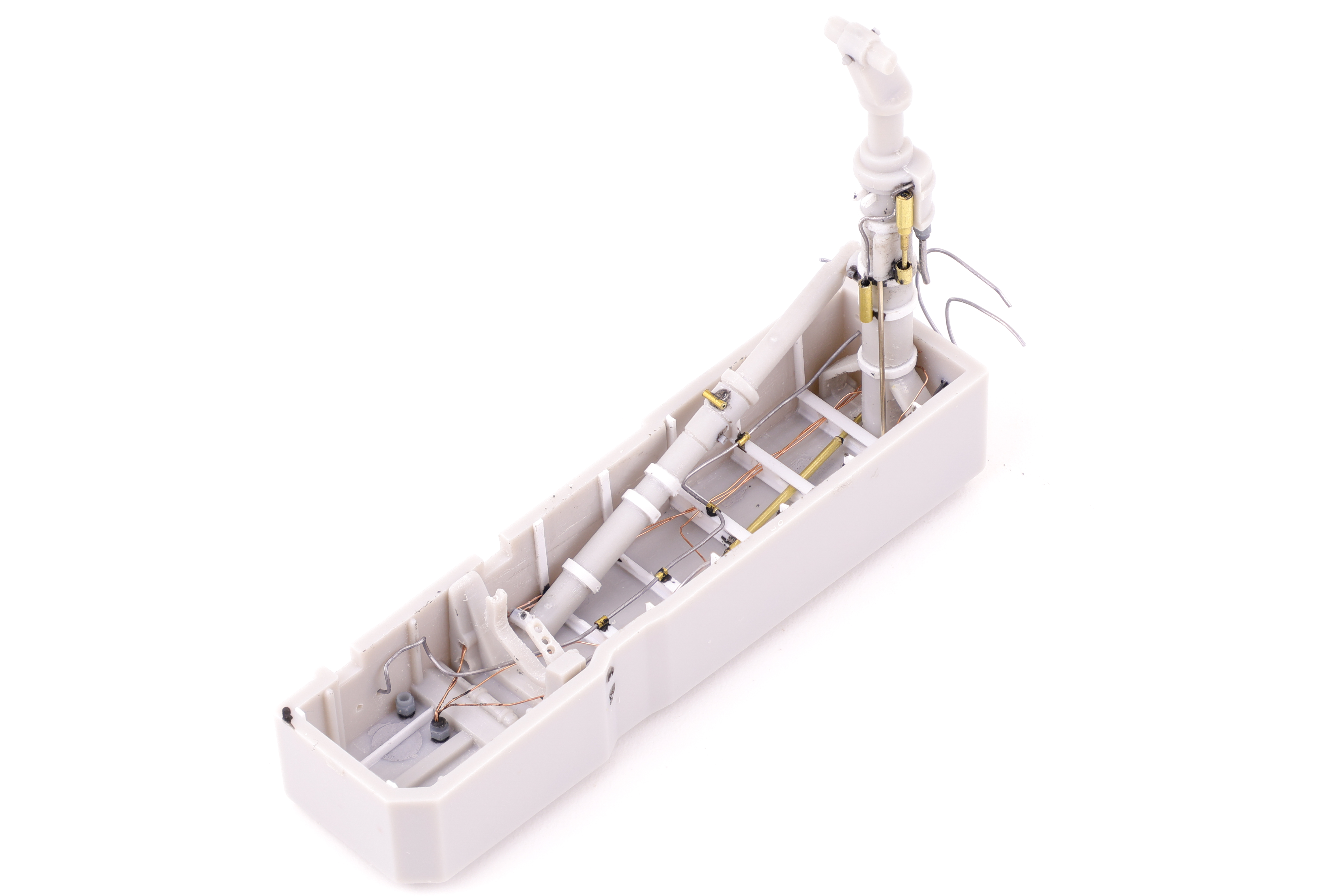
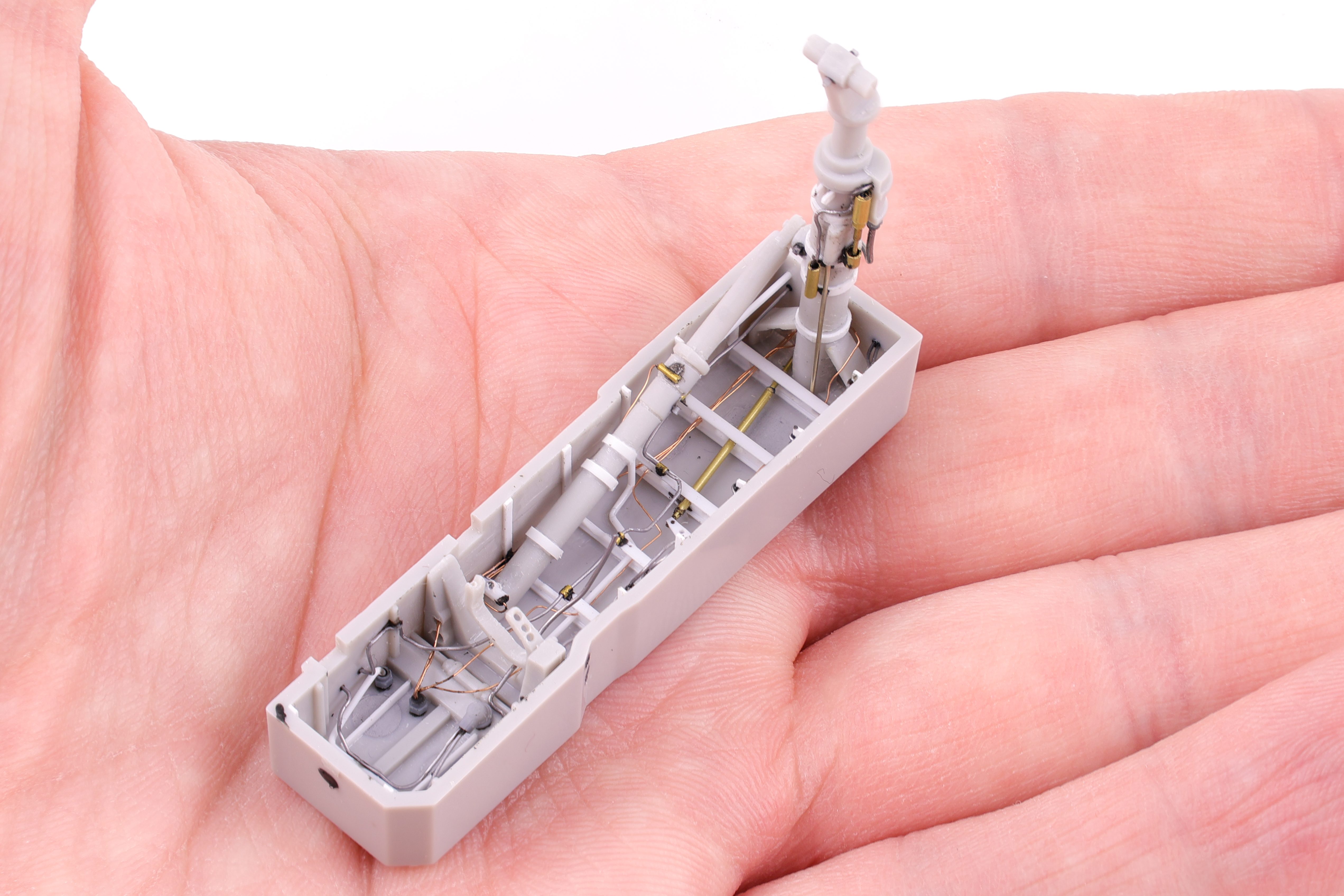
With the completion of the cockpit, next up was the nose gear bay. Like the cockpit, the gear bay was really lacking detail and not up to a modern standard. There was also the fact that there were several prominent sink marks that were unfixable without removing the molded detail. As such, I broke the chisel out and completely removed it all. I can’t lie, this was fairly nerve wracking as I wasn’t sure if I could pull off scratchbuilding something as complex as a gear bay. After a trip to my LHS, I was well armed with small pieces of styrene and got to work replacing the detail that I had hacked away.

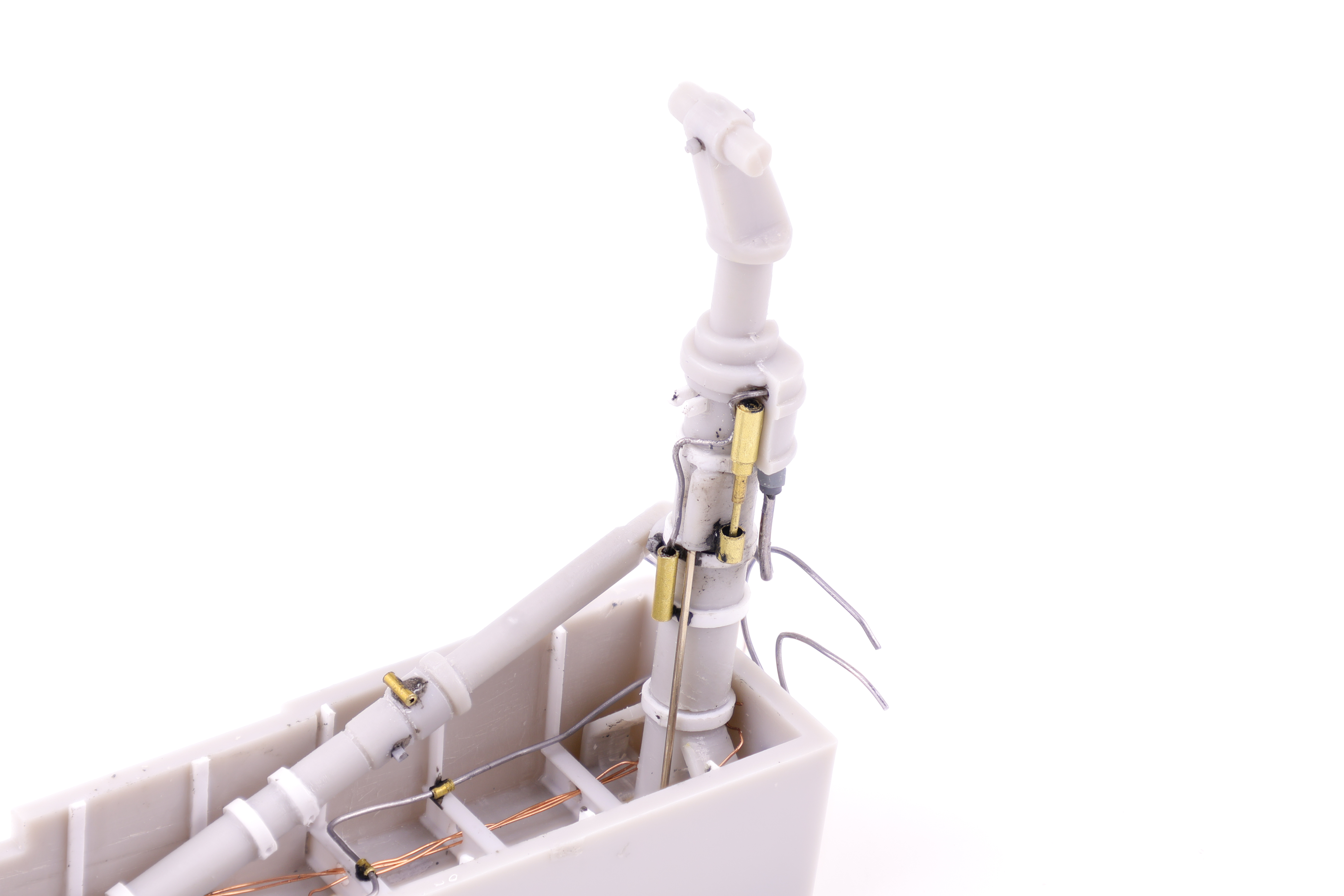
I started with replacing the substantial bracing structures with styrene replacements along with a brass tube to depict an actuator arm. After getting these initial pieces into place I was pretty confident that the end result would look acceptable and was pretty happy with these initial results. I was however, confronted with another problem that needed to be solved; the main gear strut. With the way I wanted to attach the brass actuator arm, it would require being fed through the main gear strut. The problem? The arm would then block the strut from being put in place later on in the build. I wanted to keep the strut off the built until later on in the painting and weathering phase as it being glued in place would interfere with the masking and painting of the gear bay. To solve this problem, I opted to cut the strut after gluing the lower section in place. I was sure to add a metal rod to help with the alignment down the line.

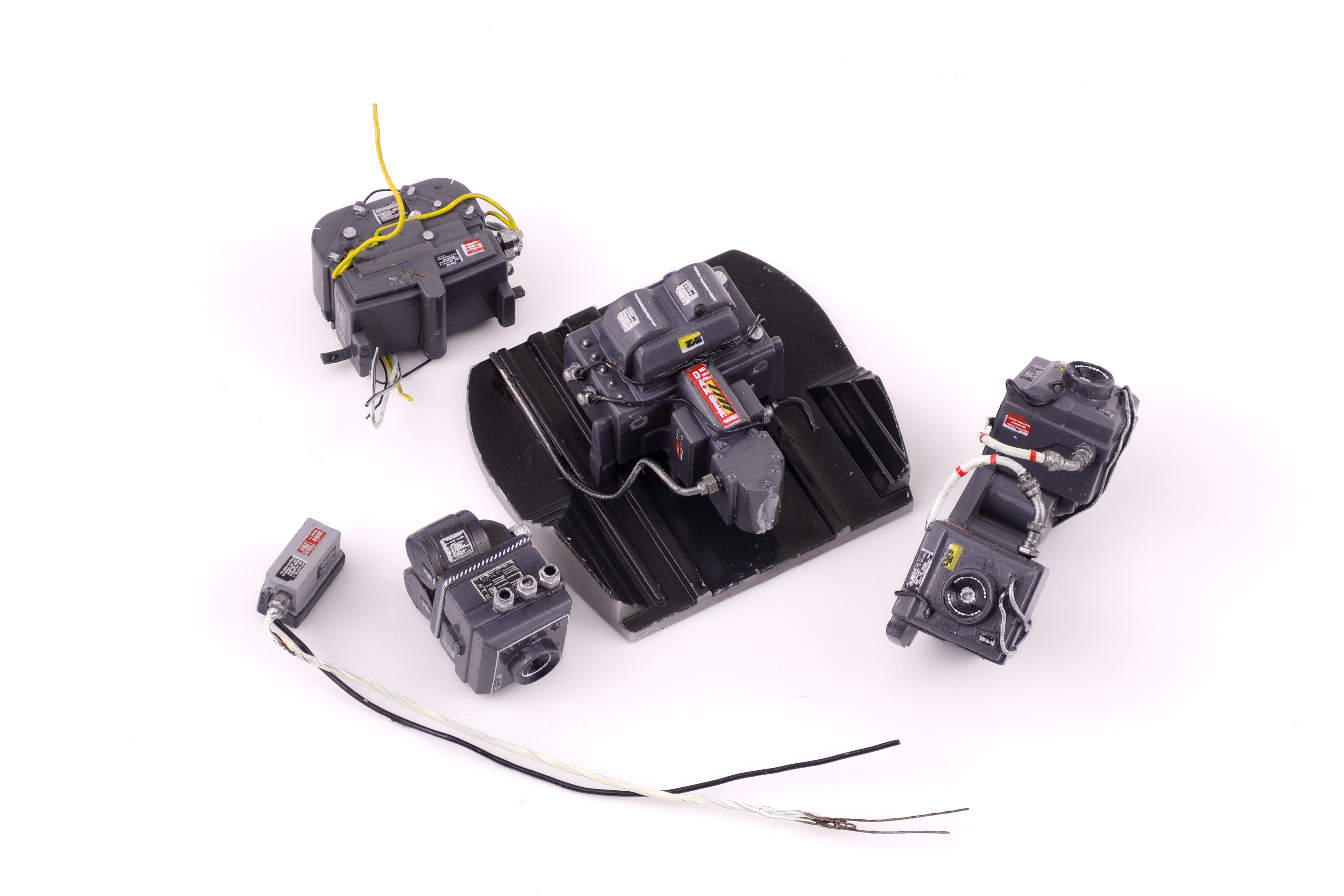
Next up was the camera bay. With this being a RF-4E variant, I wanted to do the extra work and open up the camera bay so that all the cameras would be visible. This required some additional scratchbuilding as the kit does not allow the bay to be opened out of the box. I started by adding some structural bracing to the interior of the bay along with the various computers that are stored in the nose. I also did some work to the cameras themselves and hollowed out the lenses to depict a more concave shape that you would see in an actual camera lens.

With the bay being posed open I really wanted the camera equipment to be well detailed. To make sure they were, I utilized lots of placard decals to make them look the part. I was particularly happy with how the lenses turned out as I used circular decals to depict different components of the lens. I also added some clear green and clear blue as it was clear from reference photos that the lenses had colour coatings when they hit the light right. With the completion of the camera bay it was time to seal up the fuselage!

Categories
1:35 Armor Projects

M1A2 Abrams SEP V2: Painting

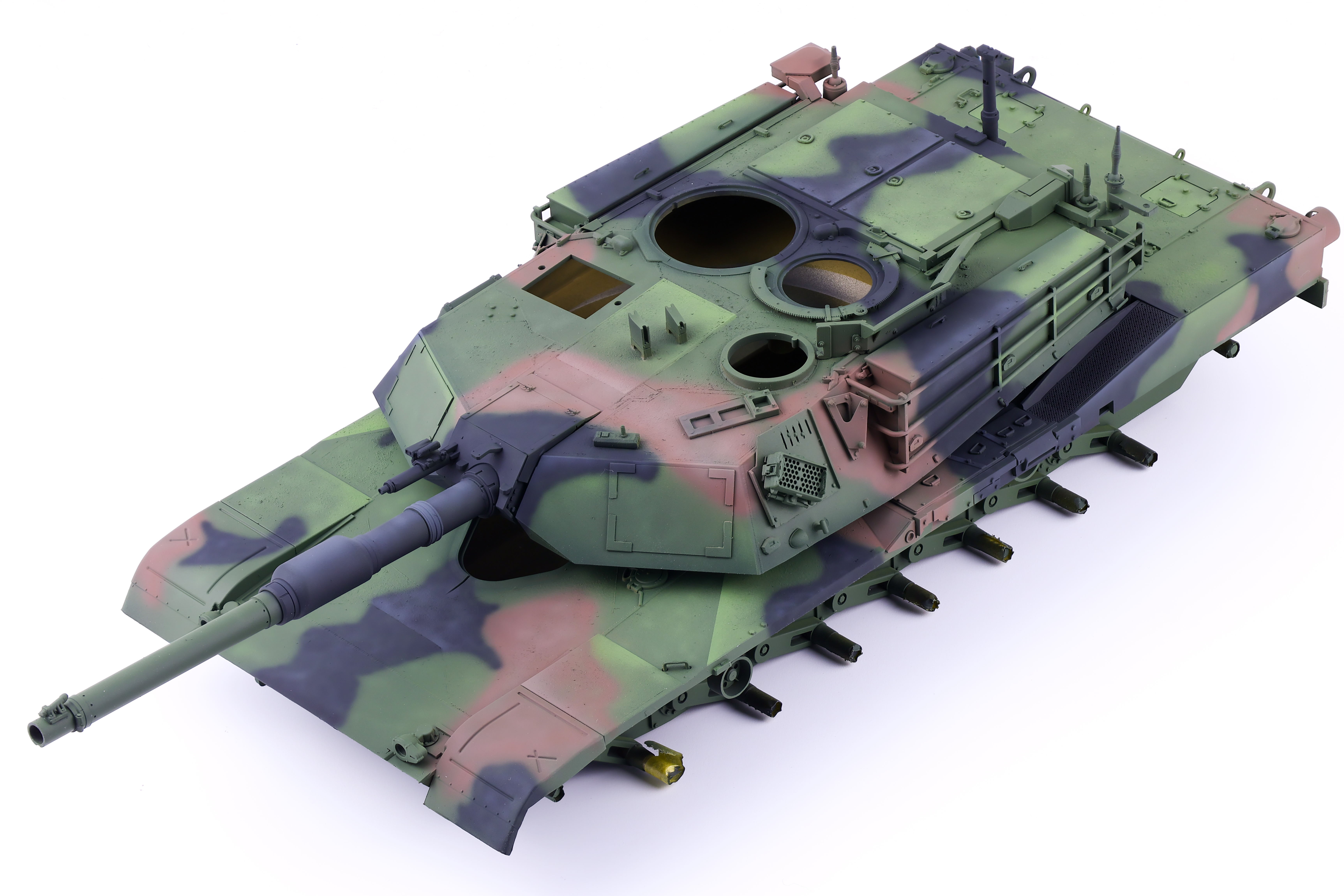
I knew that when I started this project that I didn’t want to build a standard desert tan Abrams, and I opted for a woodland scheme instead. Modern armour paint weathers quite differently then ww2 or Cold War armour and as such I needed to take that into account for this build and decided I would take a more subtle approach to the finish of the model and put more focus in the environmental effects.

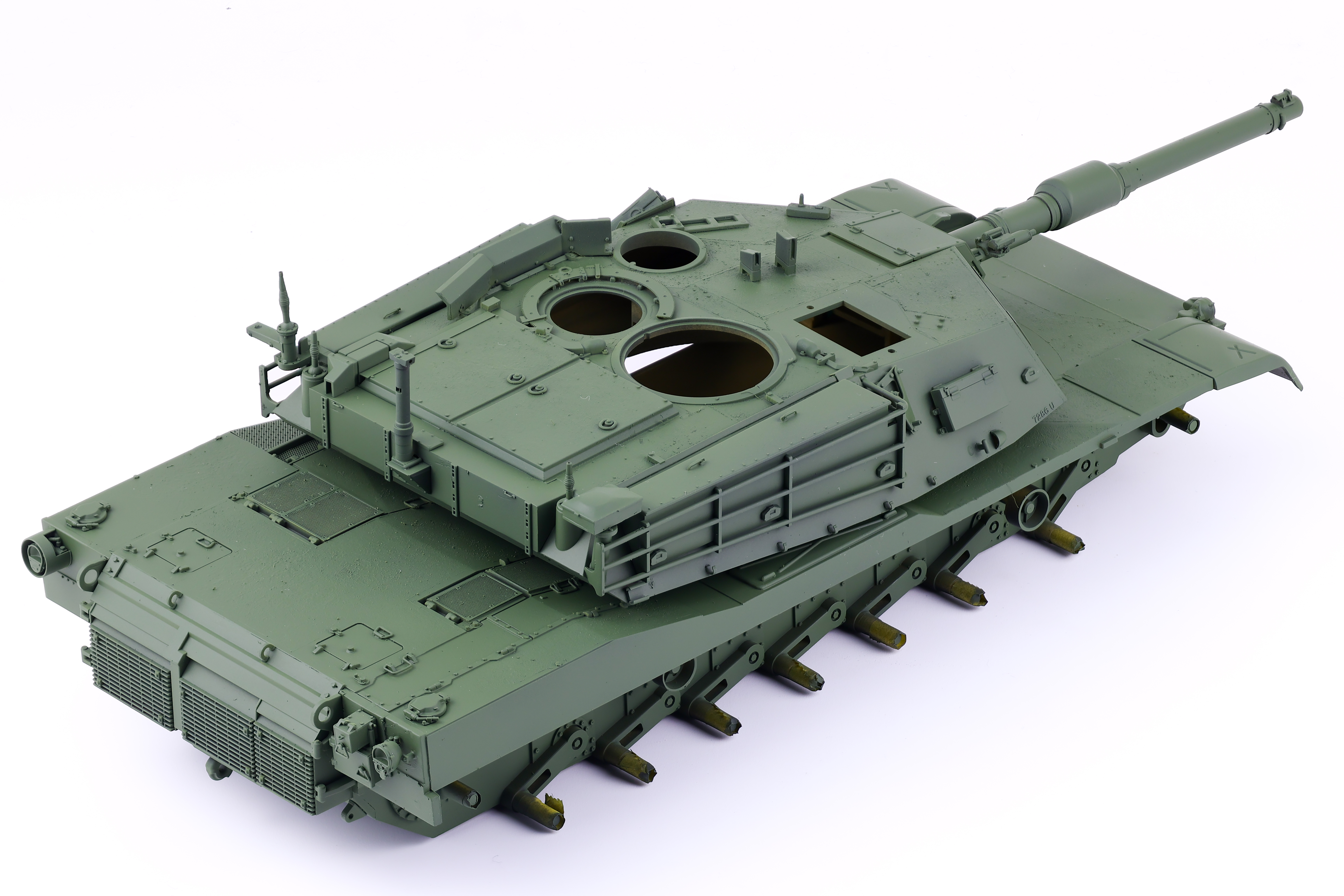
After a coat of Mr. Surfacer 1500 black to the prime the model, I applied a fairly even coat of Tamiya Lacquer NATO Green. I intensionally made this layer uniform as the paint weathering would entire be done with post-shading. For the post shading, I chose a 80/20 mix of NATO Green with flat yellow. This created a fairly vibrant green tone that would serve as the highlight layer that would isolate details I wanted more focus on. After the highlight layer was completed, I chose a dark green shade to darken the lower sections and recesses of the tank, which balanced the overall post-shading technique. All this work helped to serve as a guideline for the next colours, black and brown.

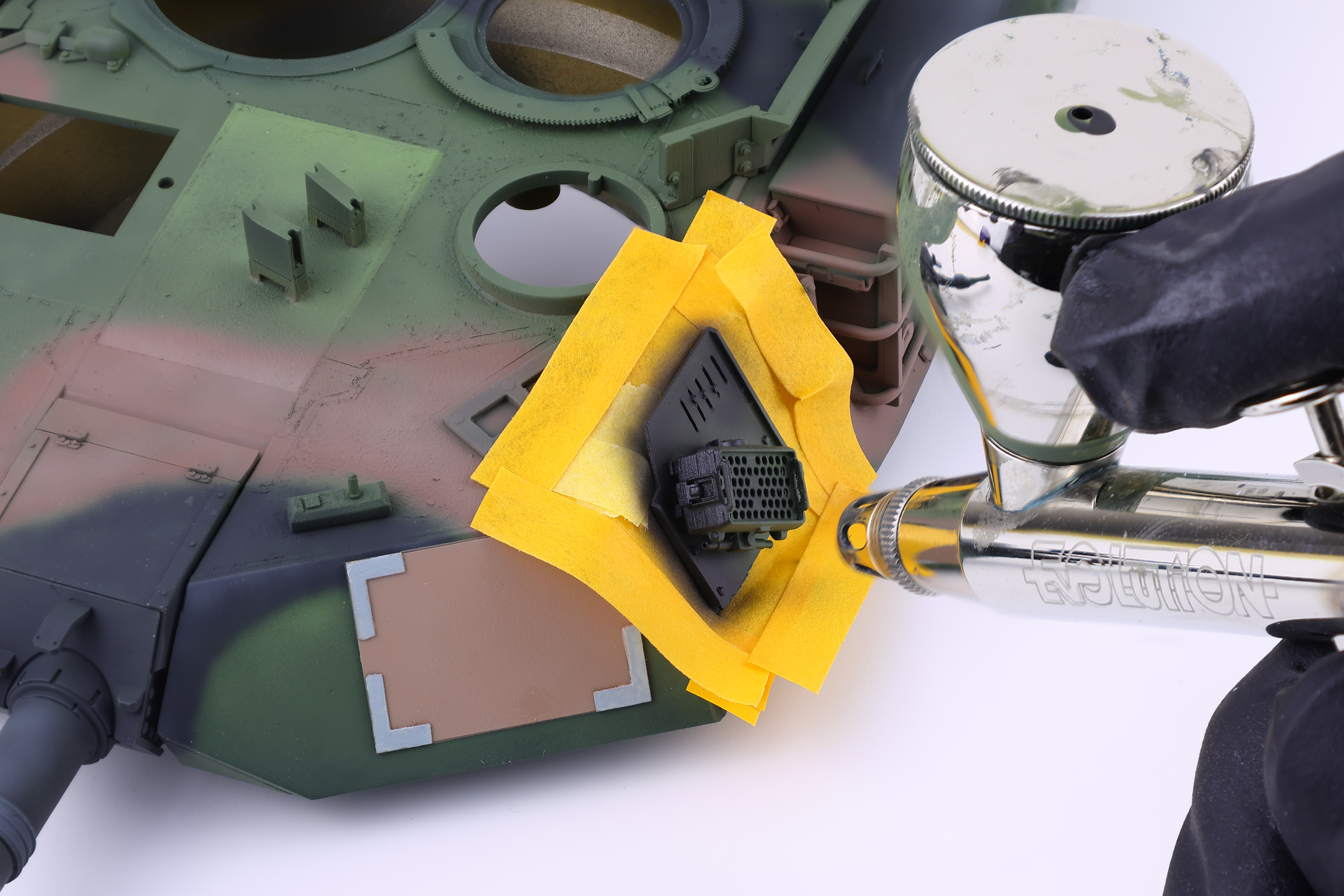
After the post-shading work was complete, It was time to pick out the elements of the tank that were not finished in the standard NATO camouflage. These parts included the CVTESS equipment, various antennas, and the combat identification panels which were partially hand painted. I also opted to paint some parts of the vehicle in desert tan to help add some visual interest and further break up the colours of the Abrams. These parts were chipped in a dark grey colour, and meant to represent parts that may have been swapped from another vehicle that had seen significant damage or wear.

After this stage had been completed, I sealed my work in a satin clear coat in preparation for decals and weathering.