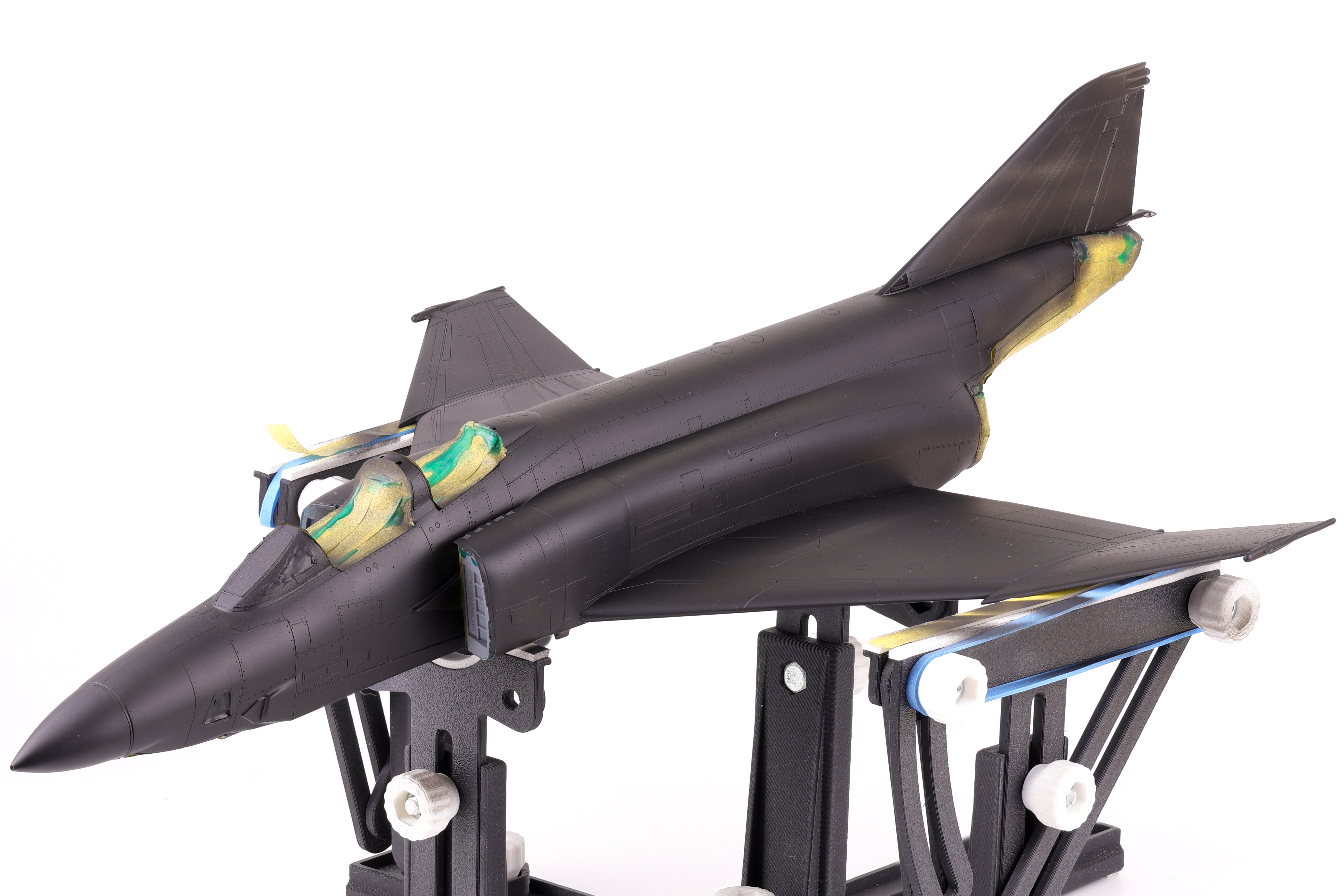
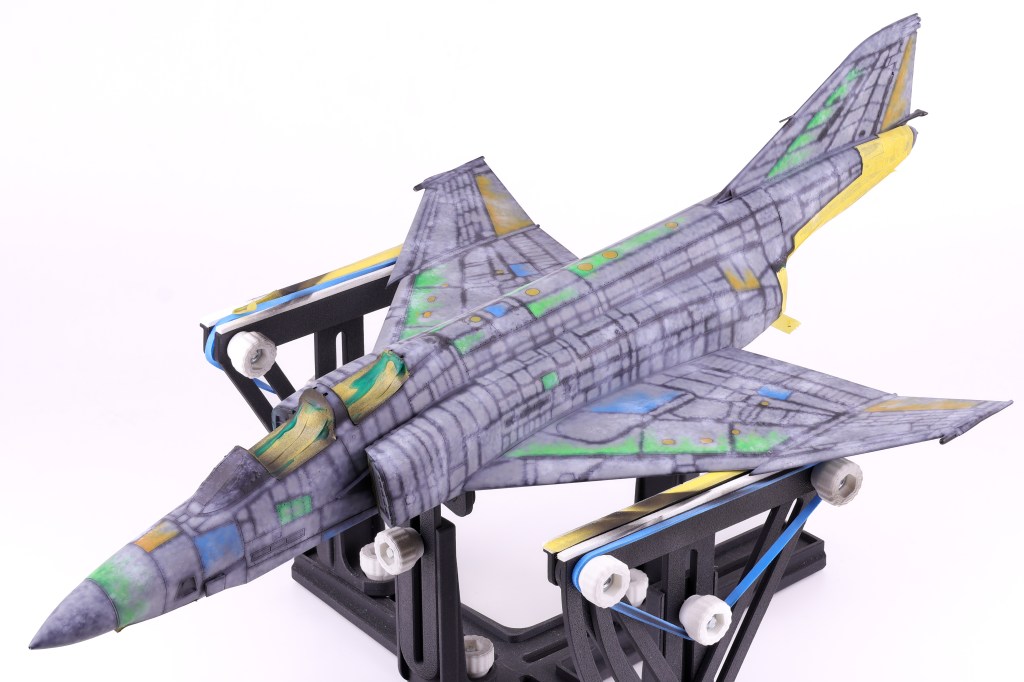
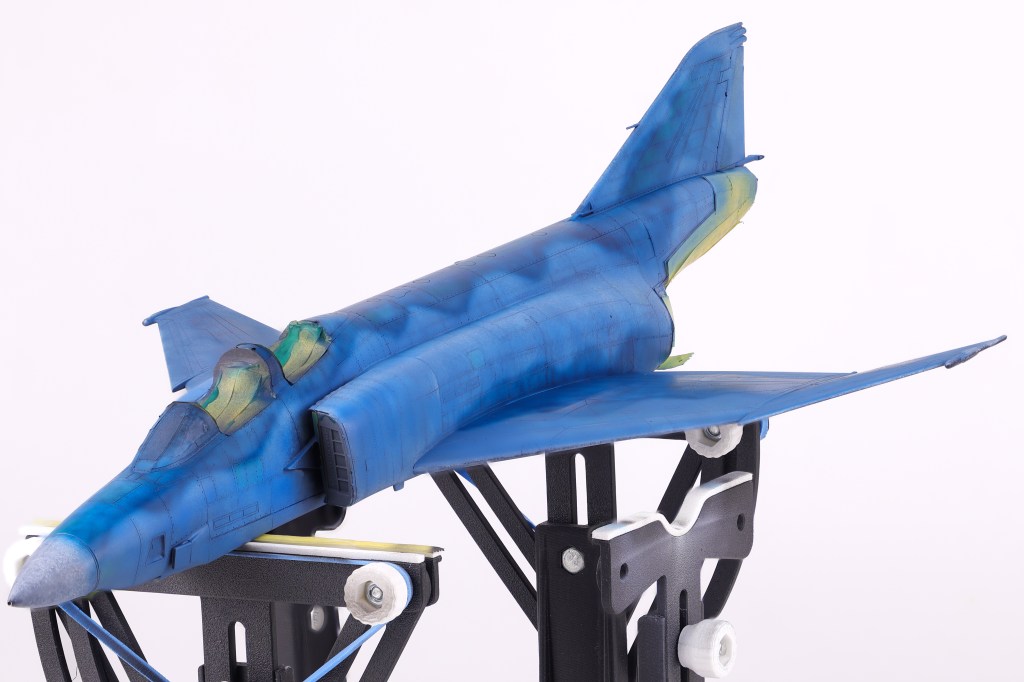
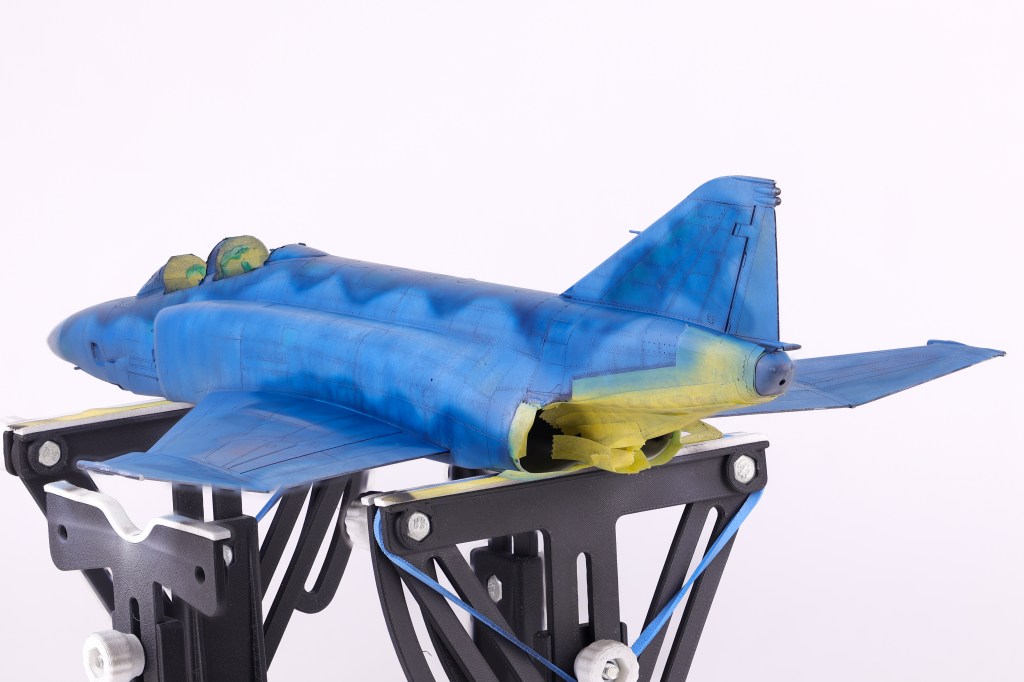
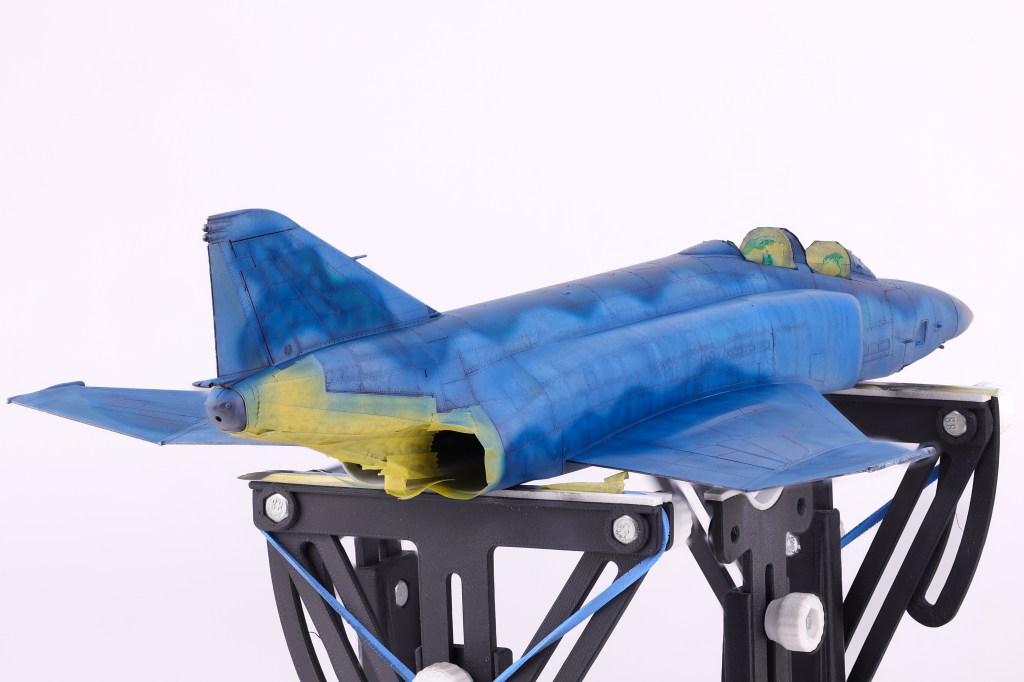
After several months on the bench, it came time to apply paint to the model. As with the majority of the models I build, I utilized the black basing technique to apply pre-shading to the model.
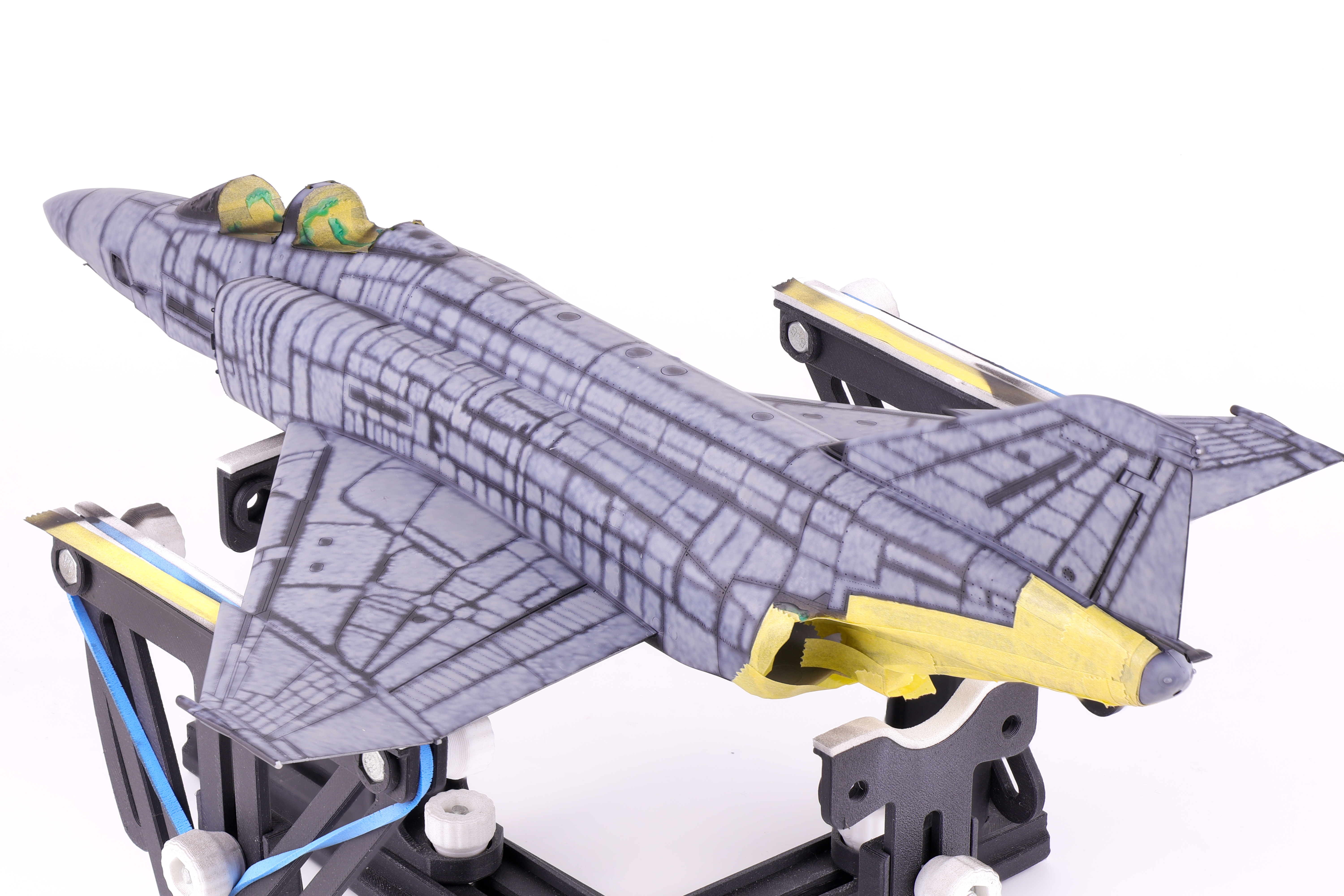
After the initial coat of Mr. Finishing surfacer black 1500, I used a generic light grey to serve as the initial marble coat. I wanted to make sure that my marble work was sufficiently light enough as if the base layers turned out too dark, the final paint coats would also appear too dark and require too much paint to bring the colour back into the final finish.
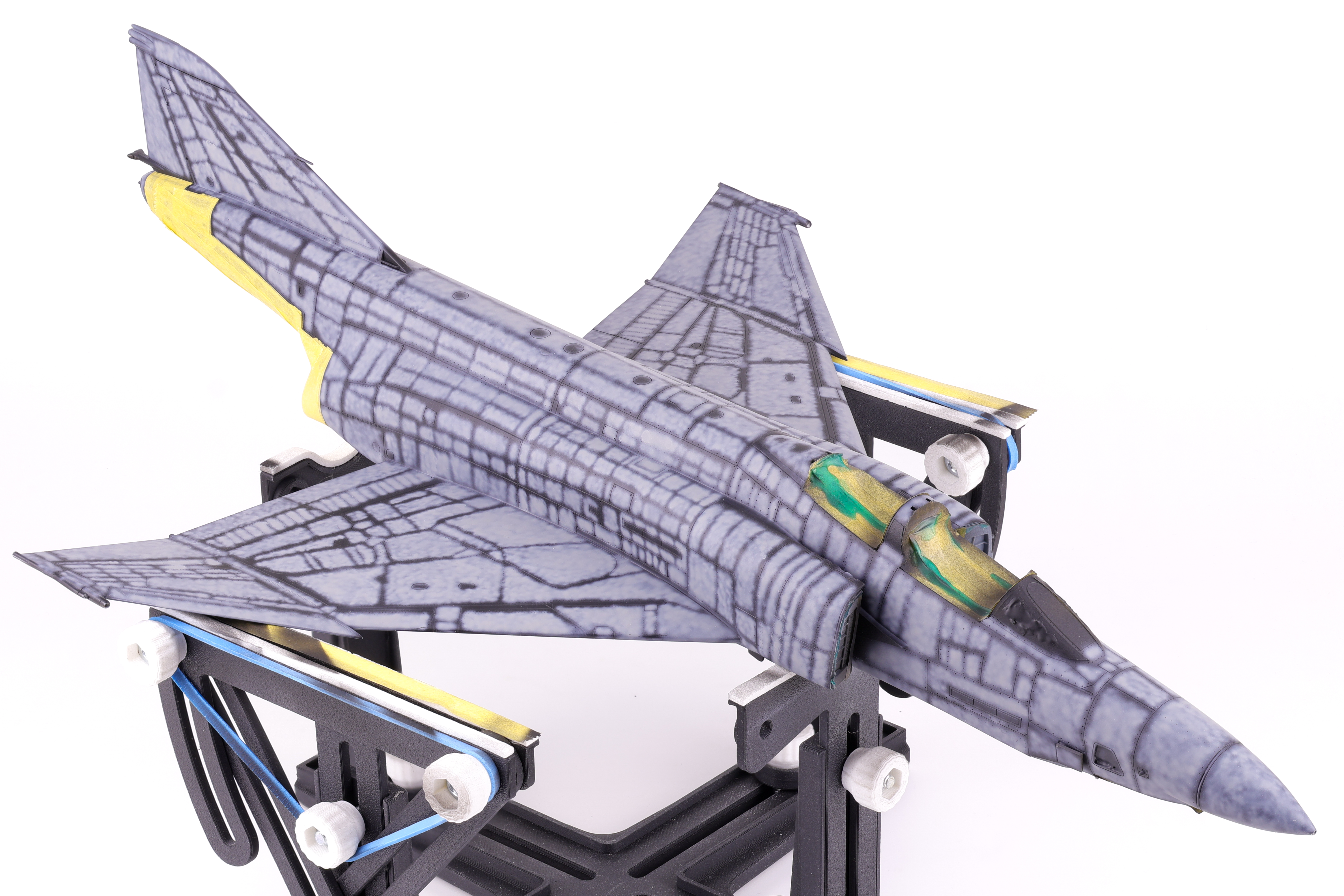
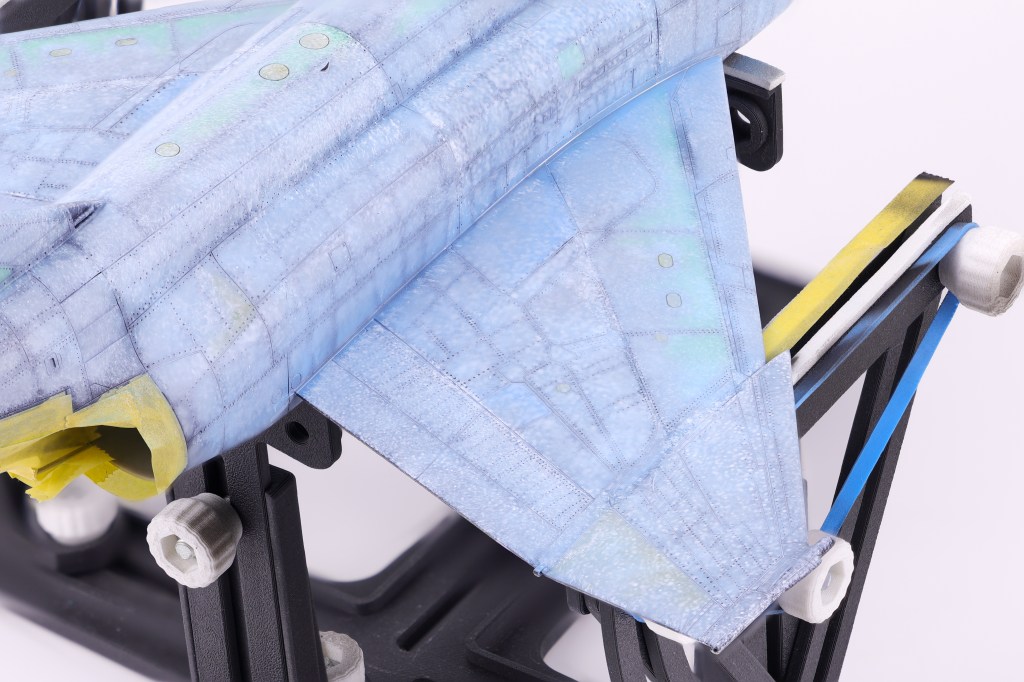
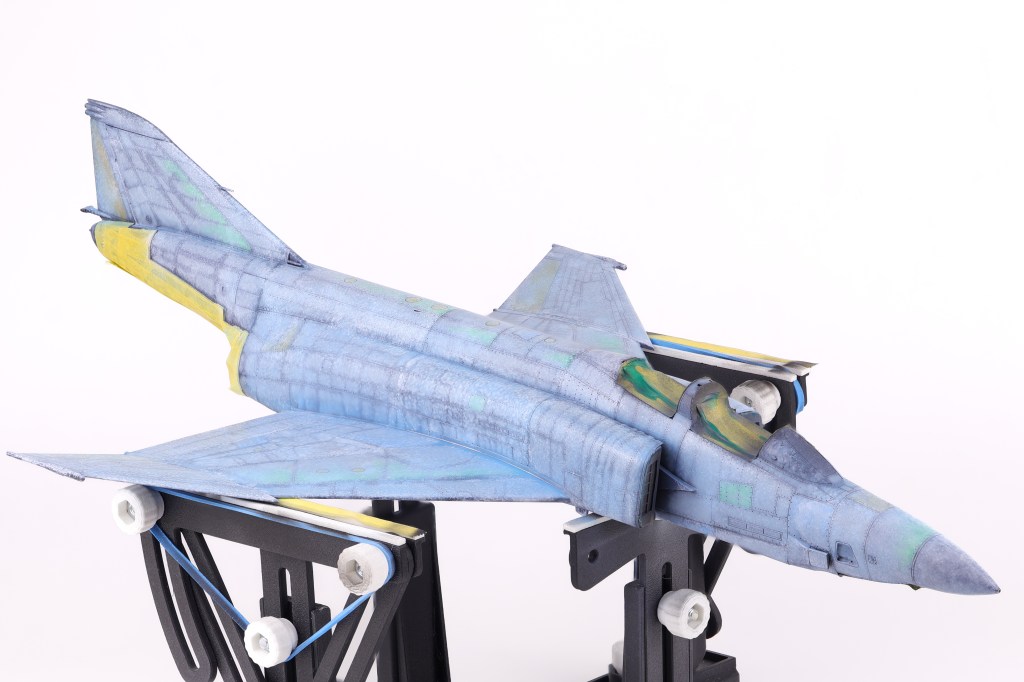
I then got to work adding some variation to the pre-shading, opting to scatter some different colours on select panels. In the end this effect was not as apparent as I had hoped but It’s still fun to play around with new approaches to techniques. The next step would be to begin blending everything together in two blend coats. The first was a thinned down coat of Mr. Color JASDF “Light Blue Impulse” which tinted the pre shading to be more in line with the final colours.
After this was done, I then tried a new technique that I have been wanting to for some time now, the layered ink patina technique. This is done by utilizing liquidex acrylic inks to achieve even further surface variation. This technique was popularized by Modeller Kris Sieber (@Luftraum72) who has a great guide on how to utilize this approach available on his website.
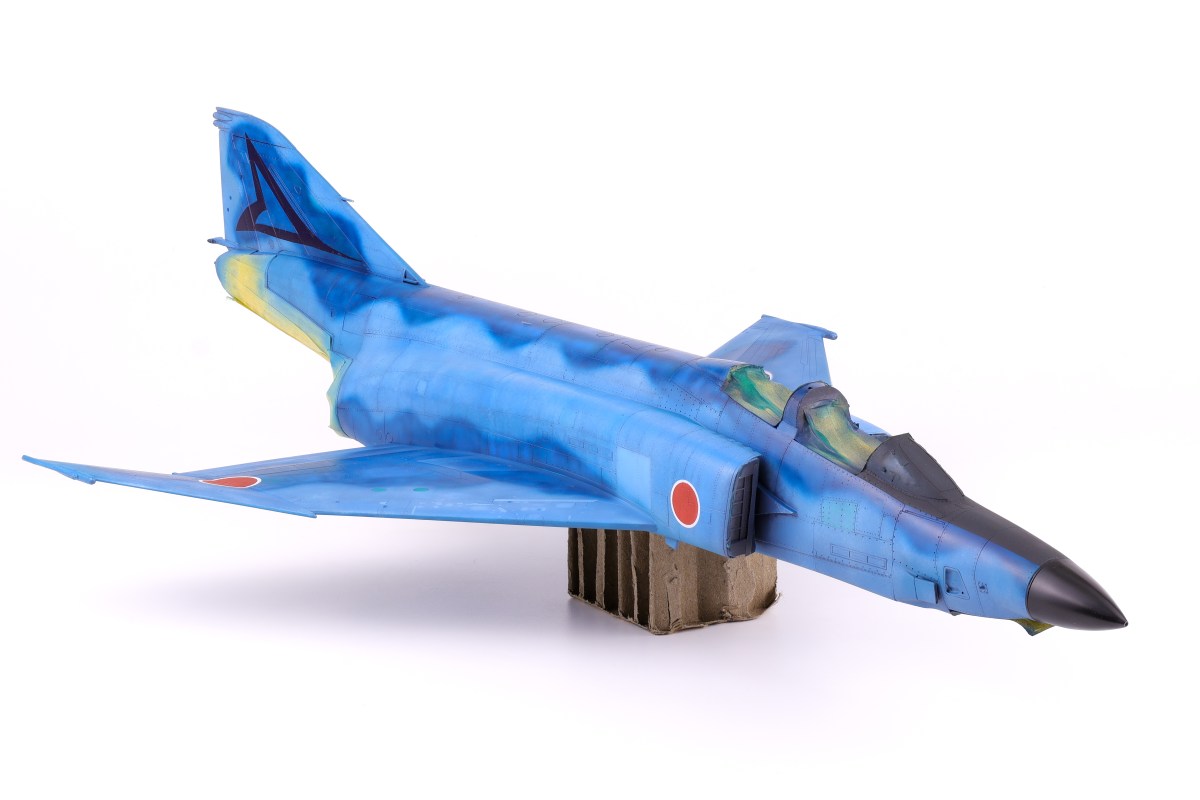
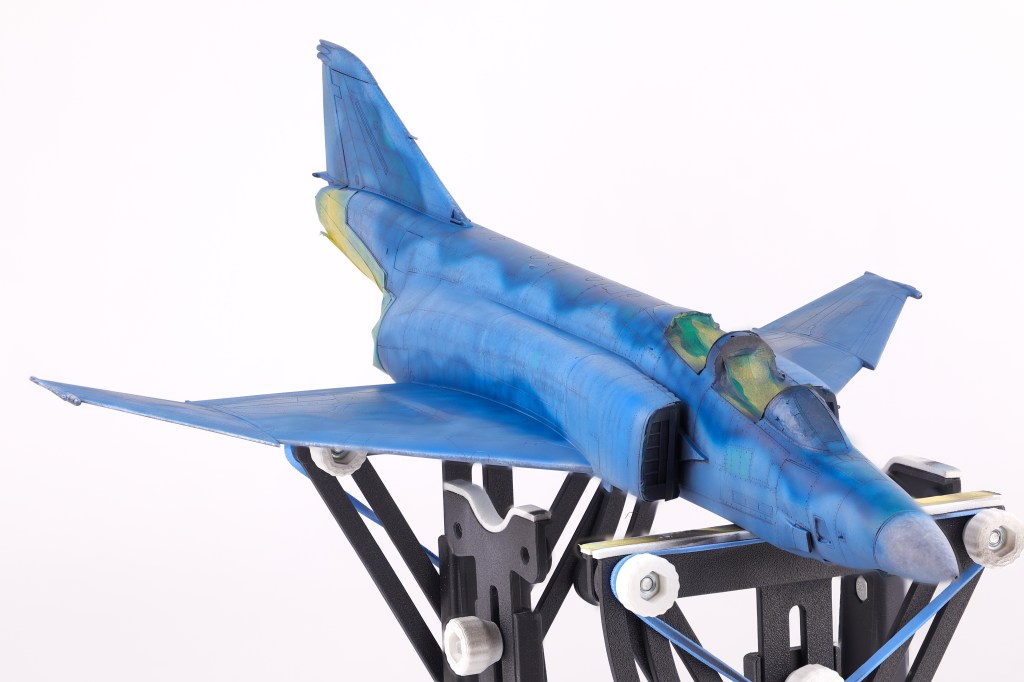
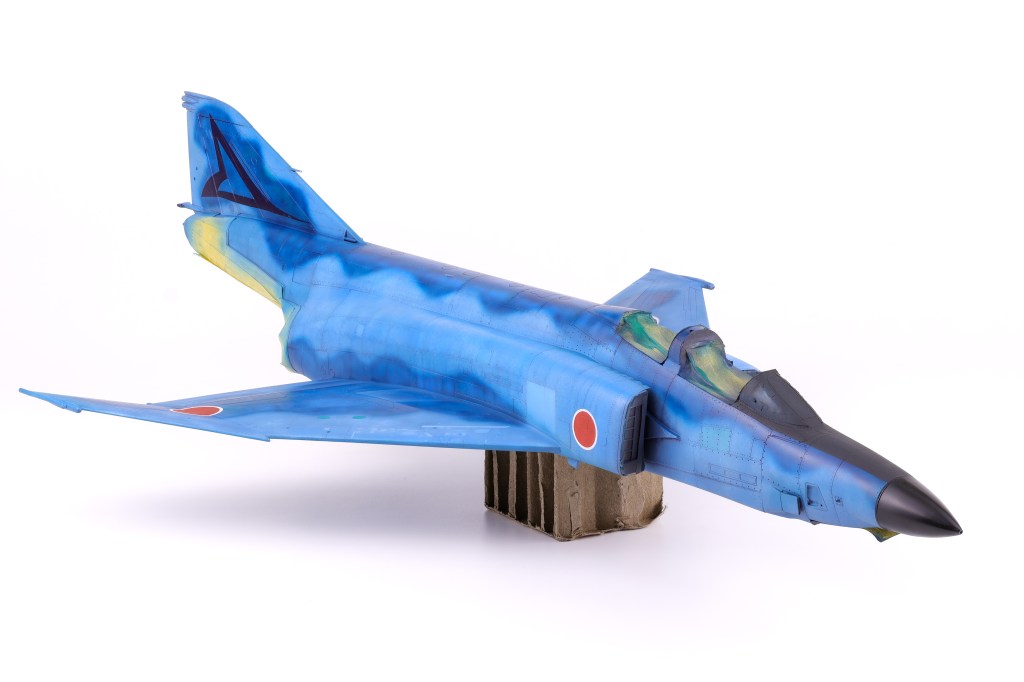
With the many pre-shading layers done, It was time to apply the final camouflage coats to the model and see if all the prior work was worth it. To do this I utilized two main shades, the first was SMS Midnight blue, the second being the aforementioned Light Blue Impulse from Mr. Color. I applied the light blue shade first, taking care not to overlap with the darker areas so not to overpower the pre-shading. I was fairly happy with how this turned out and I think that my approach here captured the duality of this distinctive scheme, in that it is incredibly vivid and striking yet also faded and worn at the same time.
With this initial camouflage coat down, I then turned my attention to other areas that needed to be addressed. This included adding color discoloration to selected panels, painting the markings as well as the radome and anti-glare shield. Also of note was one of the scheme decals, a triangular graphic present on the tail of this aircraft. I opted to apply this decal at this time because from reference photos I could tell that it was very faded and barely noticeable on the real aircraft. To recreate this effect, I chose to paint over the applied decal prior to sealing my work in a gloss varnish
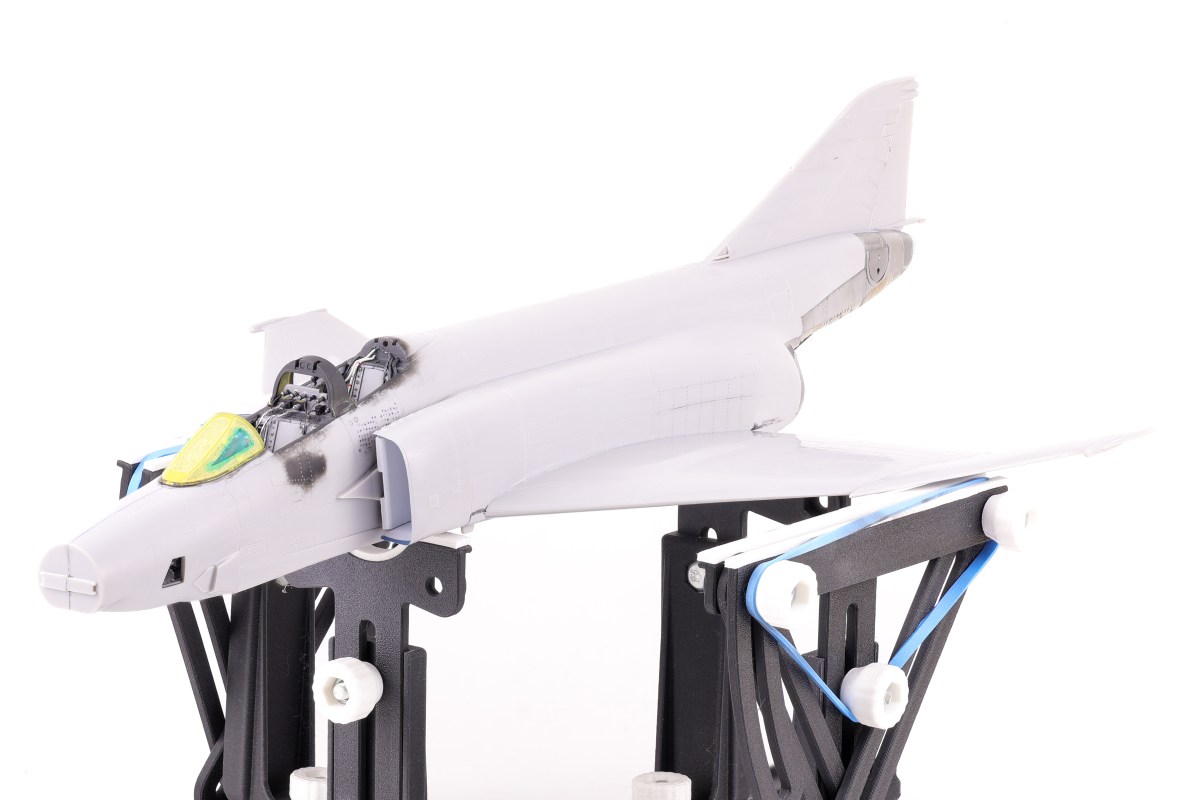
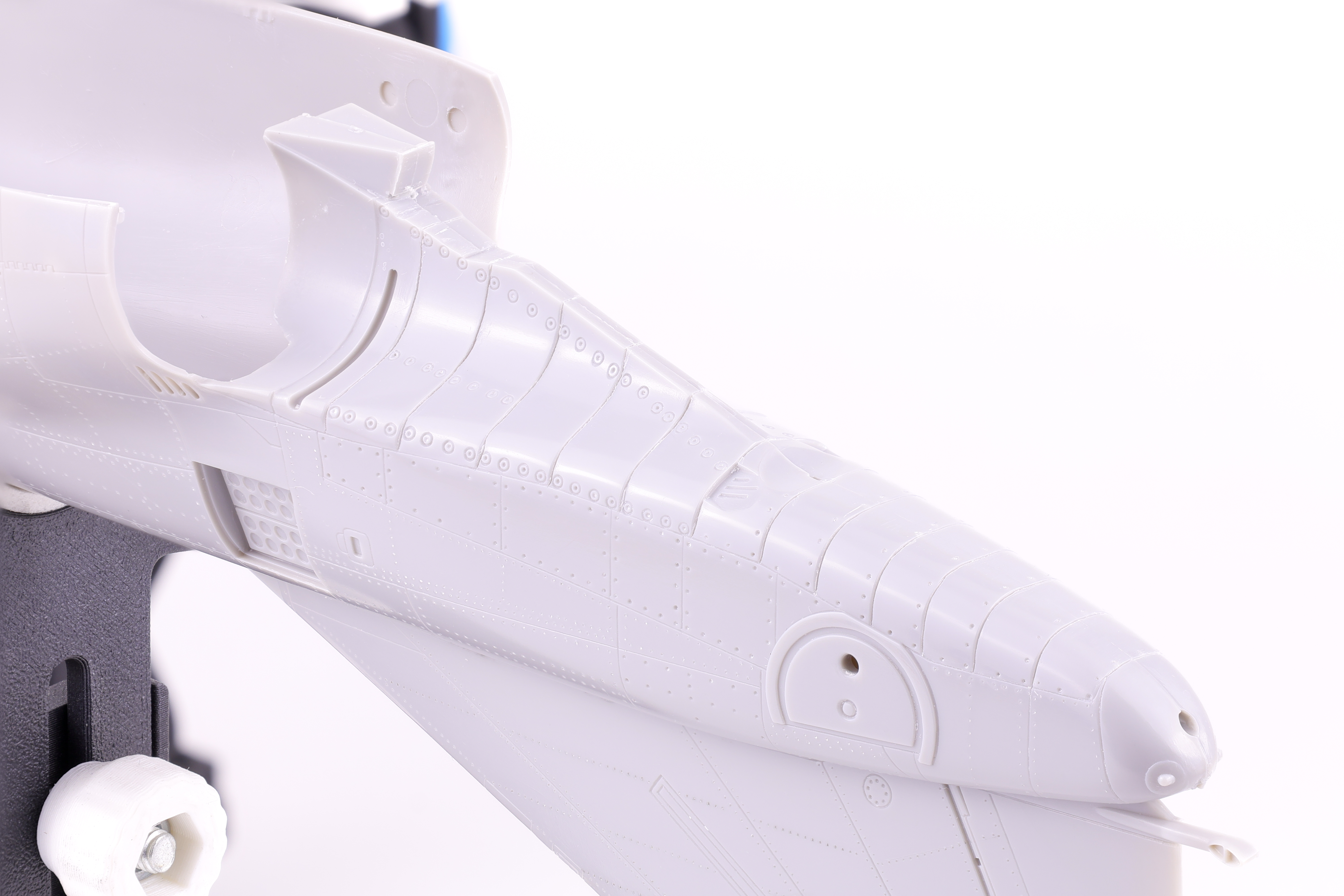
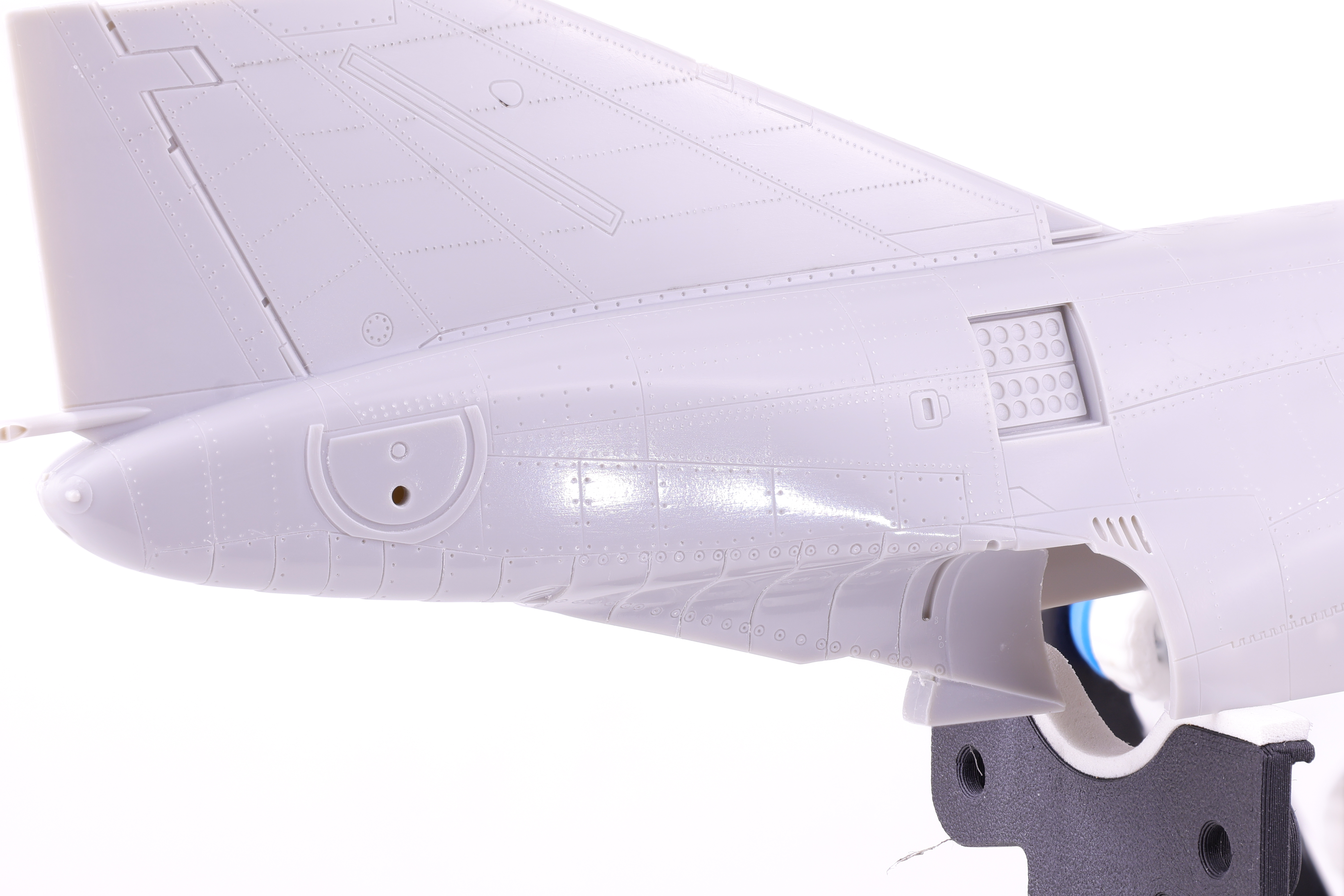
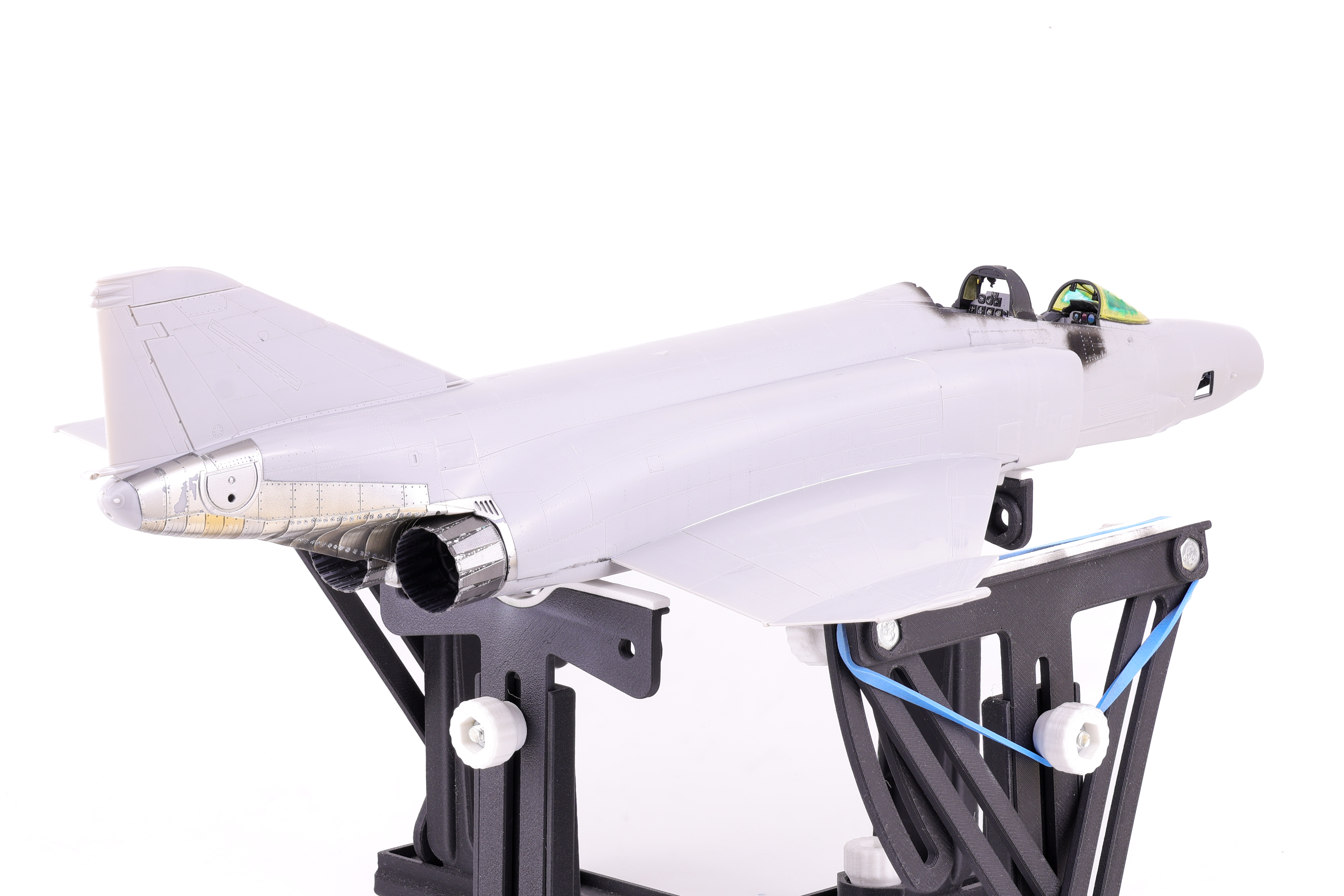
With the two fuselage halves joined work on the Phantom progressed to a new stage. Next up was the painting of the metallic surfaces and the exhausts. I chose to start work in this area because I knew that I wanted to polish the plastic surface in preparation for paint, leaving this step later on in the painting process would have made this difficult.
The plastic was buffed prior to paint application
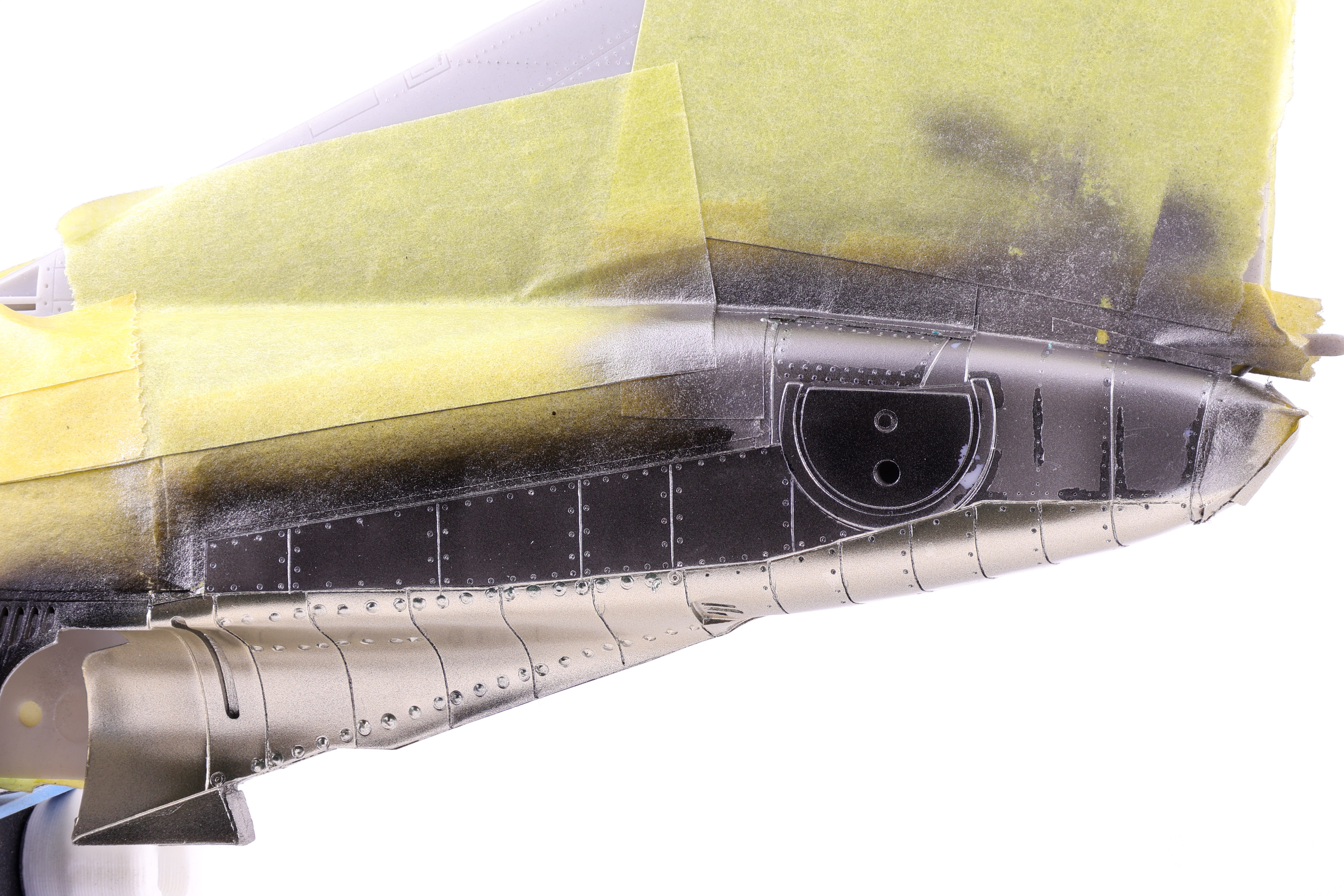
With the bare plastic giving off a nice shine, I then hit the area with a coat of GX2 Ueno Black, my go to option for gloss black.
With this step complete, I then got to work on the actual metallic shades, selecting a mix of Mr. Color Super Metallics and Tamiya Lacquers. After playing around with the shades I had available, I was feeling pretty confident in the result I had achieved.
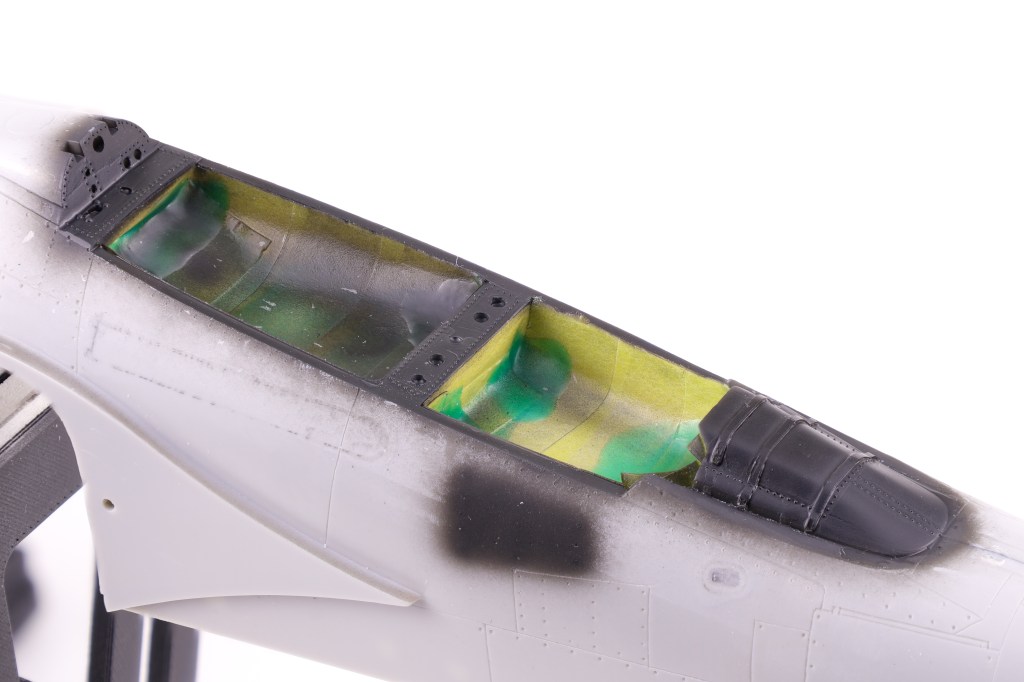
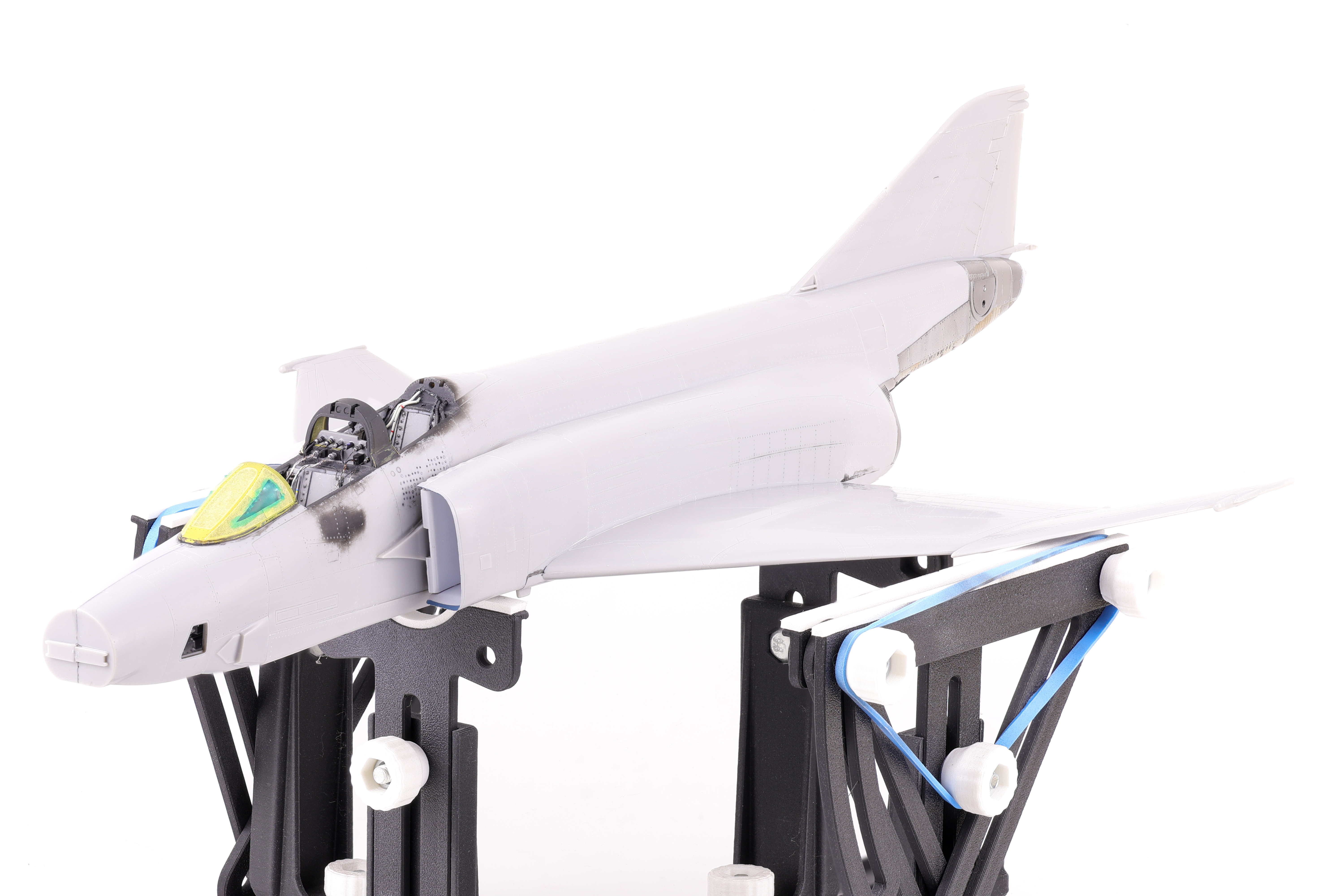
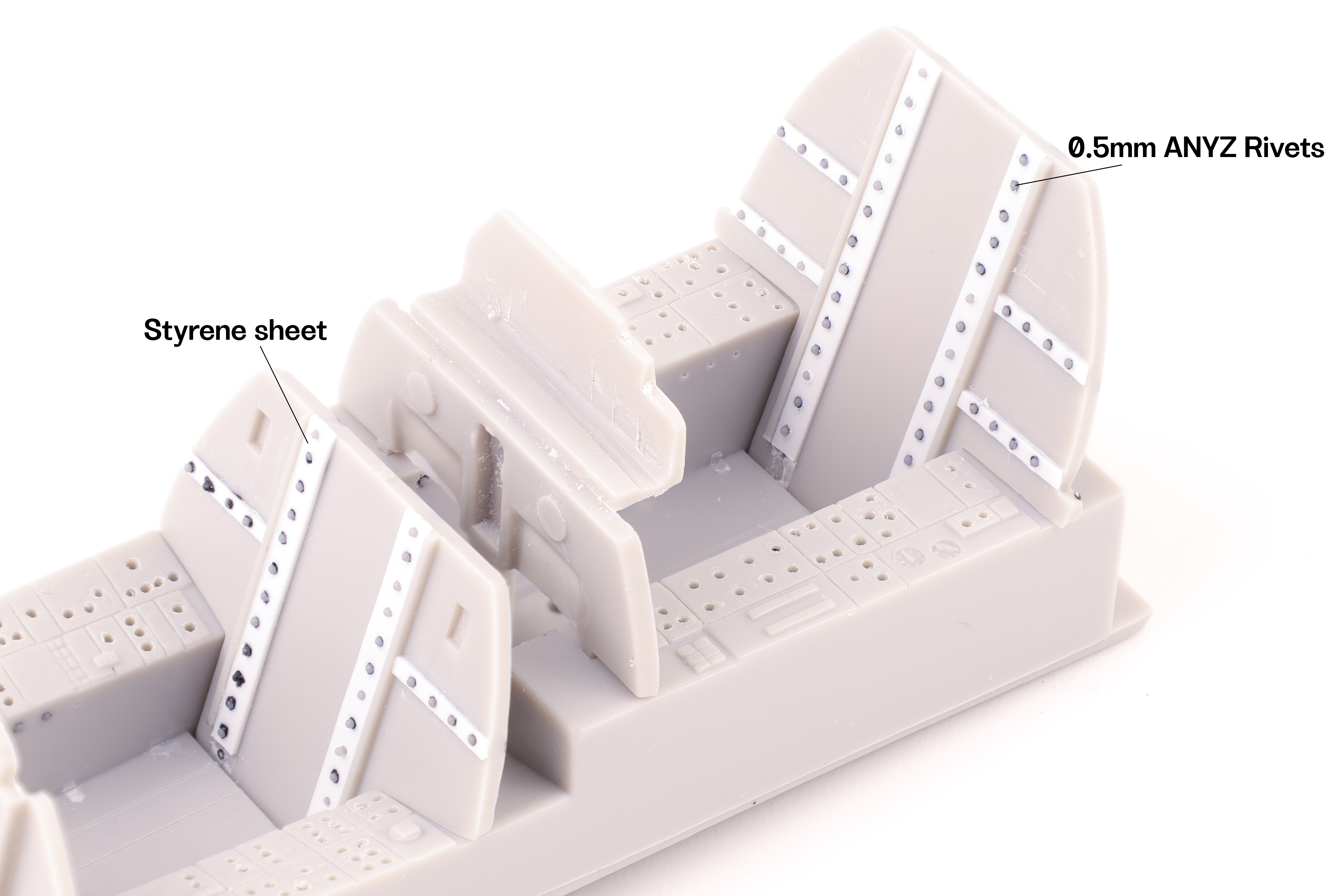
After the exhaust work was completed, I was able to move on to preparing the fuselage for paint. This consisted of attaching the wings and completing work around the canopy. This also included attaching the intakes which required a significant amount of sanding and putty work to ensure that they followed the contours of the main fuselage. This also meant completing work on the cockpit area, namely the sunshield and rear bulkheads To add detail in this area, I opted to apply some aftermarket rivet decals.
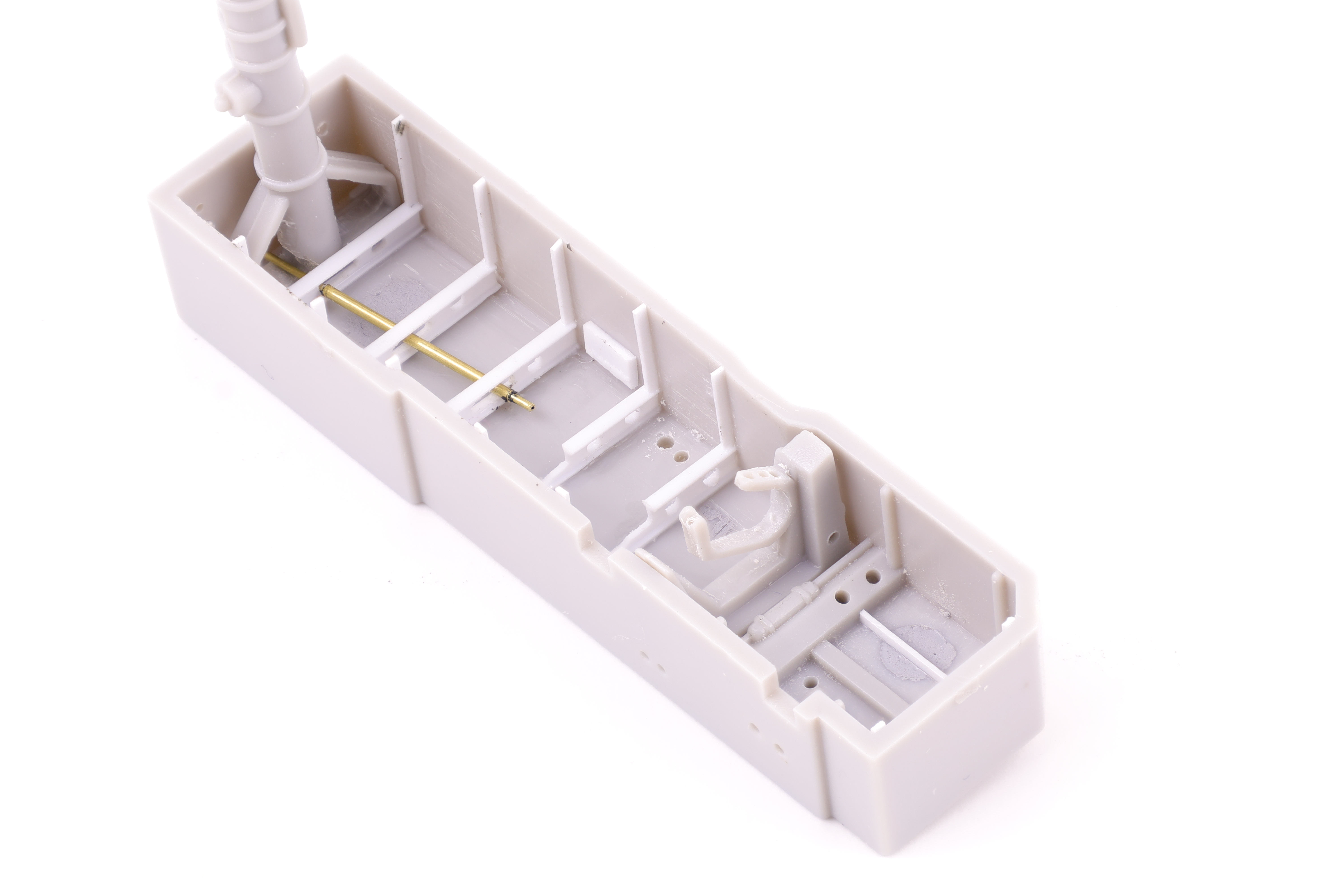
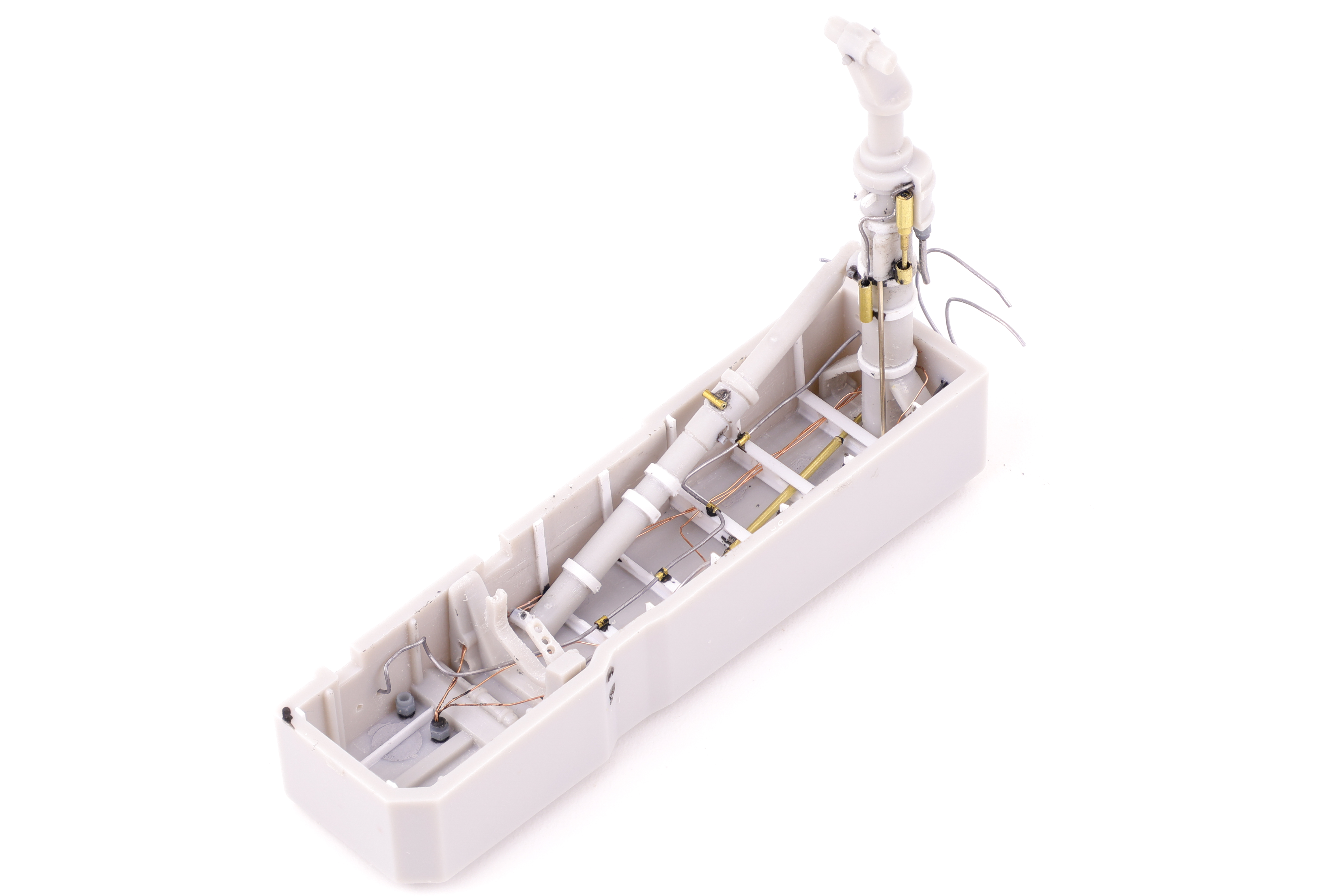
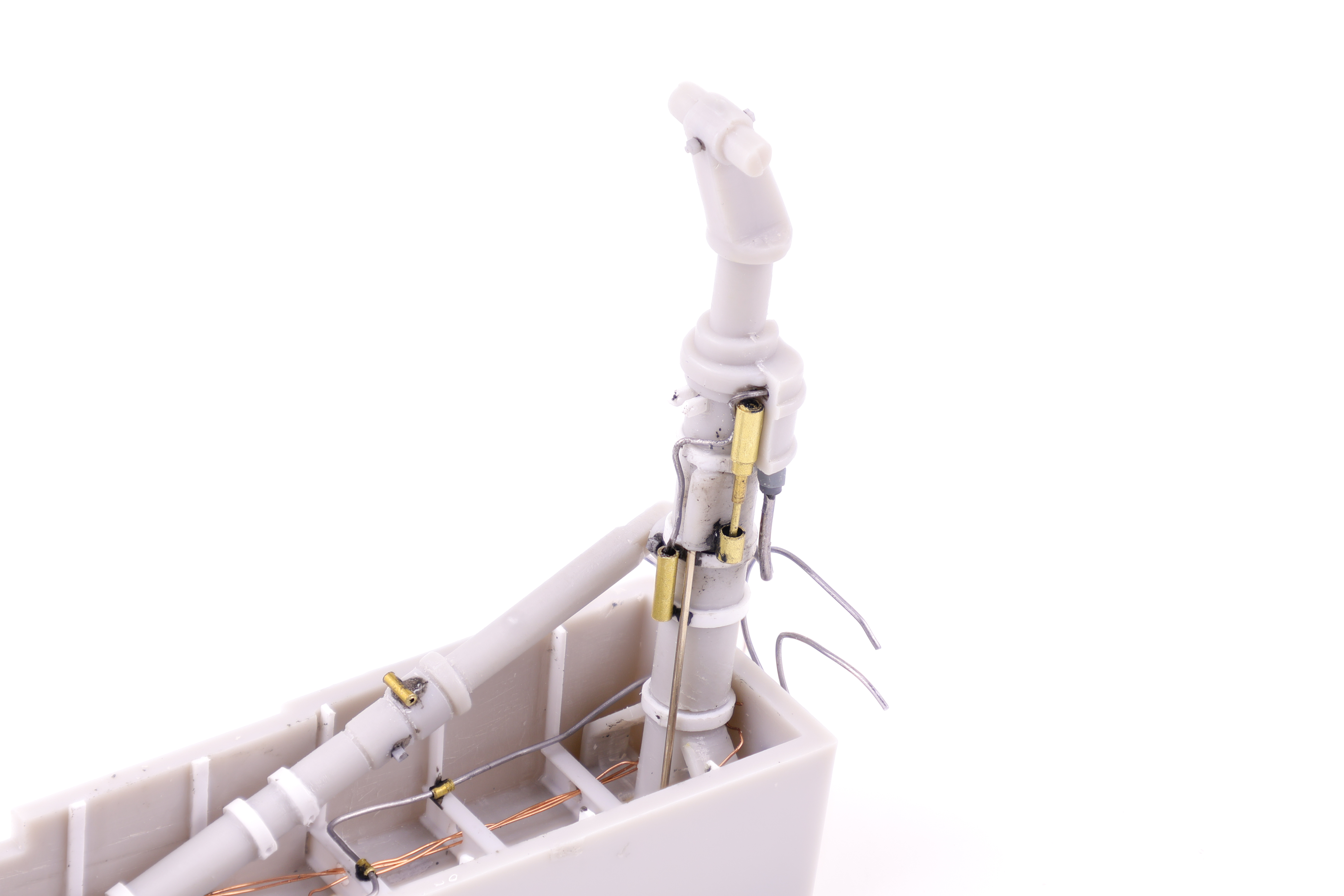
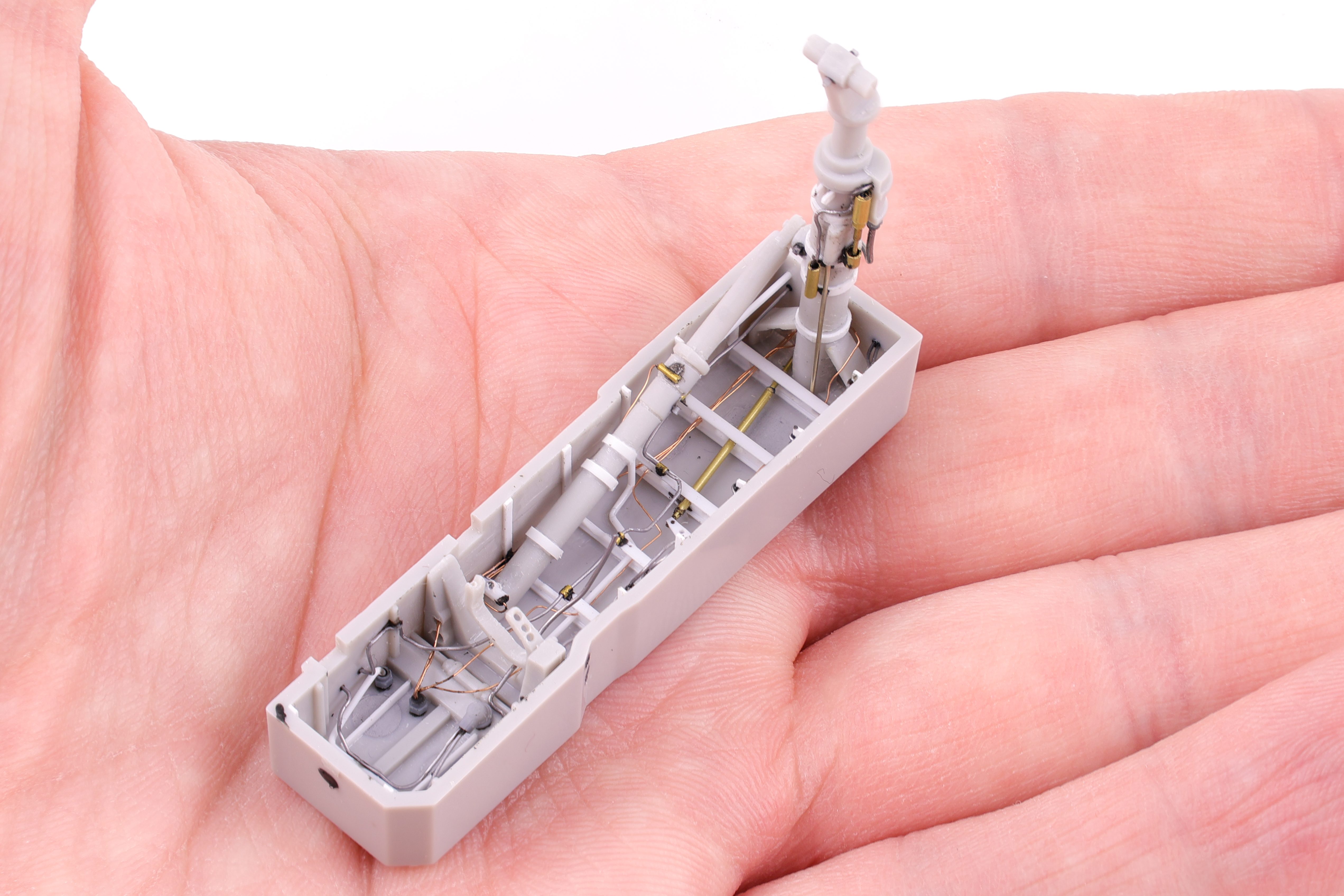
With the completion of the cockpit, next up was the nose gear bay. Like the cockpit, the gear bay was really lacking detail and not up to a modern standard. There was also the fact that there were several prominent sink marks that were unfixable without removing the molded detail. As such, I broke the chisel out and completely removed it all. I can’t lie, this was fairly nerve wracking as I wasn’t sure if I could pull off scratchbuilding something as complex as a gear bay. After a trip to my LHS, I was well armed with small pieces of styrene and got to work replacing the detail that I had hacked away.
I started with replacing the substantial bracing structures with styrene replacements along with a brass tube to depict an actuator arm. After getting these initial pieces into place I was pretty confident that the end result would look acceptable and was pretty happy with these initial results. I was however, confronted with another problem that needed to be solved; the main gear strut. With the way I wanted to attach the brass actuator arm, it would require being fed through the main gear strut. The problem? The arm would then block the strut from being put in place later on in the build. I wanted to keep the strut off the built until later on in the painting and weathering phase as it being glued in place would interfere with the masking and painting of the gear bay. To solve this problem, I opted to cut the strut after gluing the lower section in place. I was sure to add a metal rod to help with the alignment down the line.
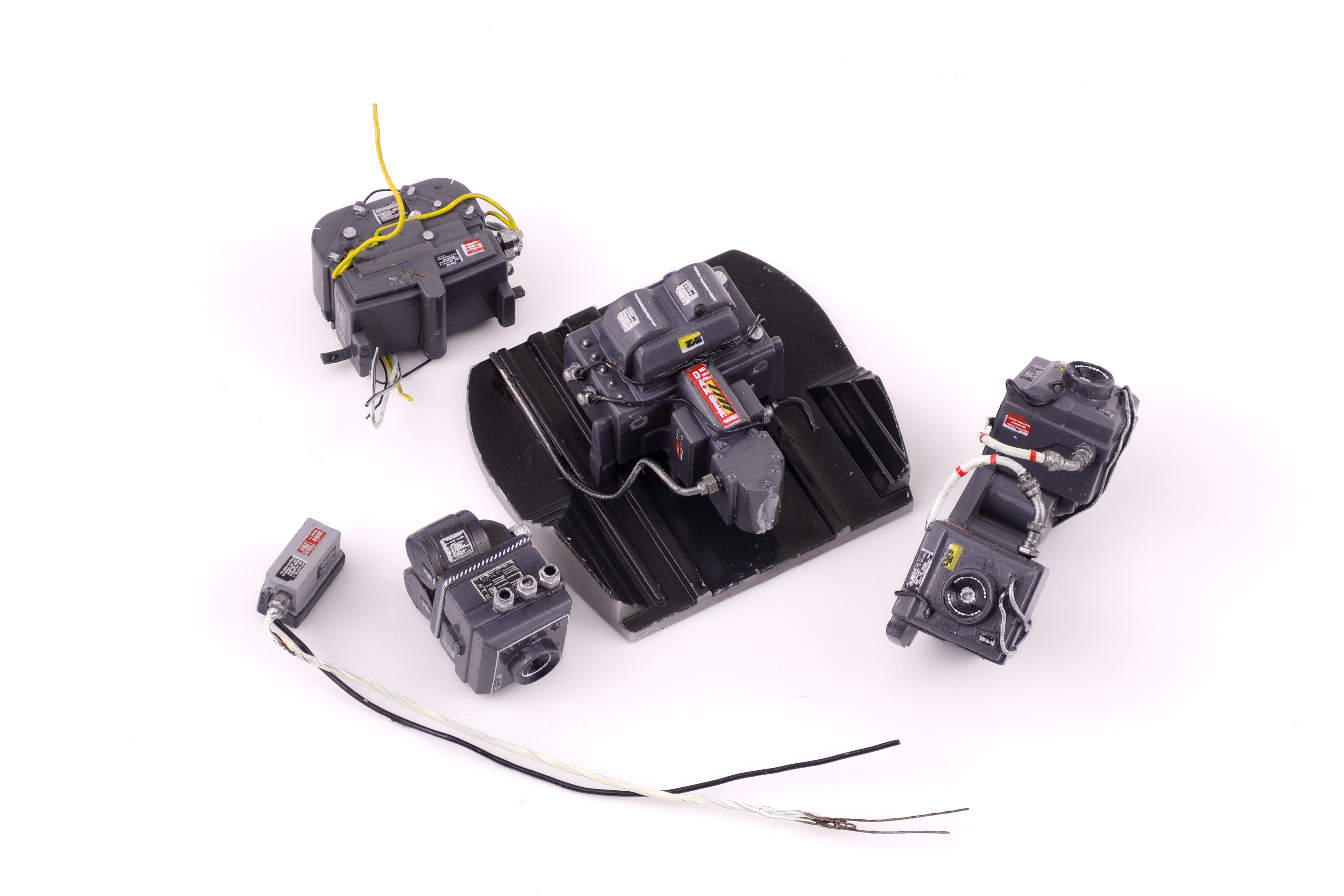
Next up was the camera bay. With this being a RF-4E variant, I wanted to do the extra work and open up the camera bay so that all the cameras would be visible. This required some additional scratchbuilding as the kit does not allow the bay to be opened out of the box. I started by adding some structural bracing to the interior of the bay along with the various computers that are stored in the nose. I also did some work to the cameras themselves and hollowed out the lenses to depict a more concave shape that you would see in an actual camera lens.
With the bay being posed open I really wanted the camera equipment to be well detailed. To make sure they were, I utilized lots of placard decals to make them look the part. I was particularly happy with how the lenses turned out as I used circular decals to depict different components of the lens. I also added some clear green and clear blue as it was clear from reference photos that the lenses had colour coatings when they hit the light right. With the completion of the camera bay it was time to seal up the fuselage!
Hello all! I have to admit that it’s been a while since my last post here. For those who are checking in regularly, rest assured that the year will be closed out with regular updates and new projects into the new year. Here’s how the JASDF RF-4E has progressed!
When I left off on this project, work on the cockpit was in full swing. After applying a gloss coat I was able to add the decals for the side consoles and instrument panels. I find that this step is the first that really adds life to the model and although time consuming, is really worth it. The specific decals added here are from two companies, Anyz and Jira-Gio, both of which I am a huge fan of. I will have to make my remaining sheets from Jira-Gio last however as the owner has recently stepped away from the business and it’s not clear if anyone will be stepping in to take over that role.
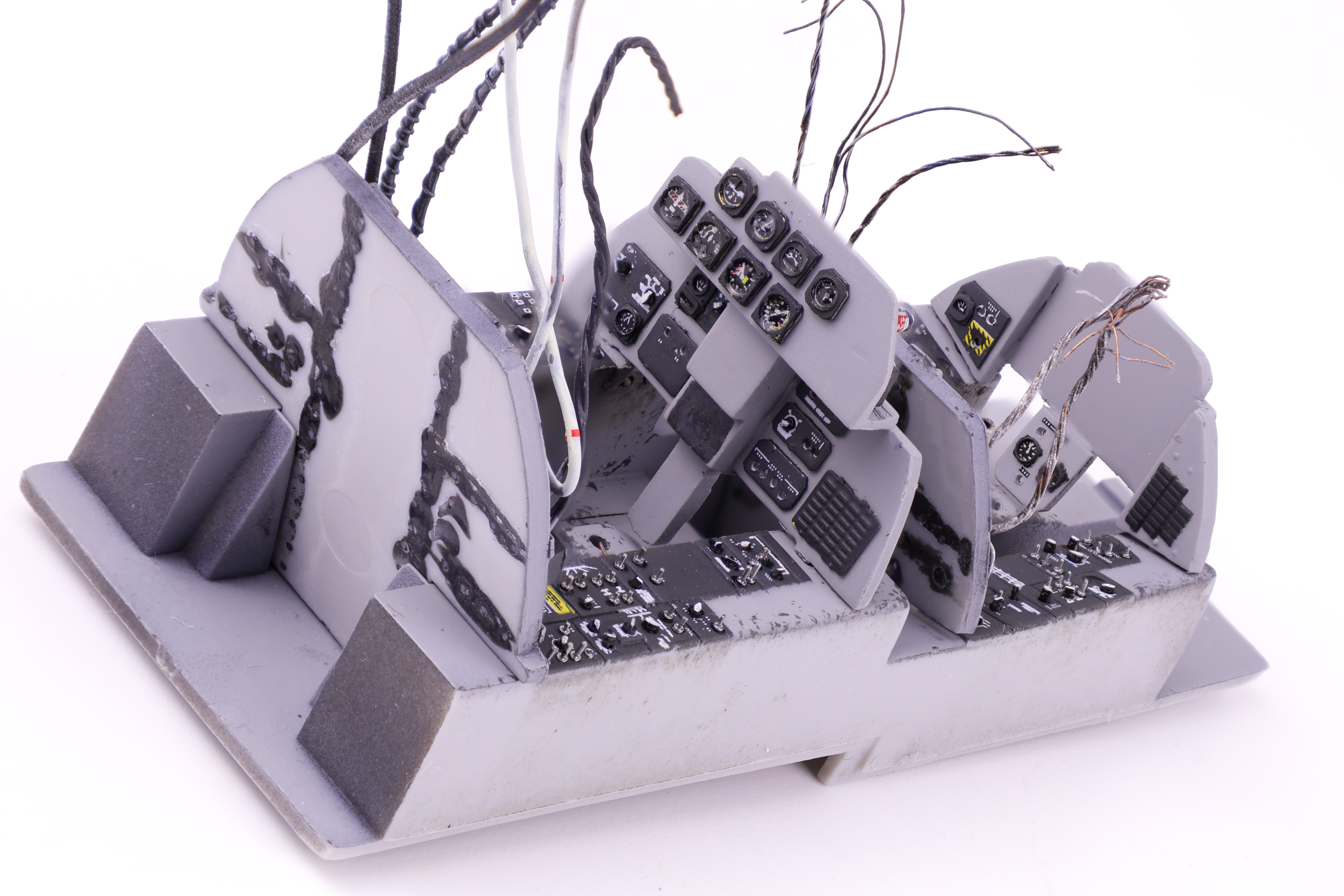
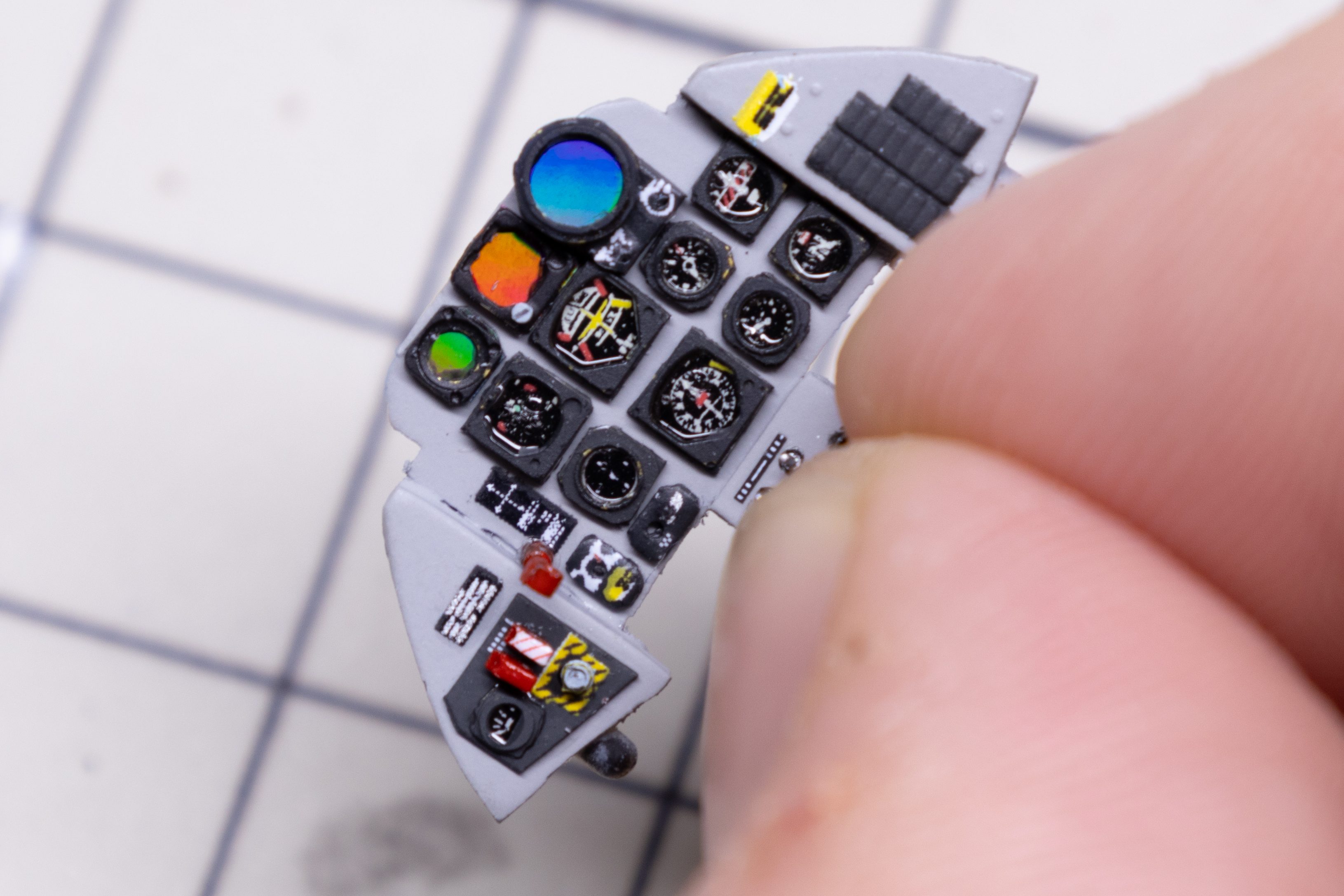
After completing the majority of work to do on the cockpit tub, I turned my attention to the instrument panels. As detailed in the previous section, I opted to completely remove the detail from the panels and replace it with my own custom made instruments. While it was a bit nerve wracking to take knife to plastic I was pleasantly surprised with how these turned out.
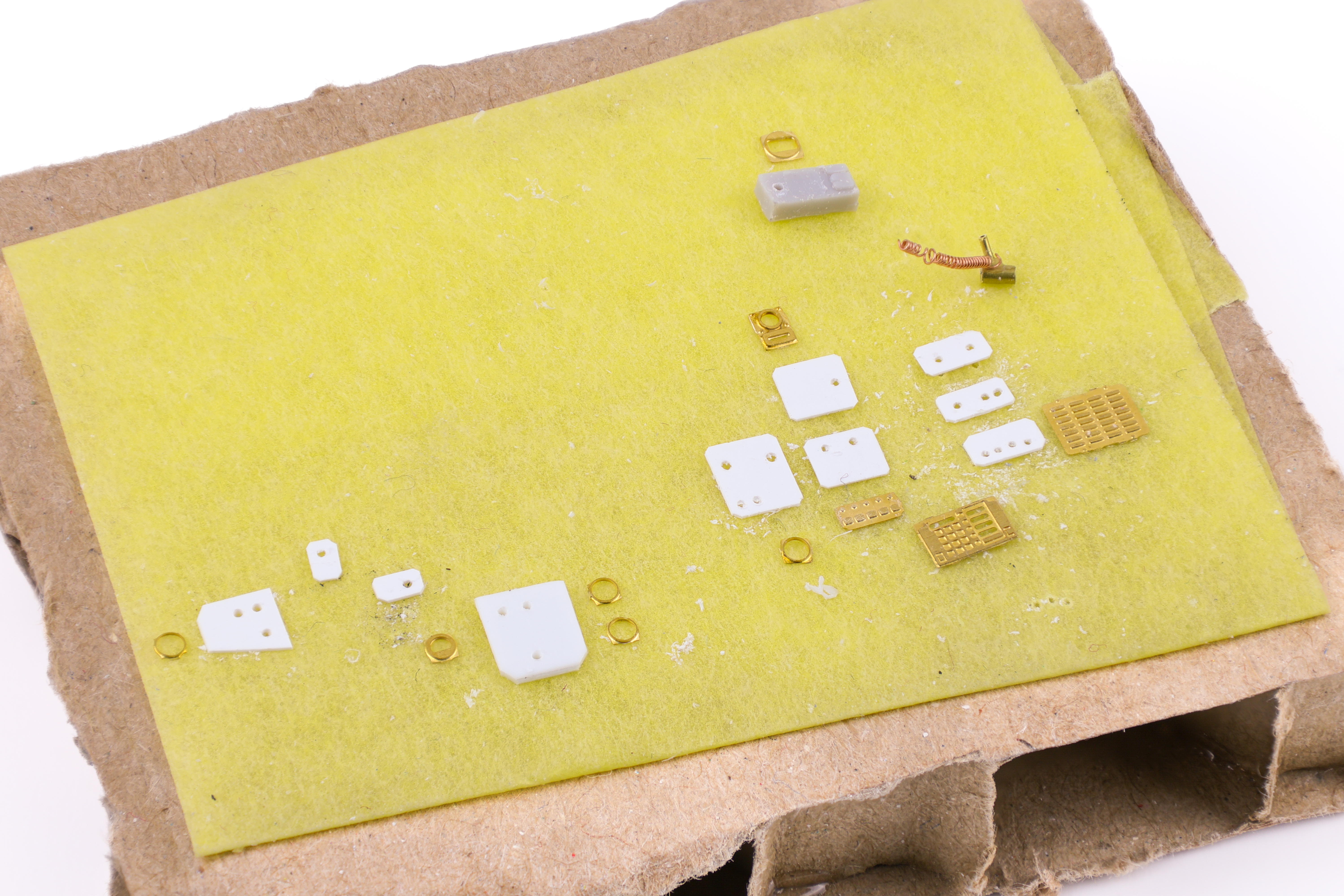
I built these instruments out with thin styrene sheet, instrument dial decals, and photo etched instrument bezels from Airscale. My typical workflow for creating them is as follows:
Apply instrument decal to thin styrene sheet
remove and paint instrument bezel separately
glue painted bezel in position on top of decal
add drop of clear varnish to simulate instrument glass
cut out completed assembly and apply to model
The workflow for the scopes were slightly different and I utilized photography film along with holographic film to create a highly reflective surface, mimicking a screen. To do this I cut out a section of photo film and applied the holographic film from amazon over top of it. I then painted over everything with Tamiya clear paint (I made separate pieces for red, green, and blue tinting). I added the photo-etched instrument parts from Airscale as per the previous instructions which completed the assembly. I really think they turned out amazing and look fantastic when the light hits them just right.
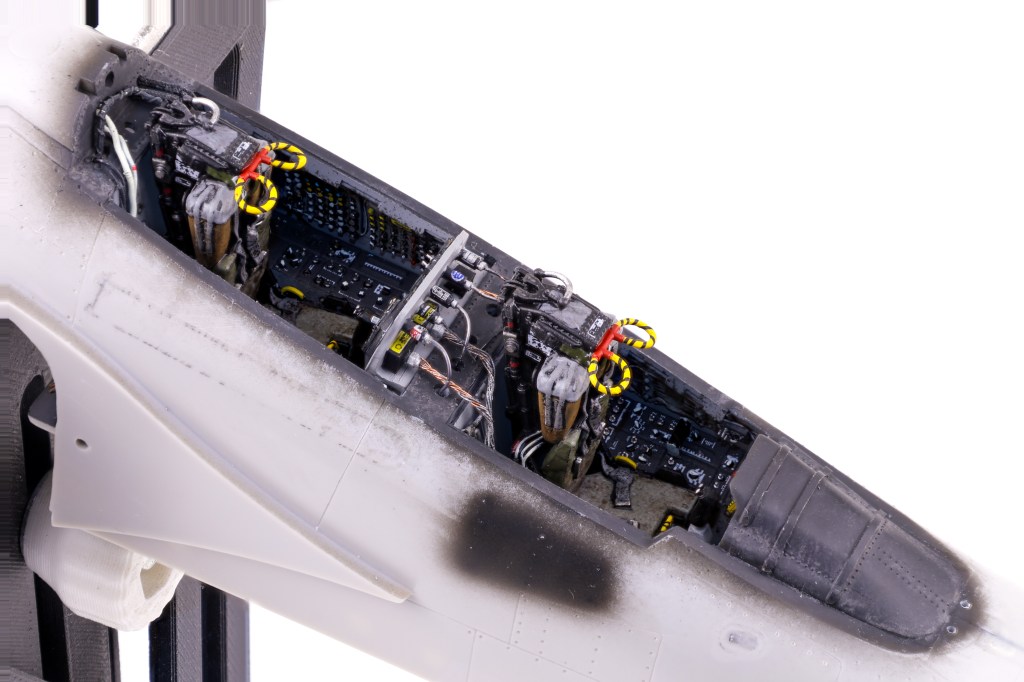
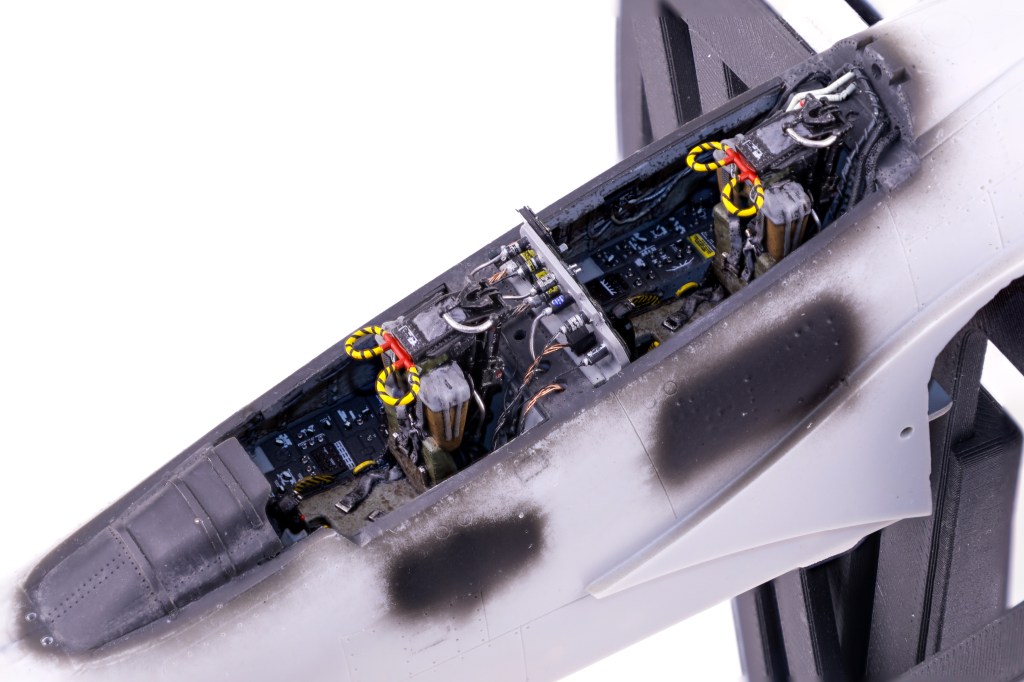
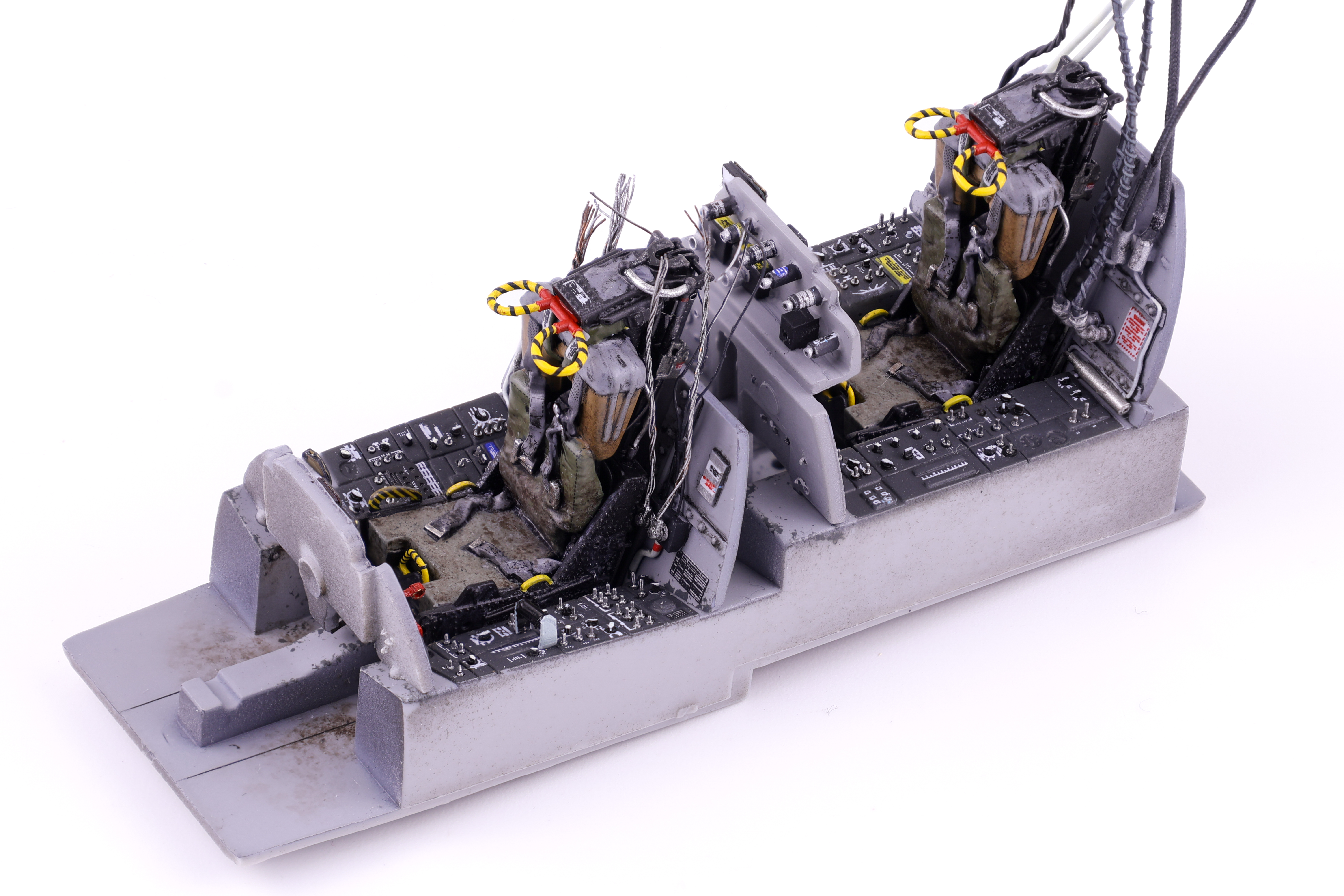
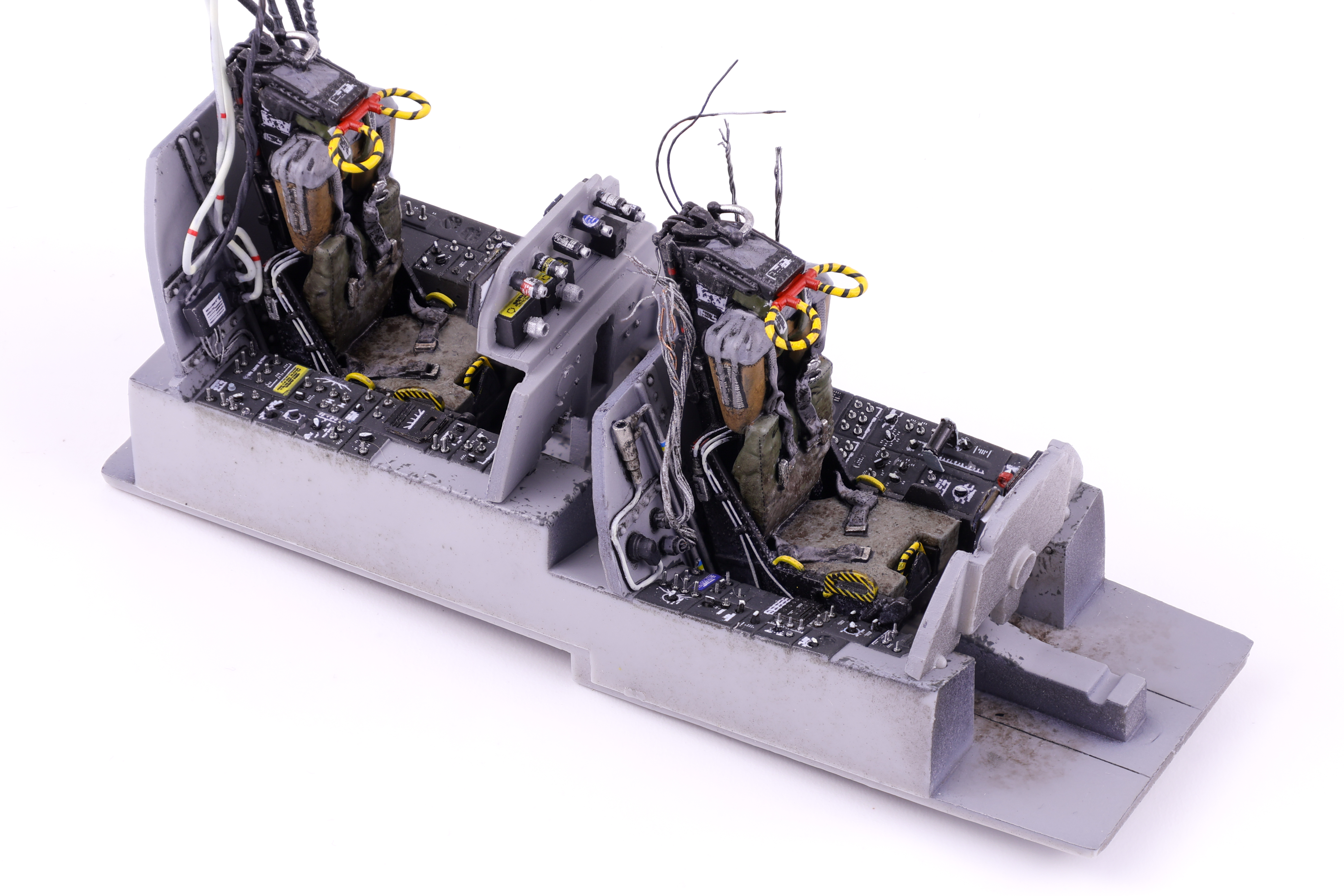
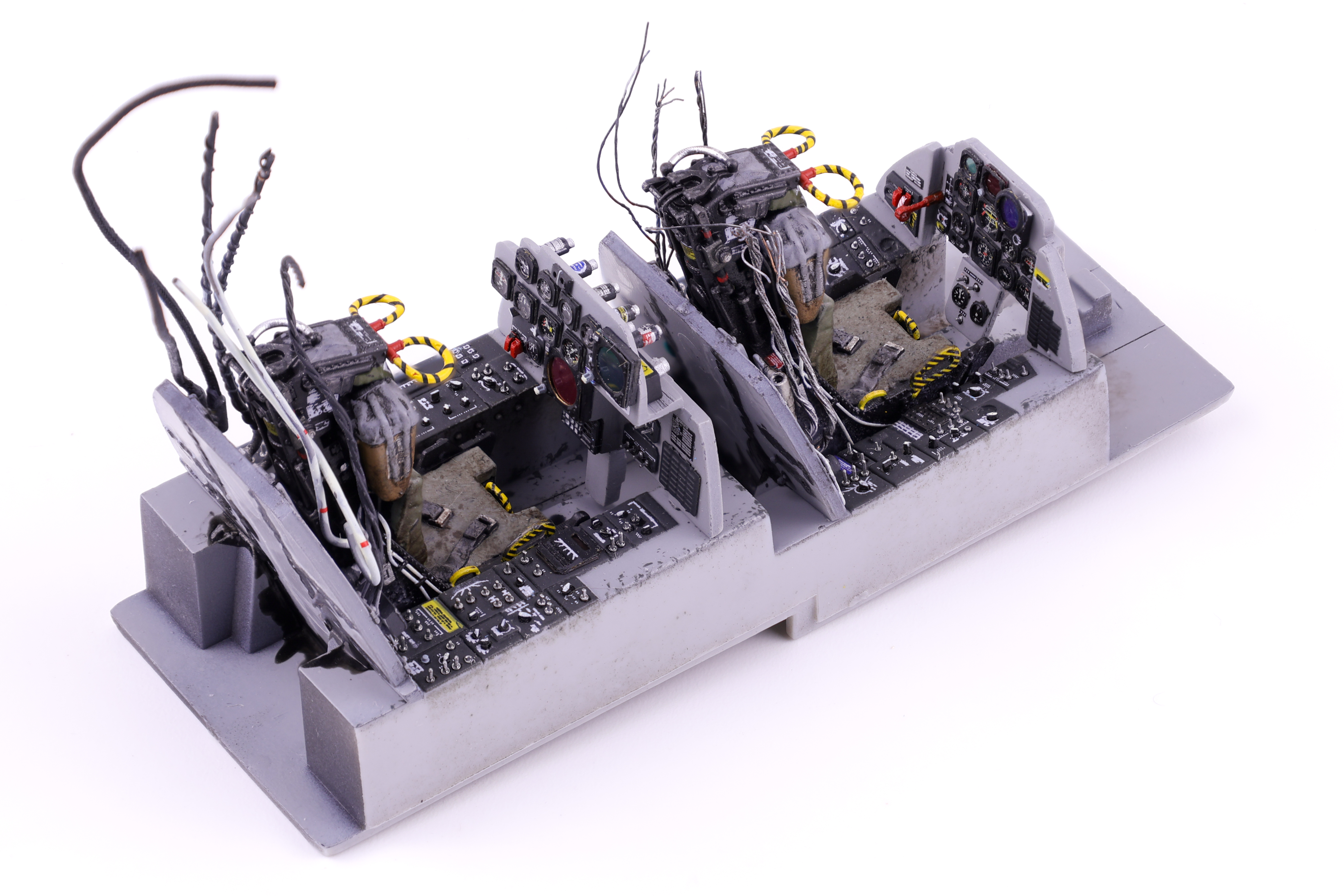
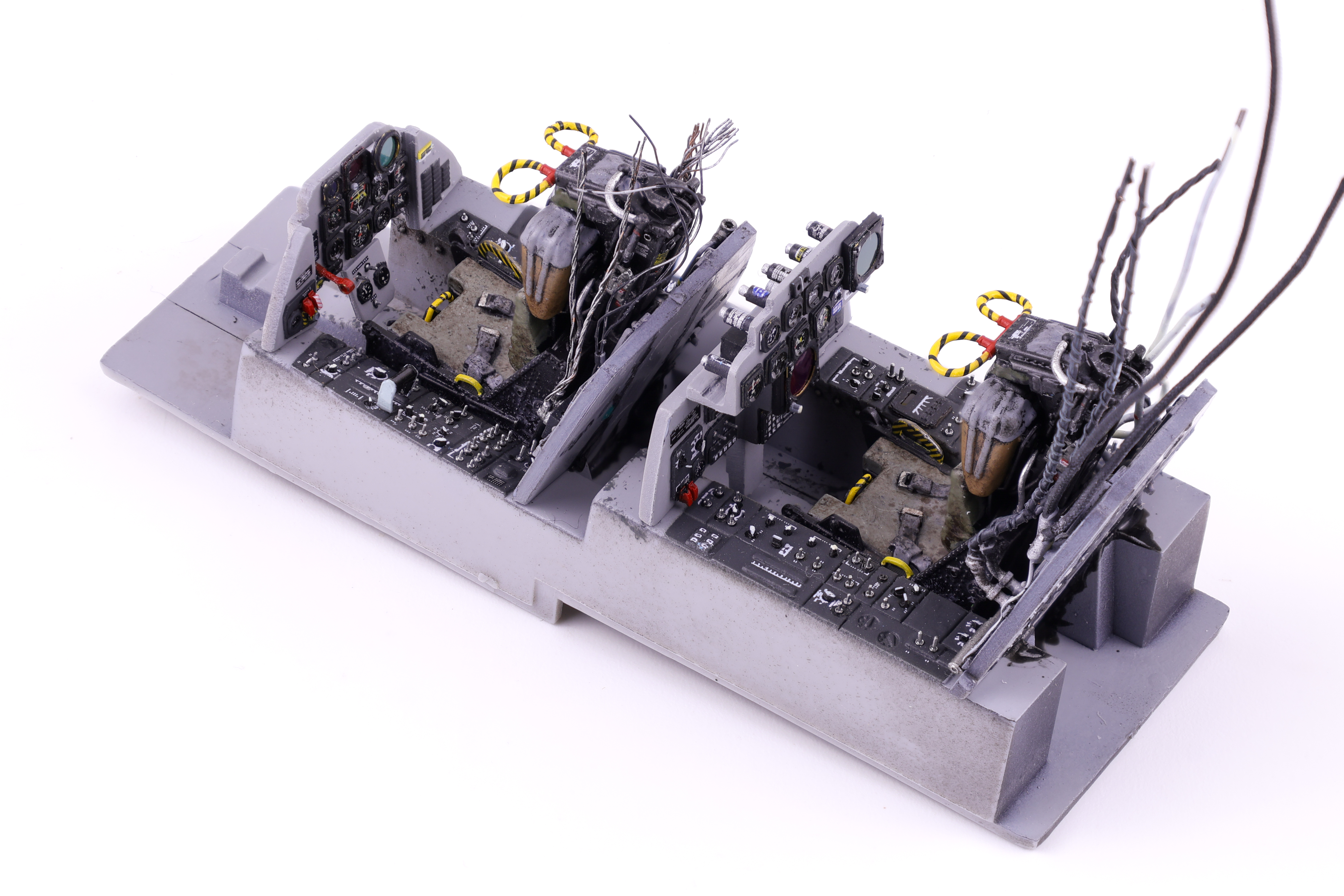
With the cockpit more or less complete, I then started work on the ejection seats. While I always leave the seats out until the end of the build, I always like building and painting them up before the cockpit is cemented into the fuselage. For this project I tried out Master Craft Collection’s fantastic 3d printed ejection seats for the F-4.
After removing them from their supports, I applied a primer coat of Mr. Surfacer 1500 black as a base for further work. These seats were a real test of my brush painting ability as they almost entirely had to be brush painted. One downside of these 3d printed seats is that there’s no opportunity to paint the various parts of the seat separately, everything is attached in one part. After priming, I got to work painting the various seat sections and cabling. From my reference photos I could tell that the seat padding was primarily green/brown colours and that the upper section was typically grey. I finished off the belt buckles in silver and applied a gloss coat for decals, of which there were several that needed to be applied. With the decals in place, I then sprayed a matte coat over the completed work in preparation for the next stage of weathering, oils. I chose to avoid relying on an oil wash as my primary method of weathering for the seats. While I did still apply a light pinwash in select areas (namely the belts), this was done to support the more general oil effects I applied to depict the discolouration and staining of the seats and fabric materials.
Also of note on the seats was the yellow and black hatching on the various ejection handles. While the handle on the right of the seat was acomplished with Anyz black hatching decals, the work on the handles above the pilot’s head took a lot more work to “pull” off. After painting these separate parts yellow, I wrapped Anyz black line decals around the loops to create a convincing look. This took some practice to get right and I’m glad I did, the final result is much more realistic than painting black lines on these handles.
And with the completion of the seats, that was it for the cockpit on this Phantom! After spending quite a bit of time in this area, I was ready to move on to other areas of the build.
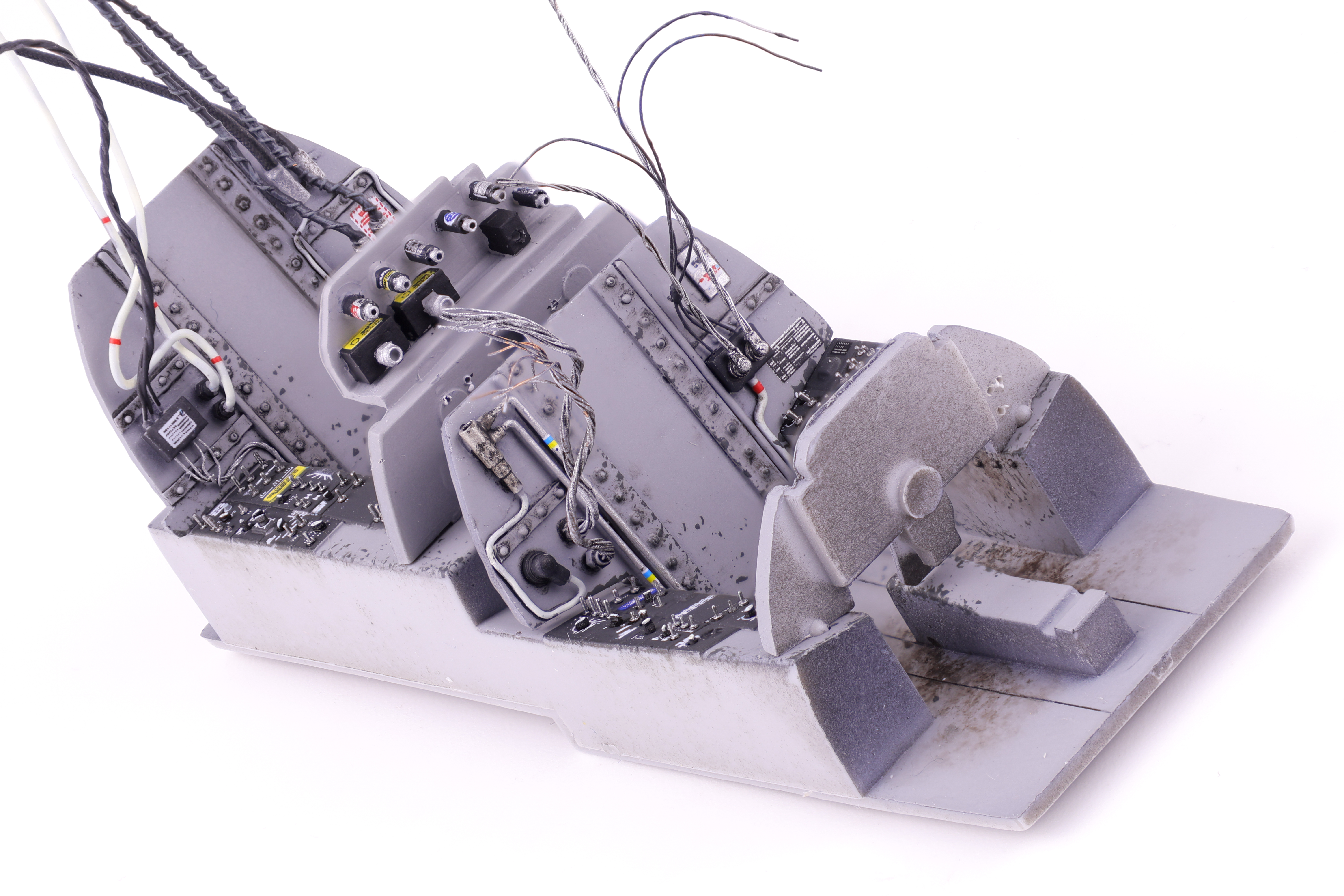
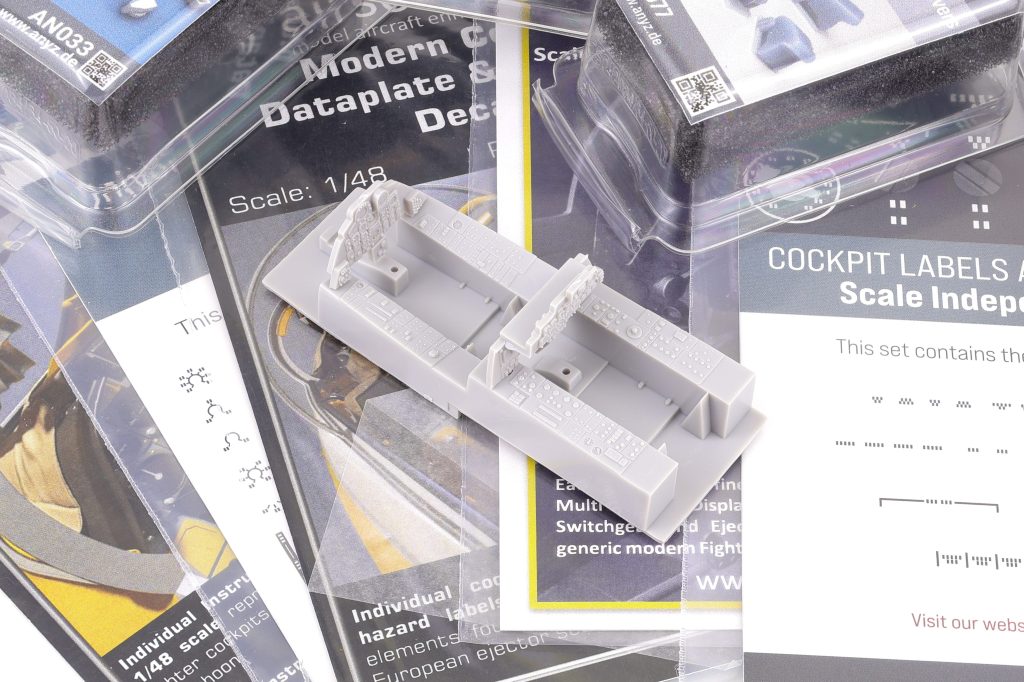
After completing the necessary work on the fuselage, I could turn my attention to the cockpit assembly. The OOB Hasegawa kit has very nice detail, however I would be replacing the majority of it with custom work.
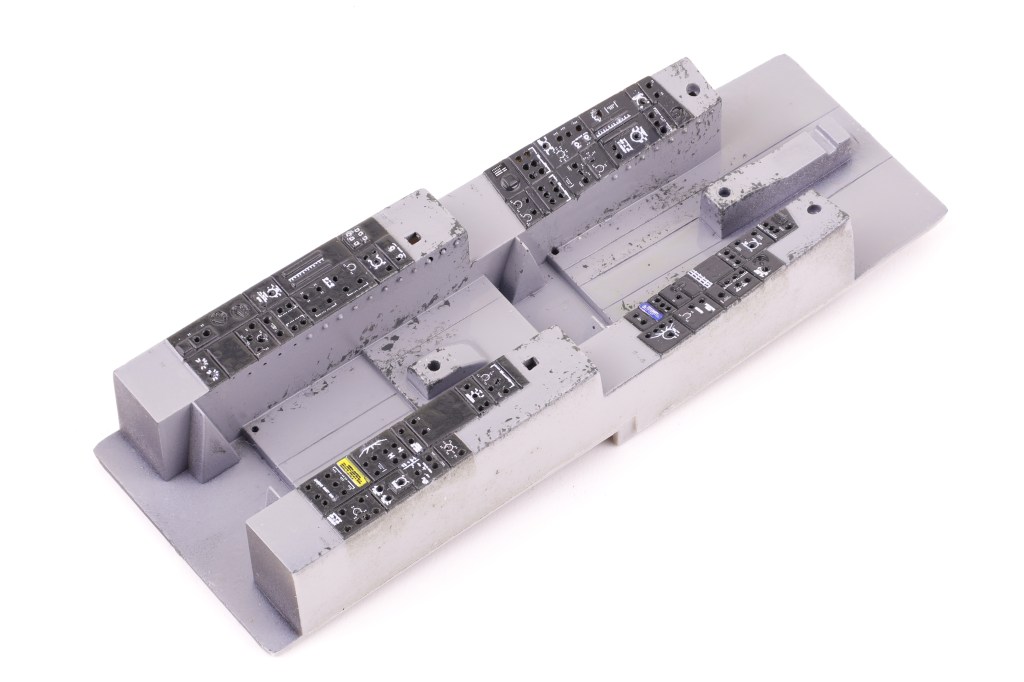
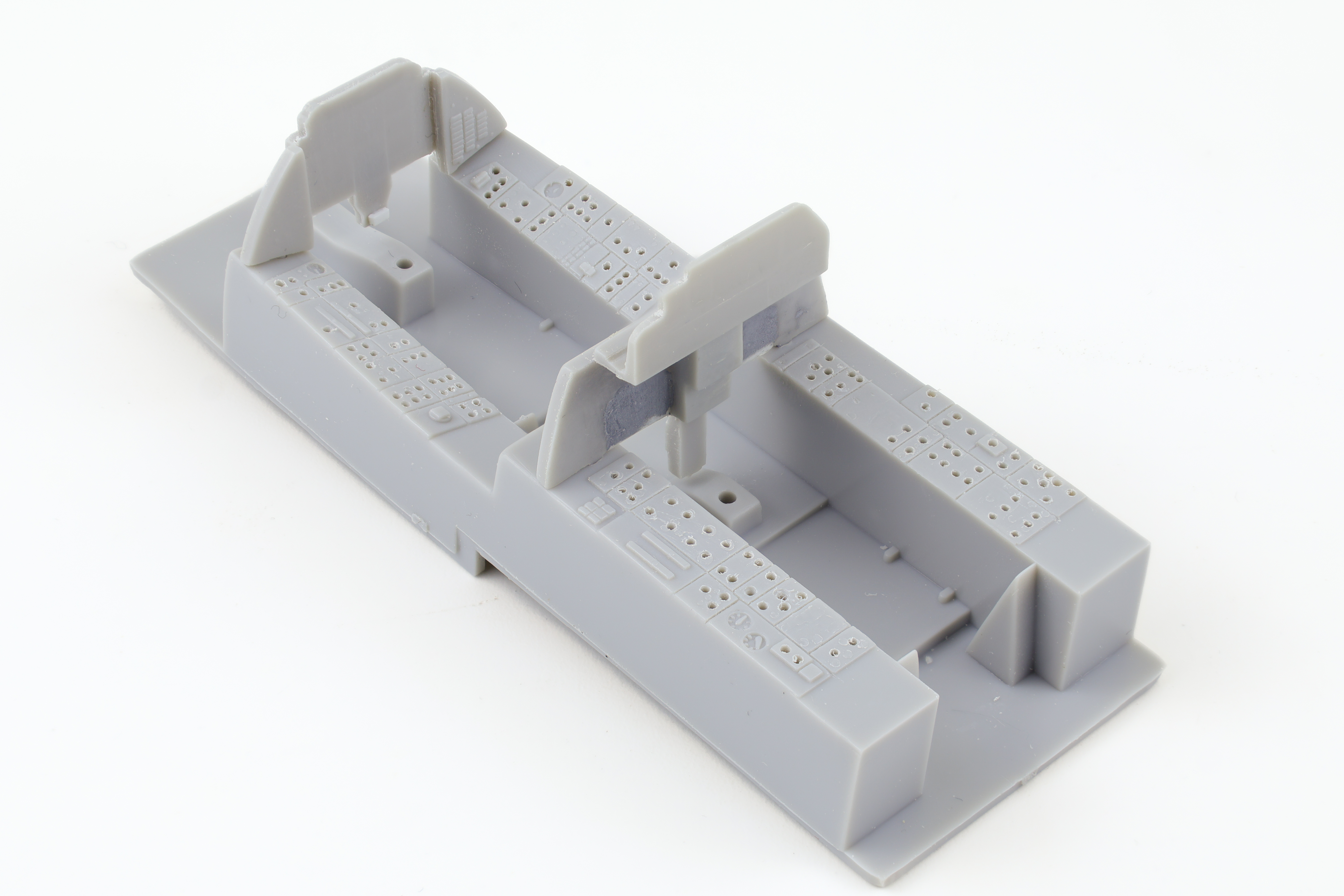
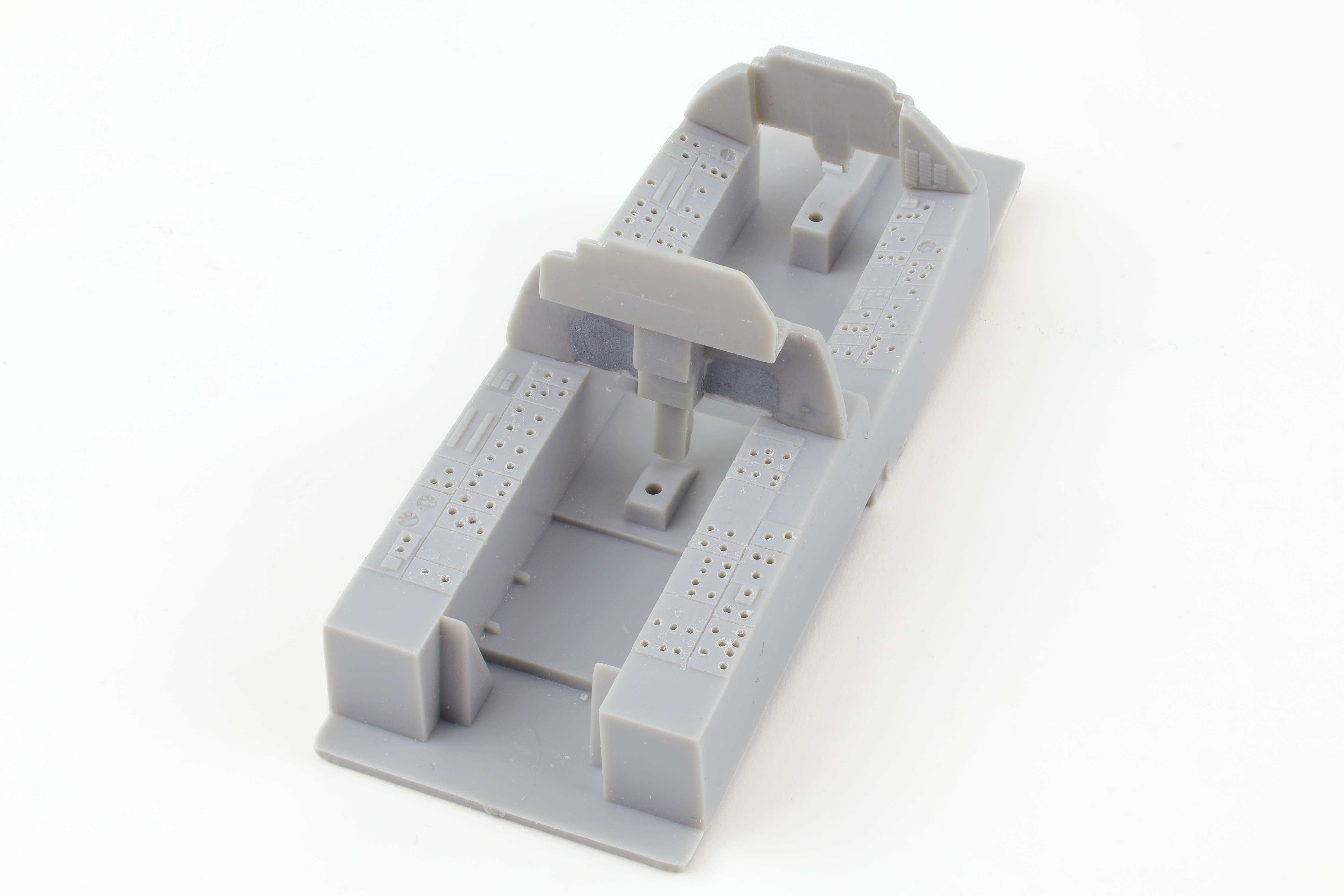
To start, I began removing virtually all the molded on detail present so that I could drill out 0.4 mm holes for the Anyz switches and dials. I used these on my CF-18 Hornet I completed two years ago and was fairly happy with the result. Looking back now however, I felt that I didn’t commit enough to this strategy and did not drill enough holes to get a realistic cockpit.
I also opted to remove the molded on detail from two of the included cockpit panels. The kit includes a total of 4 instrument panels, 2 for the RF-4E and 2 for a different phantom variant. I opted to use the panels for the different variant as it would allow me to revert back to the other pair if this process didn’t work out. Removing the molded on details from the panel was fairly straightforward although some modification was necessary. For the front seat I needed to adjust the shape of the lower panel right behind the control stick. The styrene piece is very triangular and the correct shape is more square. From my reference photos I could also tell that that it is angled back slightly and to represent this I glued a small piece of styrene to get the correct angle. I liked the breaker panel detail so I opted to leave it intact.
Work on the rear seat panel was a bit more involved. To start, the part I wanted to use was not shaped correctly for a RF-4E (rightly I’ll add). It included cutouts above the pilot’s legs which would need to be filled. To do this, I cut out a piece of styrene sheet that would fill this space. I then used sprue goo to cement this piece in place on the back side of the panel. This created a very somewhat rough surface on the face of the panel. I then went back over the area with Tamiya putty to create a uniformly smooth surface, ready for detailing.
I then got to work making the various details for the cockpit. The idea was that I will paint the instrument panels in the appropriate gull grey while these additional details will be painted black, removing any need for masking during the painting process.
Next up was to move on to the cockpit tub and sidewalls. While the Hasegawa kit is fairly light on the details, this means it’s relatively easy to remove the existing plastic in preparation of adding custom work.
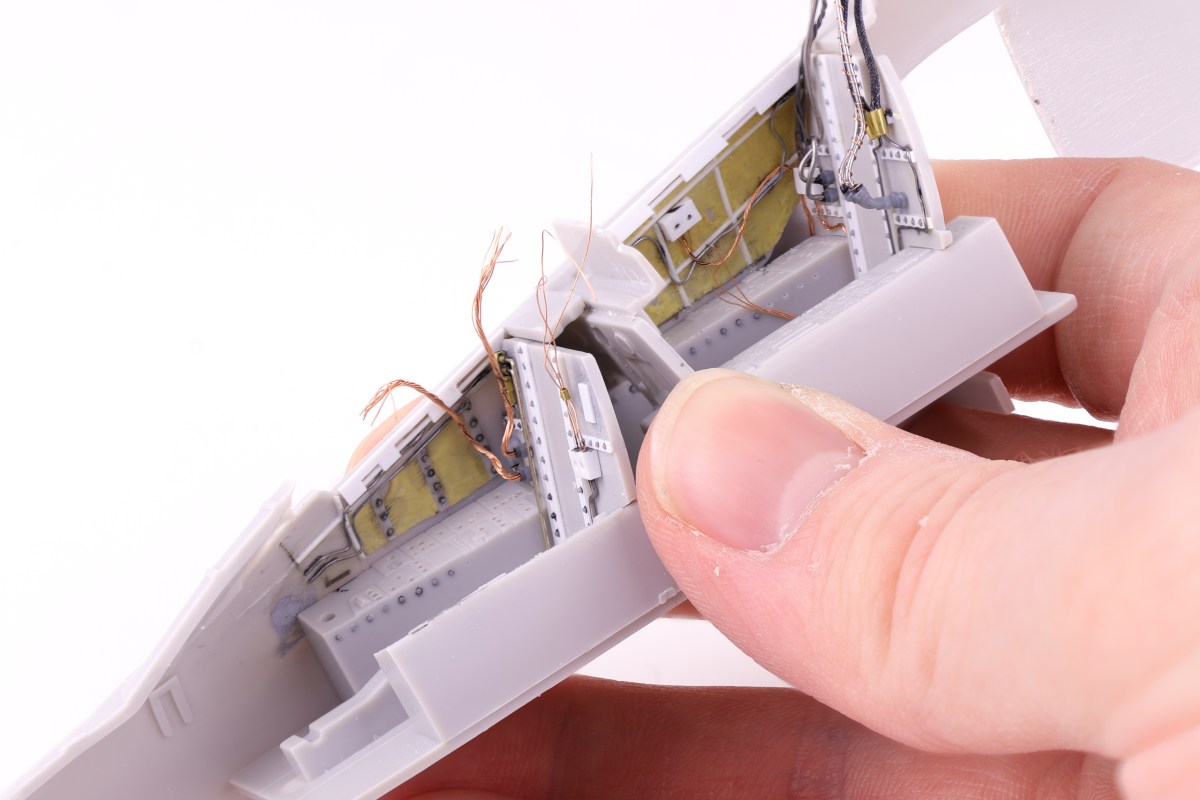
I started with the cockpit bulkheads. Reference photos showed that these areas were really quite busy with wiring and hoses and I wanted to replicate this madness. The first thing I added was some styrene sheet along with Anyz rivets as all subsequent wiring would rest over top these details.
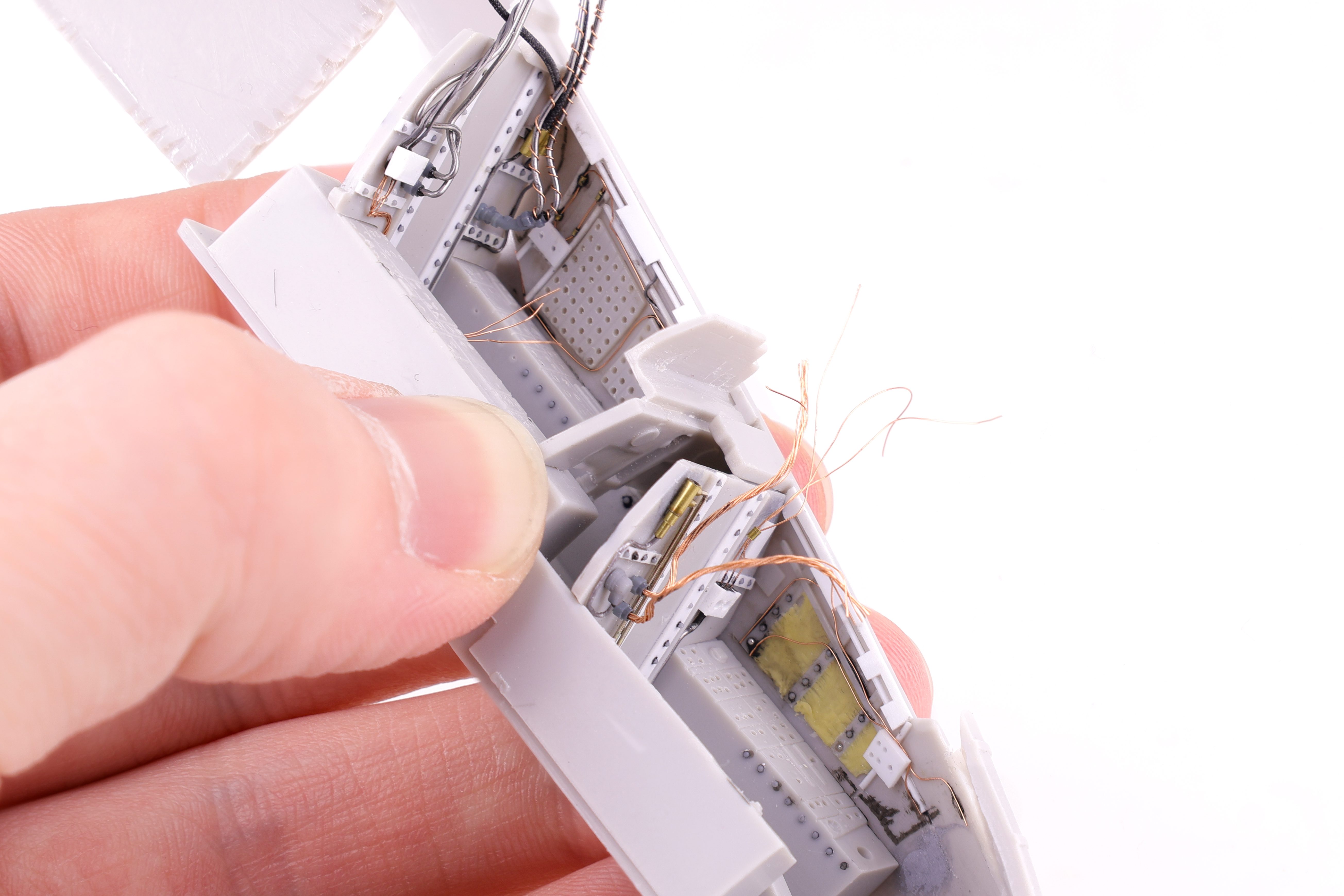
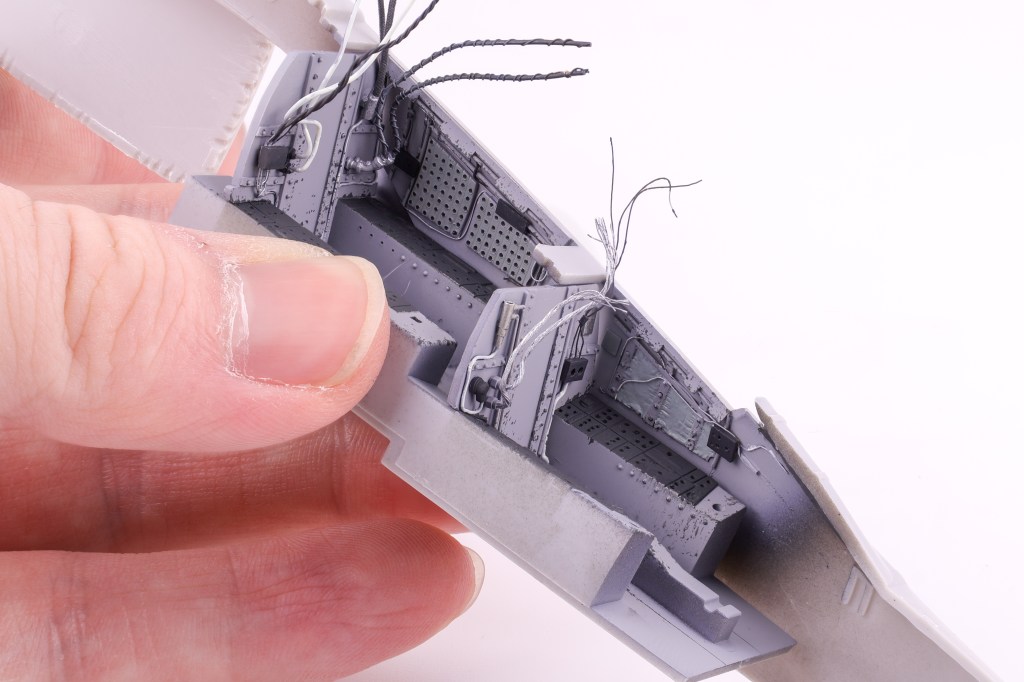
For the rest of the added detail I used a mix of brass tubing, lead and copper wire along with Anyz 3d printed connectors. I think that I achieved my goal of having the area look busy why not being completely unwieldy during the painting and weathering phase.
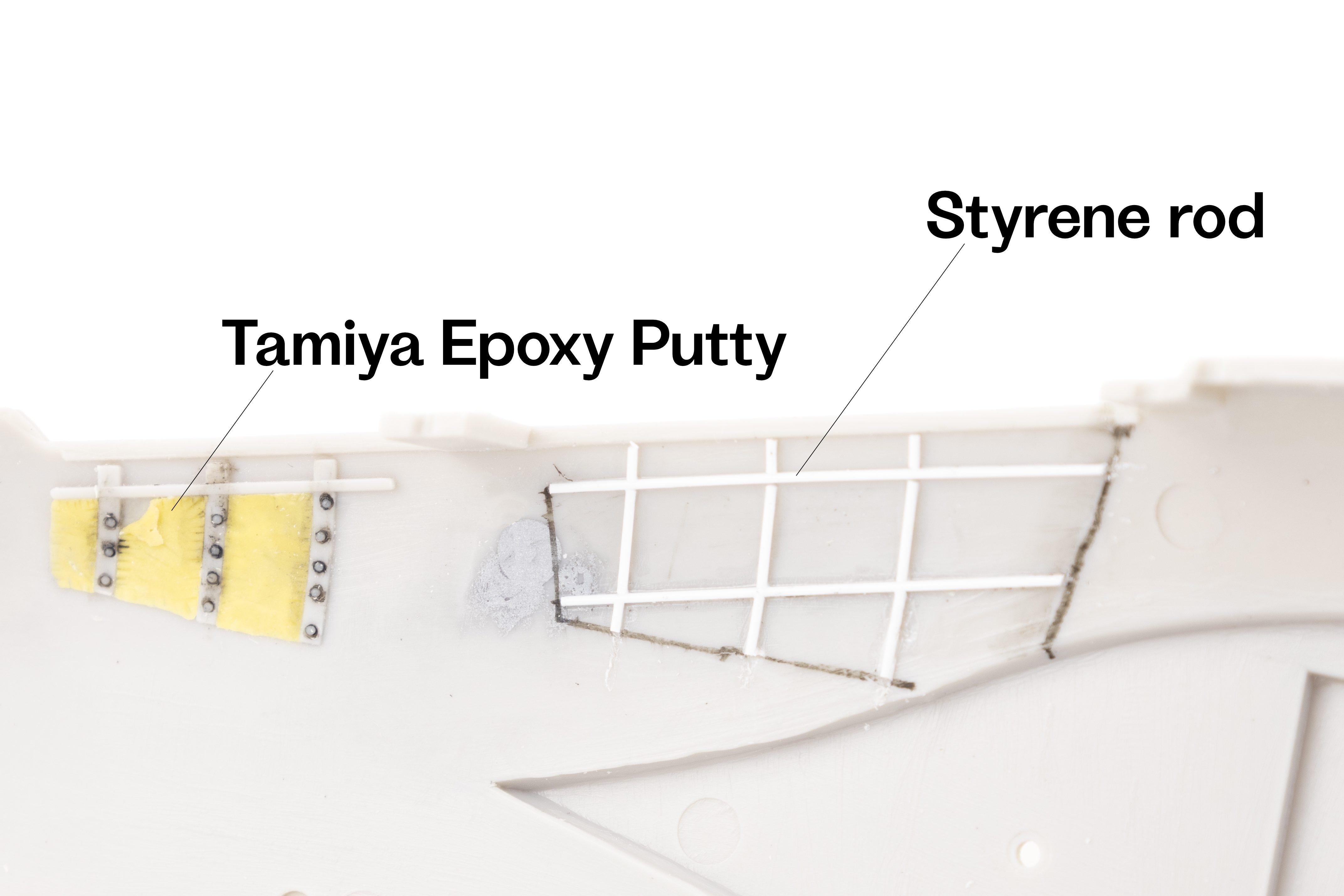
Like the bulkheads, the cockpit sidewalls needed some serious work to be presentable. While 3 out of 4 of the sidewalls have at least a minimal amount of detail, the right side of the rear cockpit is missing any molded on detail at all. This does present a nice opportunity however to add whatever kind of features I wanted. To start I added some styrene rod bracing to bring out some structural elements.
Next, I wanted to try to add some padded insulation material to the cockpit to help depict some interesting textures. I did this with Tamiya epoxy putty which I rolled out into very thin slices before applying it to the model. After a few minutes I then started to sculpt the putty and added creases near the edges. This technique went surprisingly well and I can’t wait to get a wash on the painted cockpit.
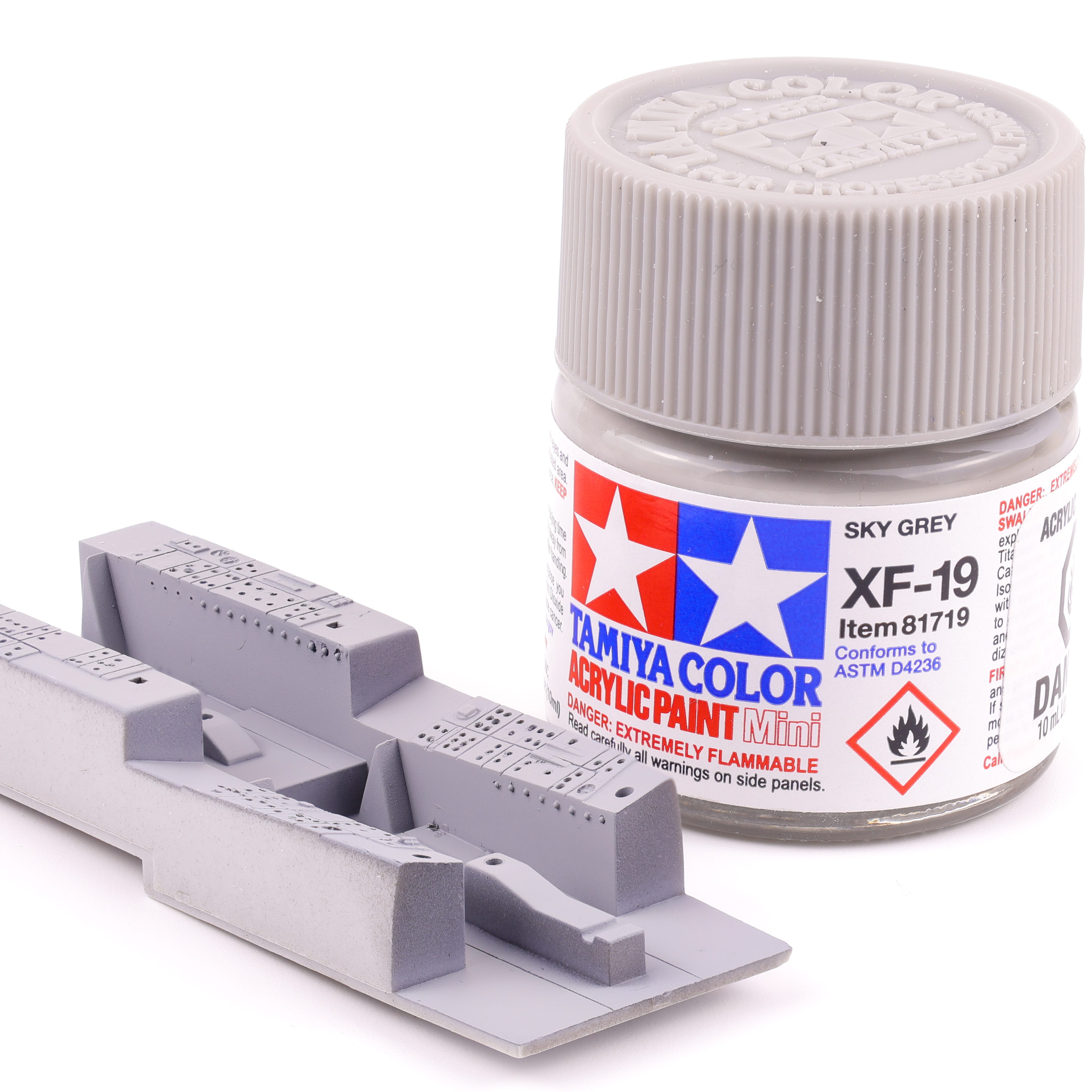
Painting of the cockpit predictably started with Mr. Surfacer 1500 Black followed by Tamiya XF-19 Sky grey. While not an exact match to the interior colour of a F-4 Phantom, this shade is close enough and was what I had on hand.
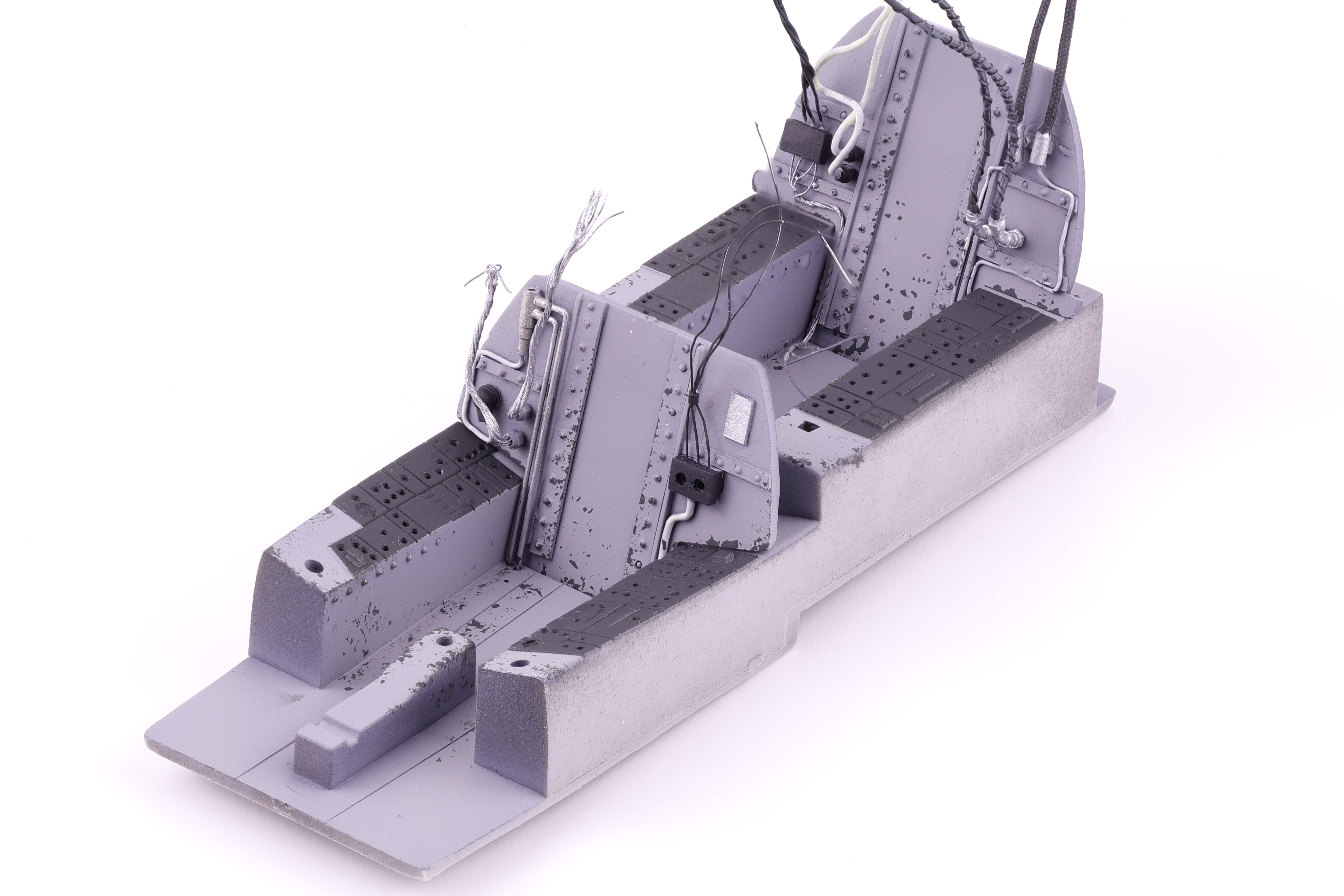
After the grey base colour had cured, I masked off the side consoles to airbrush them black. From reference photos I could tell that some of the switches and dials were gloss black which I wanted to replicate, even at the cost of being less visually striking. To compensate I painted these side panels in a dark grey. When next to the light grey they will appear black, but the gloss black switches should stand out at bit more. I also took this time to paint up the various wires and cables present on the rear bulkheads, painting them in a variety of black, white, and metallic colours.
Next up was work on the sidewalls, and I was pretty happy with how my scratchbuilt work had turned out. The padded material looked quite realistic and after picking out the necessary details, this area of the build was looking particularly sharp. I also took the time to complete some chipping effects to depict wear and tear on the cockpit area as these were old birds and saw a lot of flight hours. That said I do think I could have been a bit more reserved with the weathering but I think that as long as the wash and oil work is more muted, the end result will look appropriate.
This is where I’ll leave it for this update, even though this kit has been pretty sparse on the detail in areas, I really feel that adding the detail in myself has added to the enjoyment and not decreased it. We’ll see if this sentiment still rings true in a few months!

























 Nomad Models