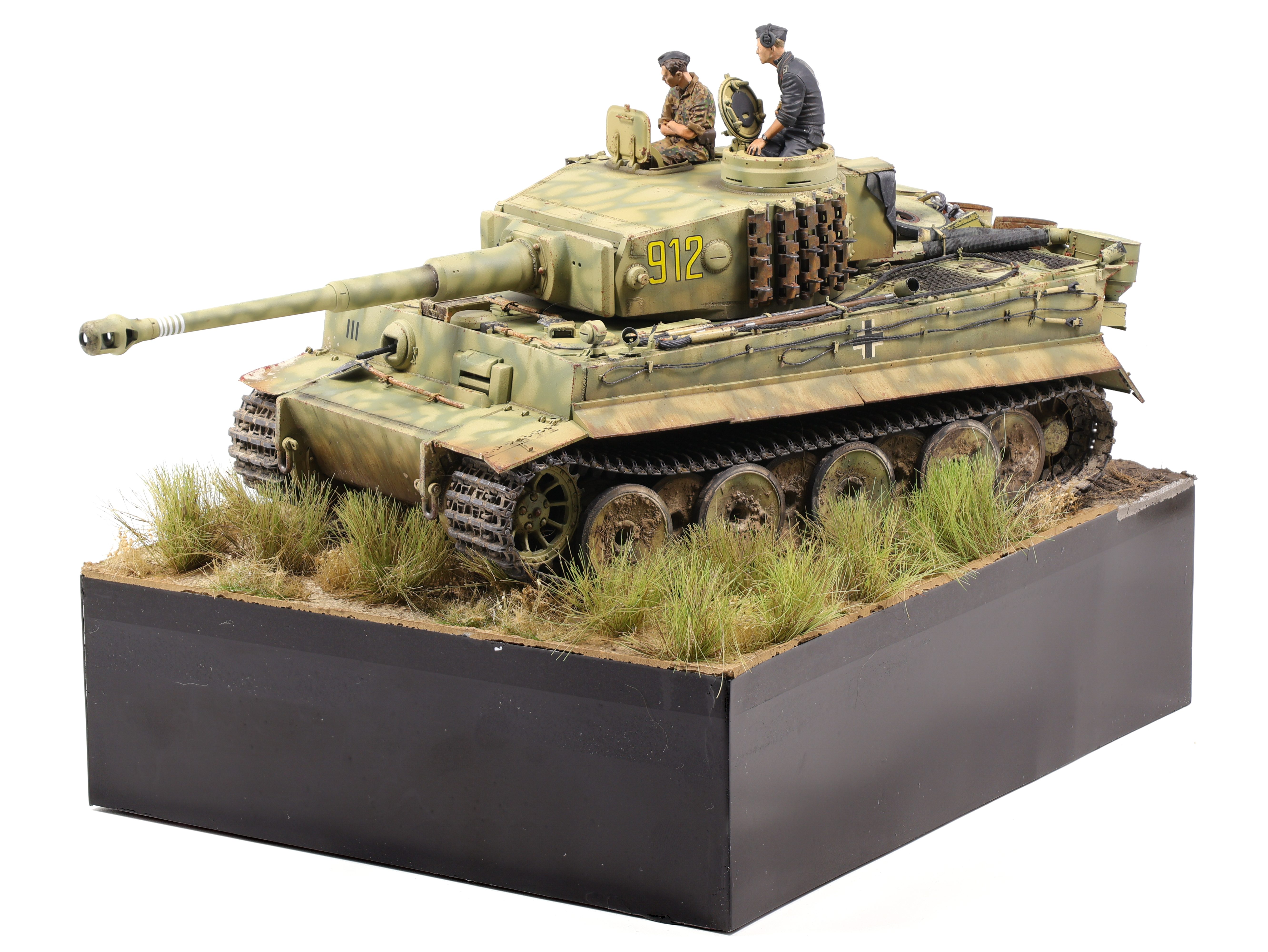
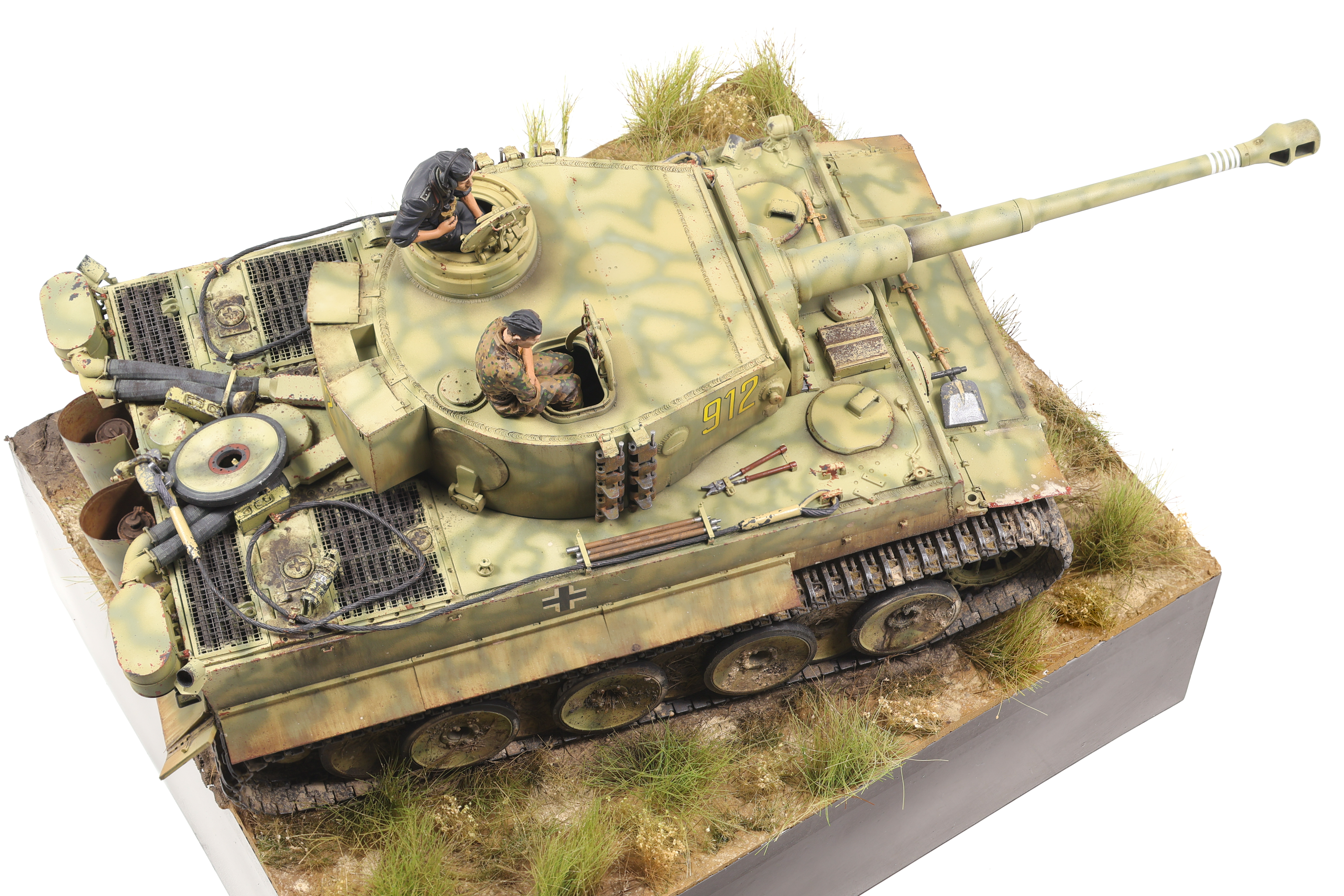
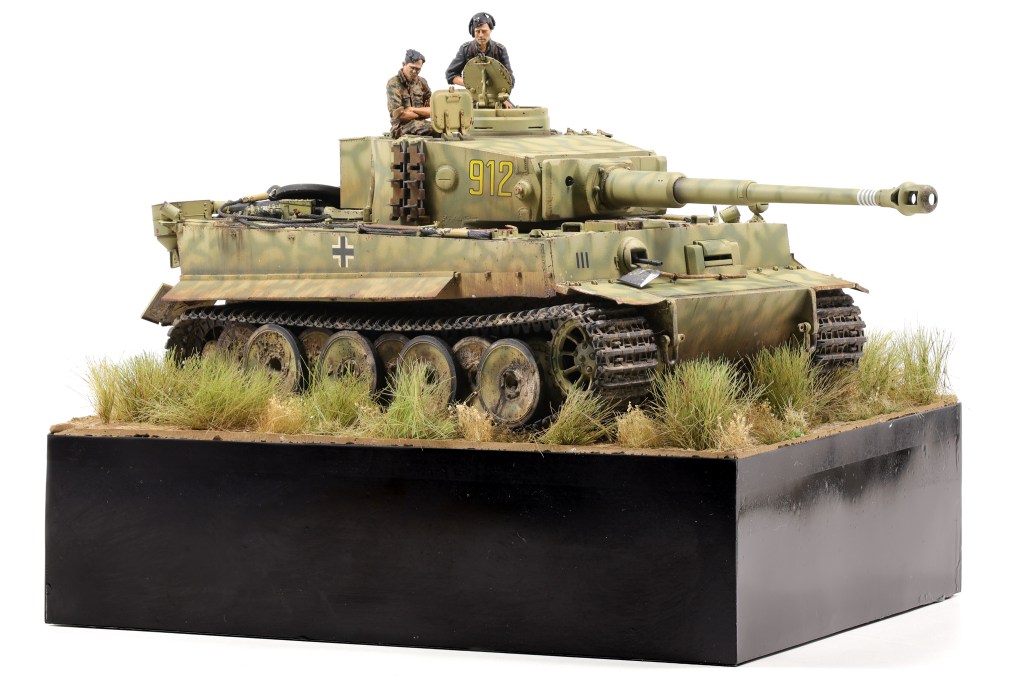
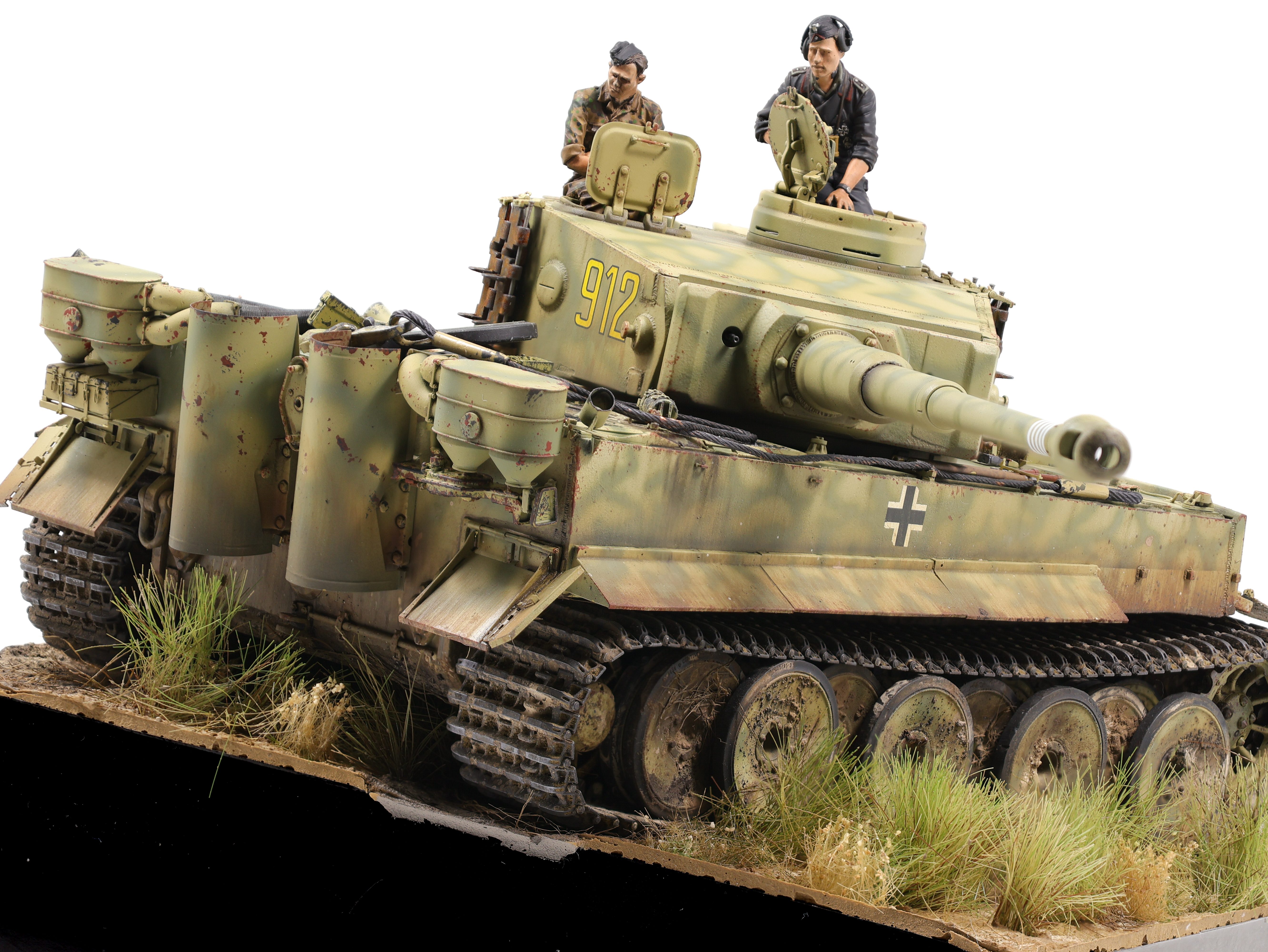
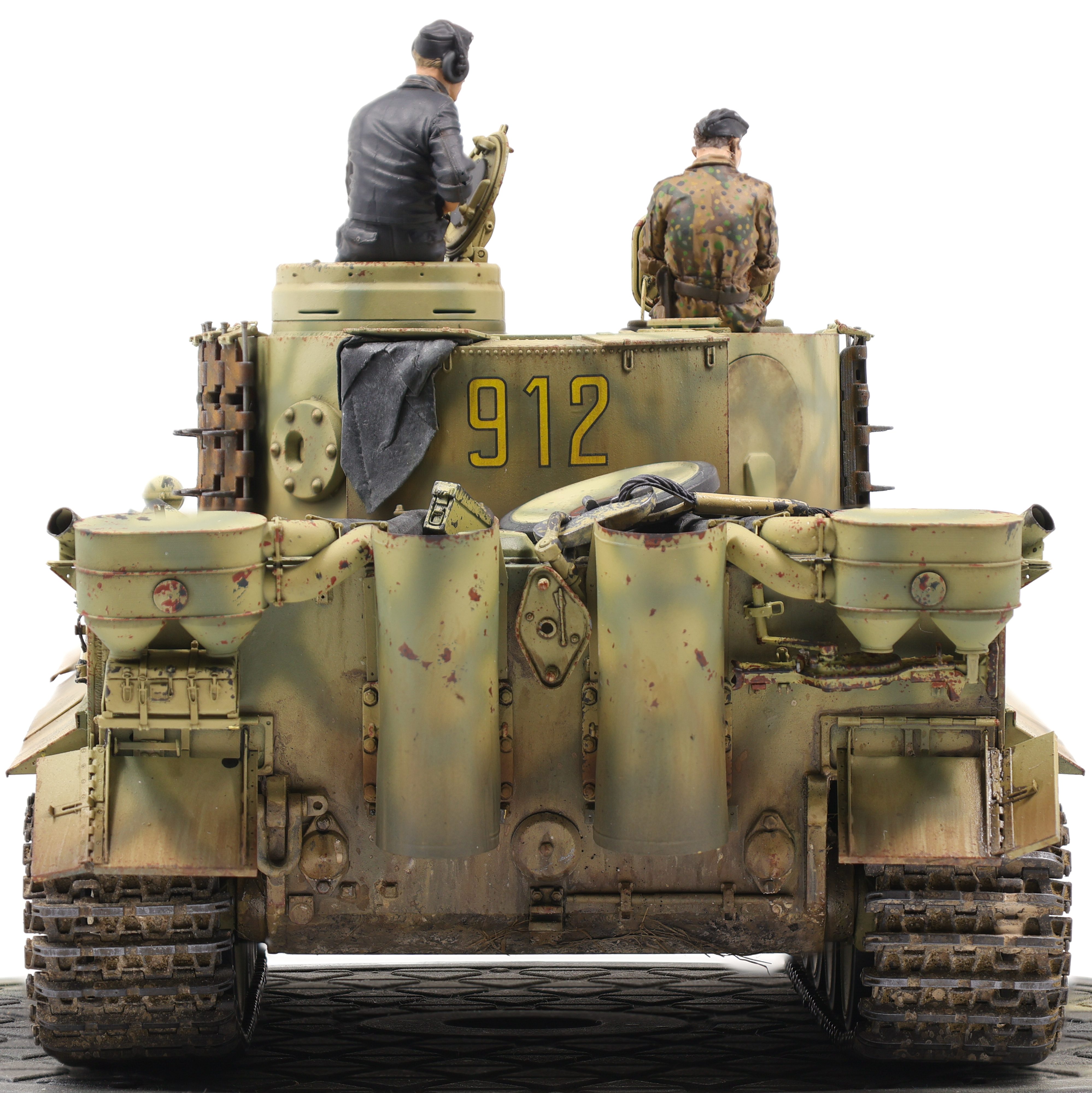
I recently completed my Tiger 1 and what a project it has been! I started this build in late May and it’s probably been my longest continuous build I’ve completed. After completing the weathering process (link below) I got to work on the final touches, namely building the figures and base.
For the base, I knew from the start that I wanted to convey that this vehicle was set on the Kursk battlefield. To do so, I picked a grassy setting, with the Tiger plowing through a field.
In the end, I think I ended up with a more “marshy” look than a dusty field but I’m still quite happy with the result here. To build the base, I stacked two insulation foam sheets on top of one another then glued styrene sheets on each of the four sides. I then painted each side in a gloss black finish before moving on to the groundwork. For the terrain, I used AK acrylic ground texturing paste. I’ve used this stuff for a few projects now and I’ve been able to get the hang of it and understand its properties better. For the undistrubed ground I settled on a rough texture paste with brown paint added. Conversely, I used a smoother paste for the areas in which the tank would sit and where the treads had upturned the ground. I did this because the rough paste would have a lot of bumps and ridges when dried and as such the tank would look like it would be floating. By using the smooth texture the tank settles down a lot more.
While the terrain paste was drying, I would then stick small grass tuffs into it which was an easy way of getting them attached to the terrain. I made sure to use different types of grass to create variation and ensure that there wasn’t too much uniformity in the ground. After the terrain had dried, I then airbrushed some brown shades onto the ground to hep further create some colour variation in the dirt. The terrain paste dries in a very uniform, unrealistic colour and it took some work to ensure it looked natural. After this was done, I then speckled different pigment shades onto the ground to create even further surface detail. I made sure to use pigments that I had used on the vehicle so that the colours would be consistent.
The Figures:
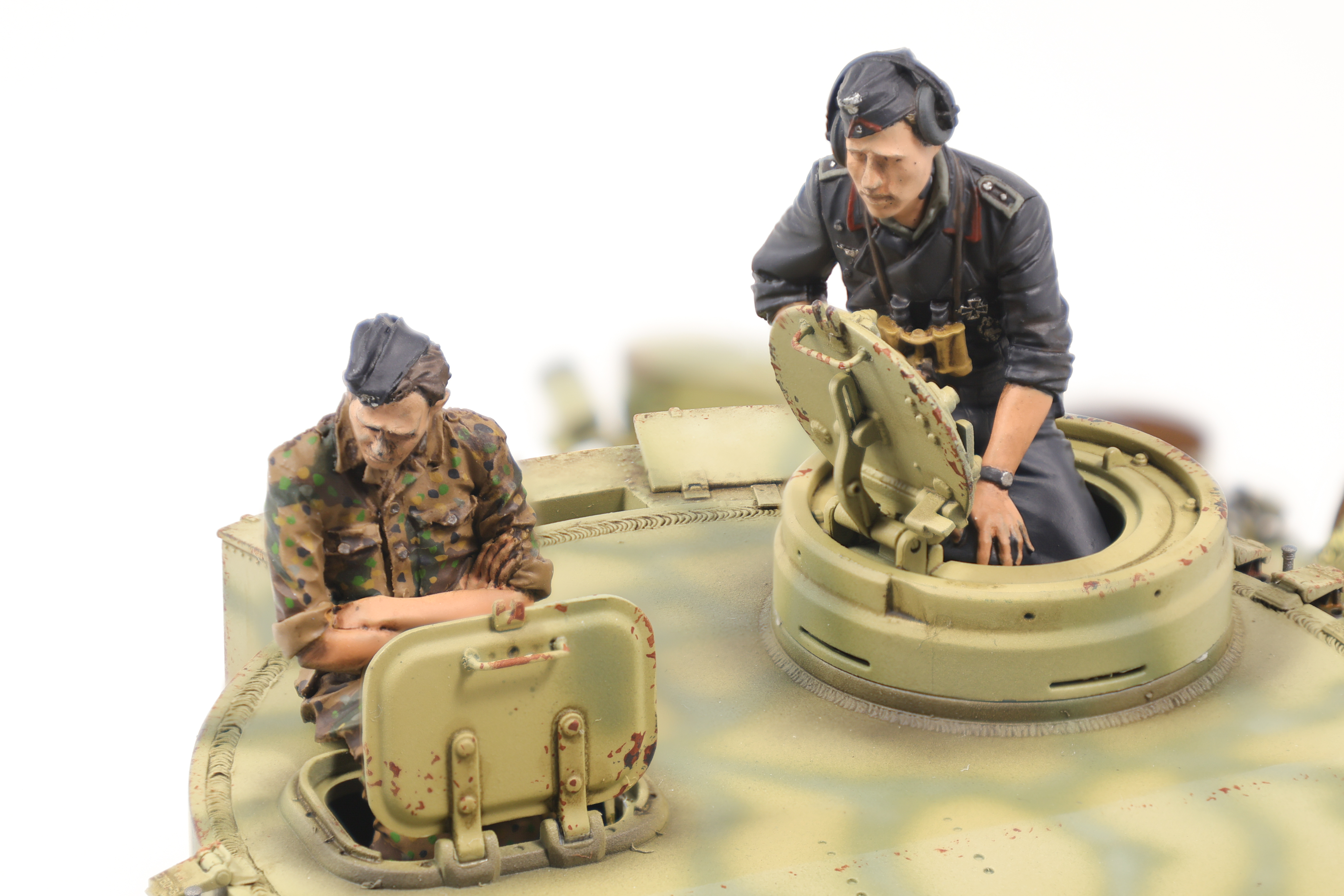
I then moved on to the figures and while I definitely feel that I need improvement in this area, I’m still fairly happy with how they turned out. With the addition of the figures, all that was left were some final paint touchups before moving everything into the Photo Booth.
Final Thoughts:
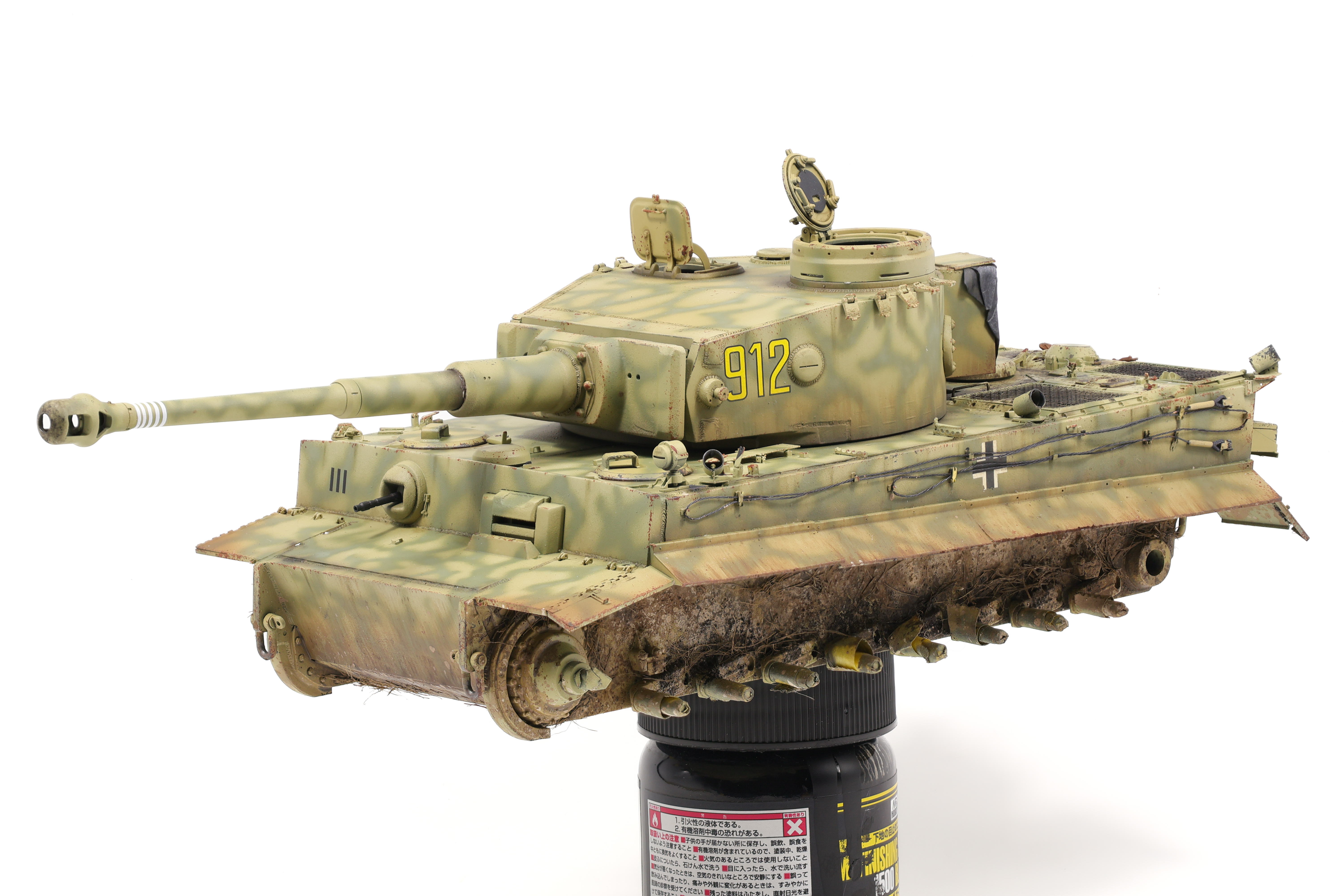
To summarize my thoughts on this project: What a build! This has undoubtedly been my most involved project to date and I couldn’t be happier with how it turned out. I knew going in that I wanted to spend the time to get this project right and I think that I’ve done that. Still, there are always things that I might have done differently and I’m looking forward to applying the lessons learned on this build on my future projects. Enjoy the photos below!
The weathering stage of the project was the perfect sweet spot of being challenging but not frustrating. I really pushed myself to use prior techniques I had only experimented with even further and make them centrepieces of how the model was weathered. For the Tiger project I wanted a relatively clean vehicle that had a lot of environmental effects added to it, basically, a lot of mud and oil spills but not a lot of chipping and paint wear.
As I complete more and more armor models I’ve realized that the weathering process starts as soon as paint is laid and that five light effects look so much better than two heavy handed ones. To quickly summarize the effects I used on this project here they are below:
Base coat and camo colour marbling
Postshading (highlights and shadows)
Sponge chipping effects
Dark brown enamel wash
Oil and fuel spills
Airbrushed enamel dirt effects (mud shade and dust shade)
Brushed enamel dirt effects (light, mid, and dark tones)
Pigment application via dusting
Pigment application via speckling
Grass application via enamel dirt effect + thinner mixture
Light dust pigment speckling for blending)
Oil staining in selected areas over top mud and dirt
Ok that was a lot but now it’s time to go into each effect and in my mind how each effect builds on top of the others.
After sealing the model in a Satin varnish, the first effect I applied was a dark brown enamel wash from Ammo designed for dark yellow vehicles (A.MIG-1000). This really helped to bring out the small details that I had spend time creating, specifically the custom weld details.
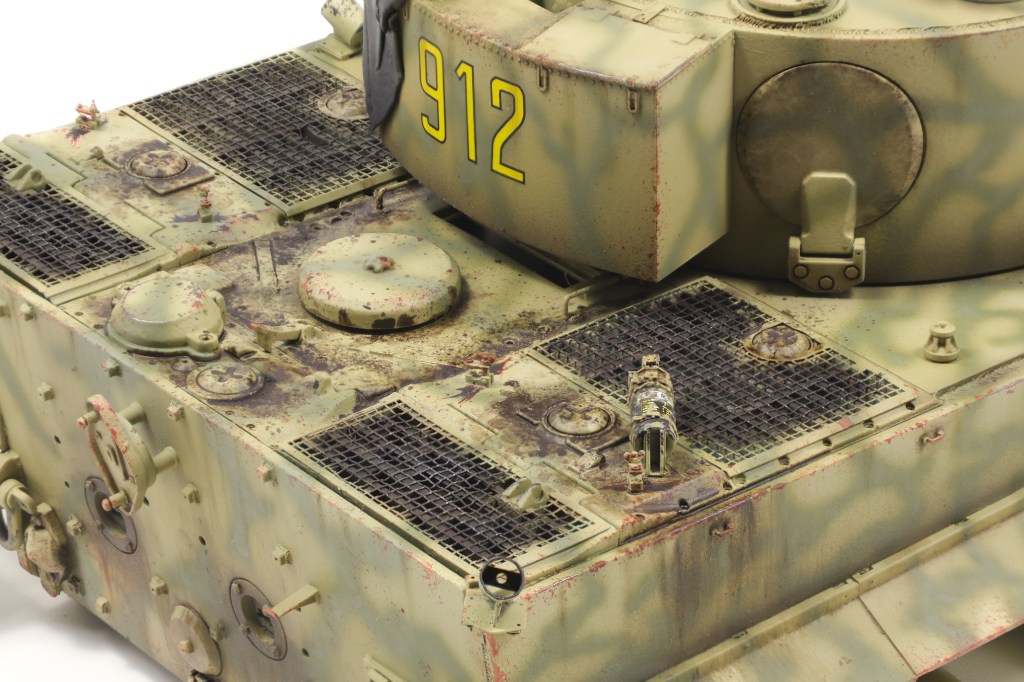
Next, I turned my focus to the engine deck with the intention of adding significant oil, fuel and grime deposits. I have three products I use religiously for effects like these, all of which are from MIG productions. “Oil and Grease stain mixture”, Engine grime effect” and “Fuel stains” are all fantastic products and I use them on almost every AFV I build. I used several methods to apply them to the model, including as a diluted wash colour, stippled onto the surface, and as a streaking effect as well.
Enamel dusting is rapidly becoming one of my favourite effects and I utilized it on this build as well. The technique involves airbrushing highly diluted enamels onto the model before using a brush dampened with enamel thinner to create downward streaks. This effect is great at replicating dirt and dust that has settled on the vehicle naturally but has begun to wash away due to rain and other activity on the vehicle. I used two shades on this project, XF-10 Flat Brown and XF-52 Flat Earth as my dirt and dust shade respectively. XF-10 is a very dark, muddy colour and as such I limited it to the lower, shaded areas of the vehicle. XF-52 is a lot lighter and does a better job at depicting kicked up dust that falls onto the vehicle as it moves. This colour is also good for fading markings. On the Tiger, you can compare the colour of the balkenkreuz to see how this effect is able to depict general dust and dirt buildup on the vehicle.
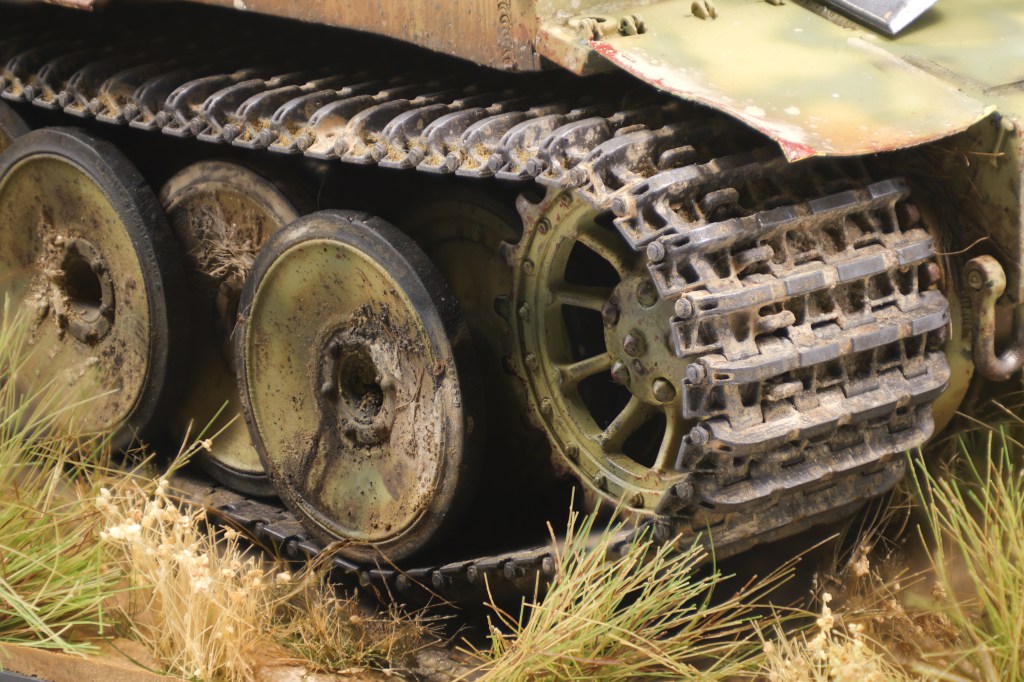
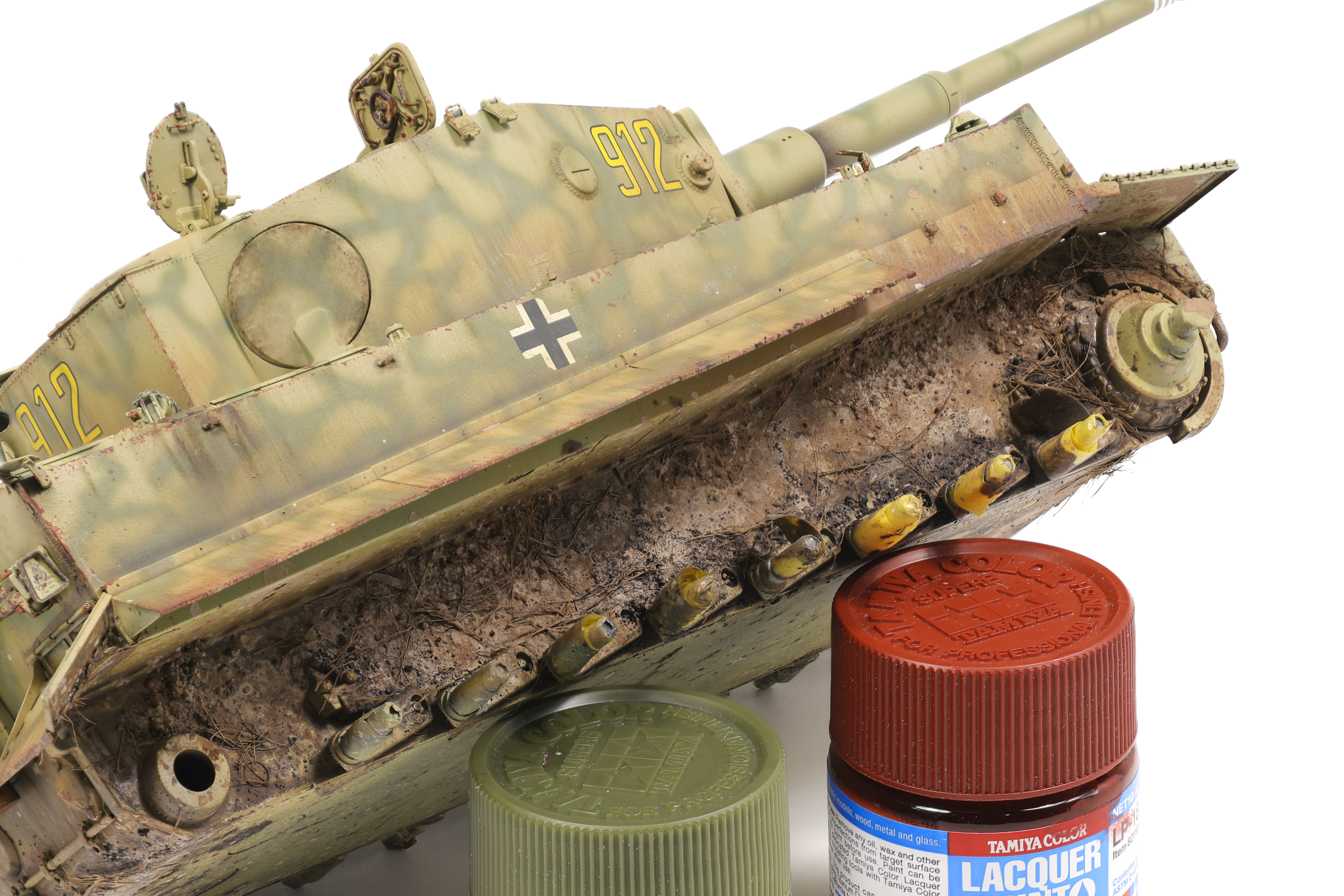
Next, I began working on the more involved dirt and mud application on the model. To start I applied some enamel nature effects from Ammo, namely “Kursk Soil ” (A.Mig-1400), “Loose Ground” (A.Mig-1752), along with “Fresh Mud” (A.Mig-1402) and “Damp Earth” (A.Mig-1406) to a lesser extent. These products were roughly brushed onto the lower areas of the model and allowed to somewhat mix with each other in limited areas. 5-10 minutes after application I then began pigment application over top the still wet enamels. I chose four shades of pigments to use. From Abteilung 502 I used “Light European Earth” (ABTP415), “Rubbel Dust” (ABTP234), and “Russian Earth” (ABTP034) along with Mig Productions’ “Track Brown” (P414). To apply pigments to the model, I loaded them onto a wooden stir stick and gently tapped it to cause the pigments to fall onto the model in medium sized clumps. Because the enamel are still wet, this causes the pigments to stick to the model and stay in place. I repeat this process for the four shades, taking care to apply them in the correct area. I used the “Rubbel Dust” and “Russian” Earth” shades as my primary colours here with “Light European Earth” and “Track Brown” serving as highlight and shadow shades.
At this stage the pigments will be very loosely applied to the model and not stay in place for the remainder of the build. To solve this issue, I applied small amounts of enamel thinner to the dry pigments causing them to dampen. This has the effect of binding them to the model when they dry and makes them a lot more durable.
As a side note, you can get very creative with this technique. By varying the amount of thinner you add you can change the texture of the final dried pigment. By adding a lot of thinner, the pigment will almost completely liquify which will look as if liquid mud has splashed onto the vehicle. An alternative approach is to use as little thinner as possible, causing the pigments to dampen, but not liquify fully. This in turn creates an effect that looks like semi-solid clumps of mud and dirt has been flung onto the vehicle and dried in place.
Next, I created a pigment mixture consisting of pigments and pigment fixer in a dish. I loaded up a brush with this mixture and stippled it all over the surface This is done to recreate small pieces of mud and dirt that has been flung onto the vehicle and is more subtle than the previous pigment application. I applied a coat of the four shades listed earlier. This also has the effect of really fixing all the pigments in place.
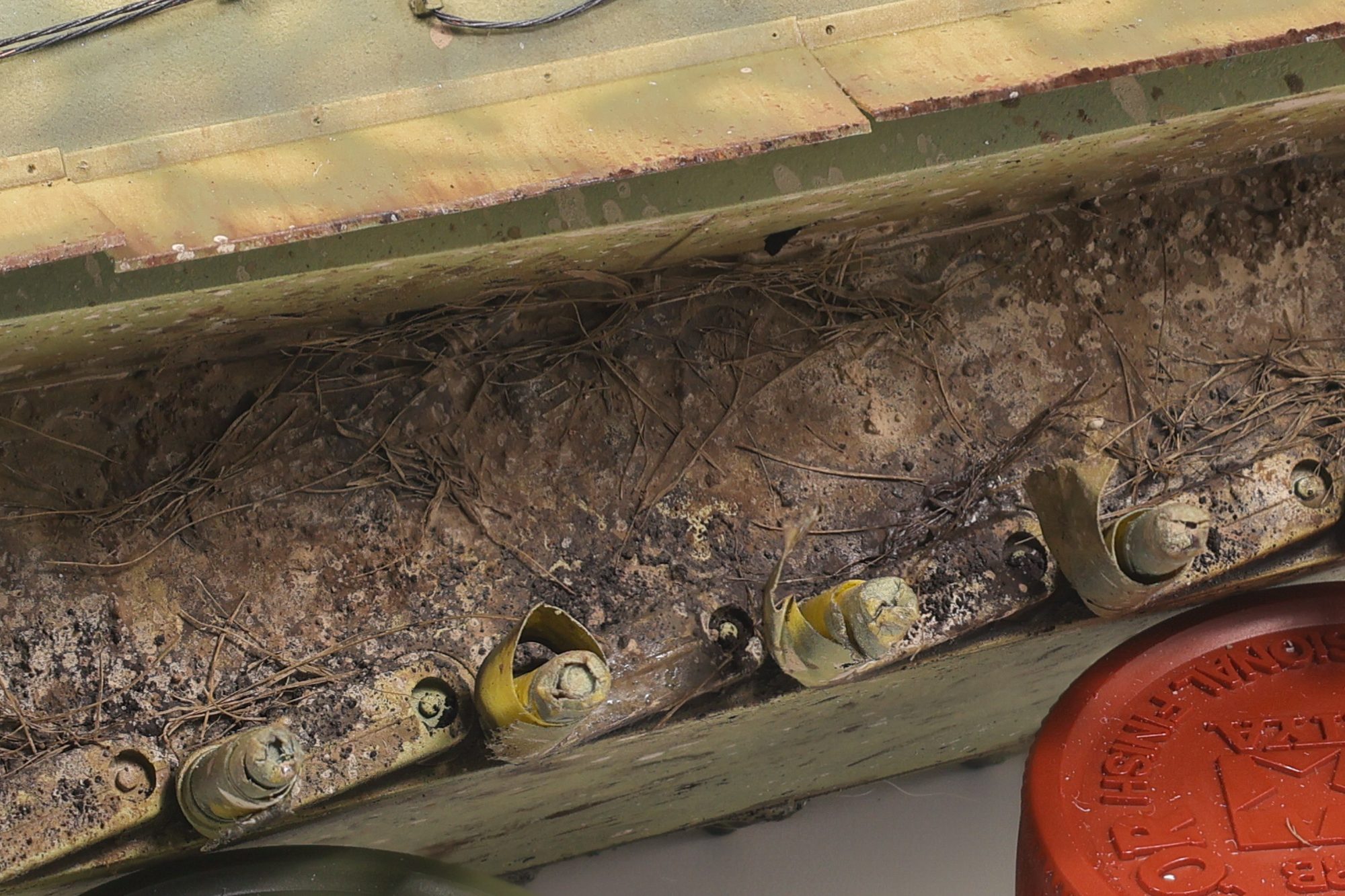
After letting them model dry out completely for a few days (It takes a long time for all the pigments to dry completely!) I then decided to add some grass effects to the lower surfaces of the model. To do this I whipped up a new mixture of “Loose Ground” along with AK “dried sea grass” (AK8045). I am a huge fan of this grass product, it looks incredibly realistic and there’s a ton of it so it lasts a long time. To apply it to the model, I throughly mixed the grass with the enamel product before grabbing clumps of it and applying to the model with tweezers. Because the grass has been soaked in the enamel effect, it sticks to the model and will dry in place.
The last effect I applied to the model was the addition of some oil stains over top of the dirt and grass effects. To do this I added some of the “Oil and grease stain mixture” mentioned earlier to recessed areas where I wanted oil leaks to show through. I kept this effect focused on the road wheels to depict seals that had been worn down, causing an oil leak. Using a very fine brush, I dragged out small amounts of the stain mixture to the rim.
After completing the main work on the hull, I then moved on to painting and weathering the tracks. I have my workflow for tank track pretty nailed down by this point and this build was no exception. To start, I painted the track with Mr. Metal Color MC212 “Iron”. this is a fantastic base colour for tracks I’ve found. It finishes as a very flat dark grey, however after it’s buffed, it shines very nicely. After applying the base colour, I then added a very messy coat of Vallejo Sienna Claro pigment with a brush. I do this with no fixer or binder, and my goal is to get started working pigments into the track crevices.
Next, I then stippled various enamel earth effects and pigments (mixed with fixer) onto the tracks with no specific pattern. This creates an effect in which the tracks look live they’ve been run through lots of different types of dirt and mud and creates a nice overall weathered effect. I then took a paper towel and dragged it over the track cleats, removing the weathering effects from this area. This also polishes the underlying MC212, causing the paint to shine and creates a nice contrast with the dirty parts of the track. As a final effect, I drag a graphite stick over to of the cleats as well.
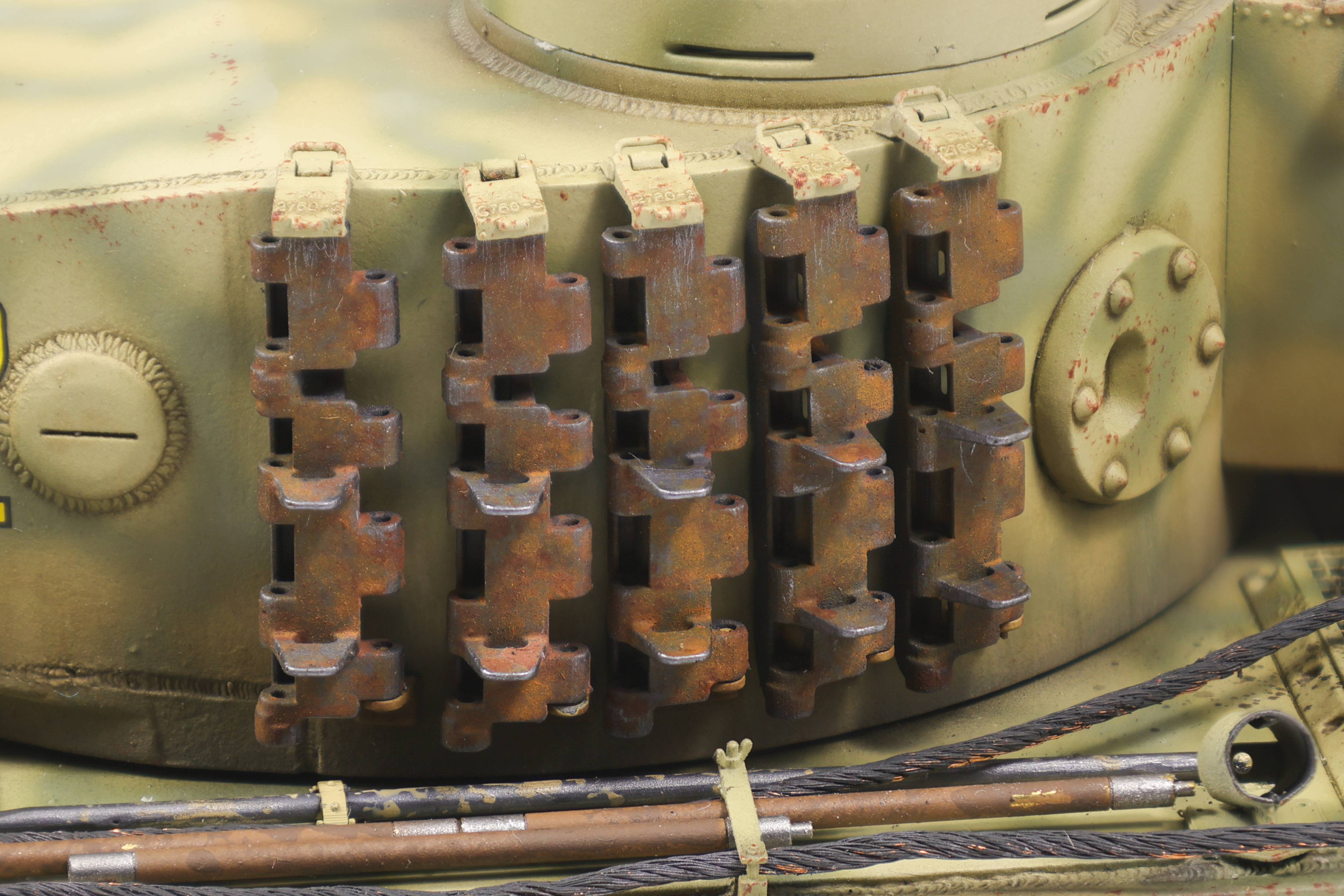
Next, I moved on to the tracks that would be fitted to the sides of the turret. Since these would not have seen as much wear as the running tracks, they would need to be weathered in a different way as previously described. As before, I painted them with a MC212 base coat before conducting further weathering. I then utilized two different rust shades to weather these tracks. I utilized a dark rust streaks and light rust wash colour as my two tones that I would work with. The dark rust streaks colour appeared more so like a dark brown and would serve as the basis for future work. I applied it fairly liberally over the tracks, making sure that it flowed into recesses. I then speckled on the light rust wash colour taking care not to overflow the surface. This approach would create highlights in specific areas and create a fairly convincing rust effect in my opinion.
As a final touch, I then polished the exposed edges to simulate rust being worn away on exposed surfaces, creating a nice contrast with the rust tones.
And with that, that’ll be it for this update! A final update of the completed build will be out shortly!
For this project I took the approach of avoiding any pre-shading or subtractive chipping. While this strategy was not entirely new to me (see my T-55A project) it is still is not something I’m used to. I made this decision because I felt that post-shading was a better approach for achieving the desired look I was after.
This decision led into the next, namely what kind of chipping I wanted to apply to the build. To start, I knew that the chipping effects were going to be somewhat limited in this project. My rationale was that Kursk tigers were often new additions to their units and were not heavily worn down vehicles. These factors heavily favored in my decision to use additive chipping (with a brush or sponge) instead of subtractive chipping (with chipping medium). With the fact that the chipping was not going to be a significant effect I was happy to omit a chipping medium from my workflow.
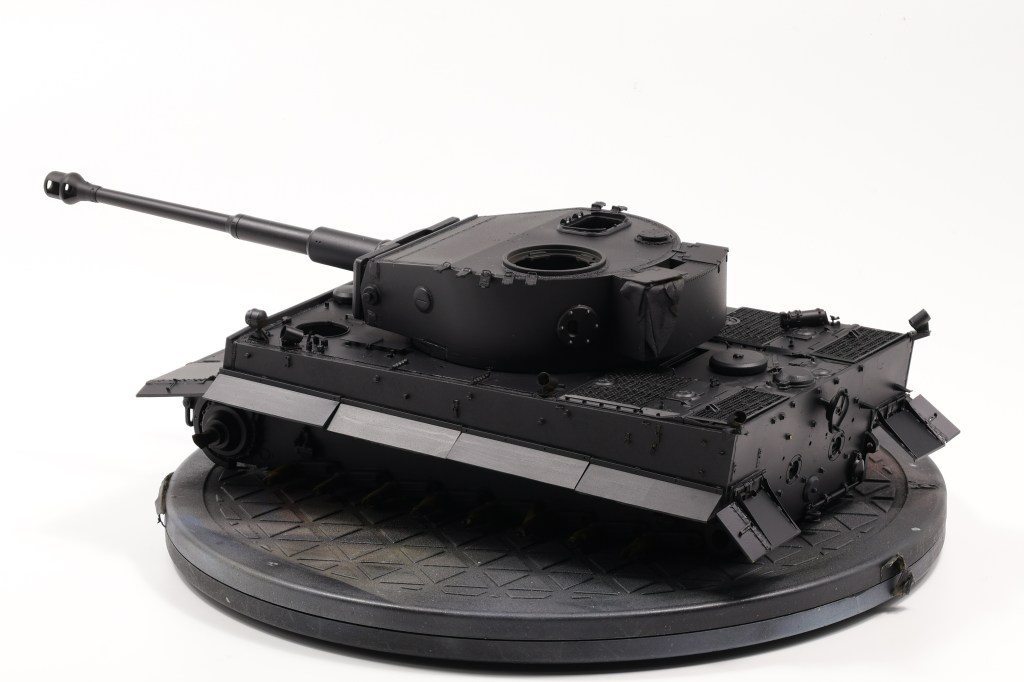
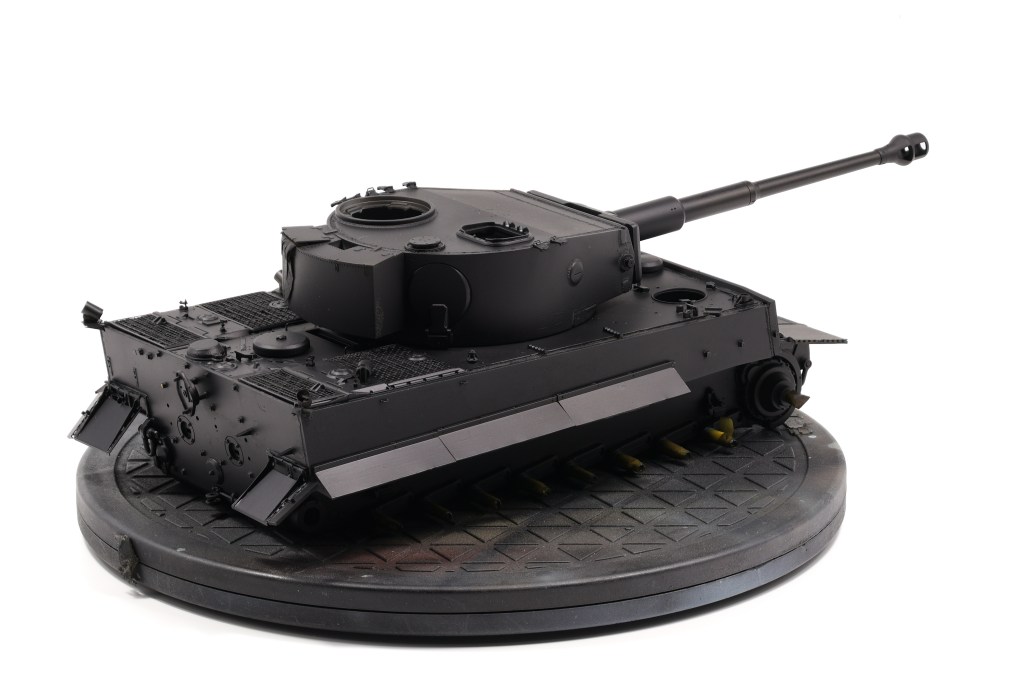
It came time to prime the model and as usual, I turned to Mr. Surfacer 1500 black as my primer as choice. Some people say that using a black base can make the surface colour look “colder” however in my case I don’t see it.
I was particularly happy to finally see my efforts in creating a realistic cast texture and I’m particularly happy with how it turned out, although black is not the best colour for detecting surface finish variation.
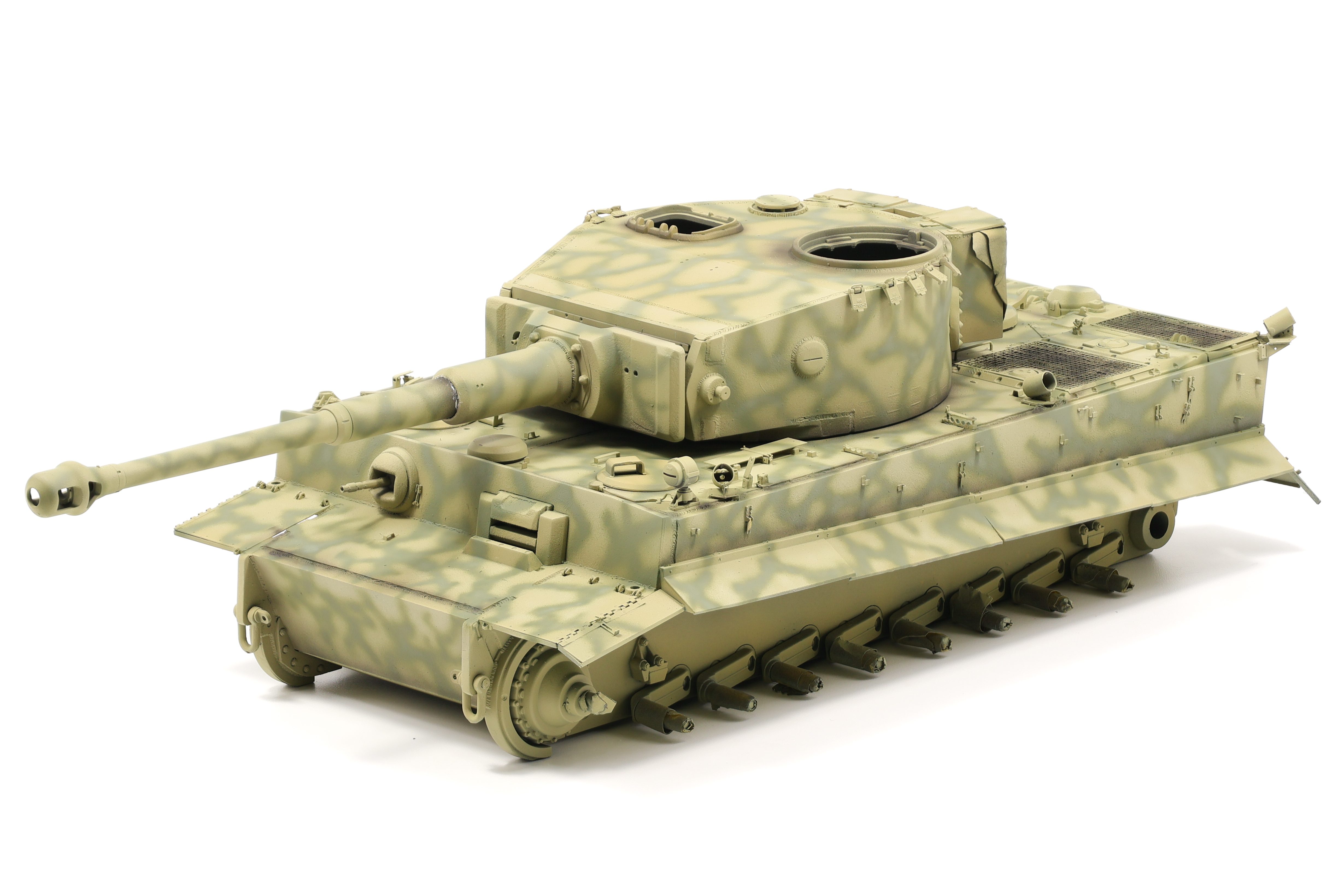
Next up was the main coat and for it I selected Tamiya’s Dark Yellow 2 shade (LP-55 and XF-88). I’m familiar with this specific colour and used it on my Sd.Kfz 251/22 Pakwagen project. I did find that it was slightly too dark and to compensate for this I added a few drops of flat white. I used Tamiya’s lacquer range and while I like how they cover the model, I find that they just run out too quickly. Tamiya’s acrylics can be heavily thinned and as such last a long time. The lacquers were significantly thinner and didn’t require a lot of thinner. As such I relied on a lot more paint to get proper coverage For this specific build I pretty much emptied the jar I bought for this project.
The results speak for themselves however and I was happy with how my Tiger looked after completing the first main coat.
After completing the main coat I began the post-shading process To do so I simply used more dark yellow with added white and black. I sprayed the light coats on higher areas and the darker coats where shadows would be. This was my first time going heavily into the world of post-shading and I’m quite happy with the results here.
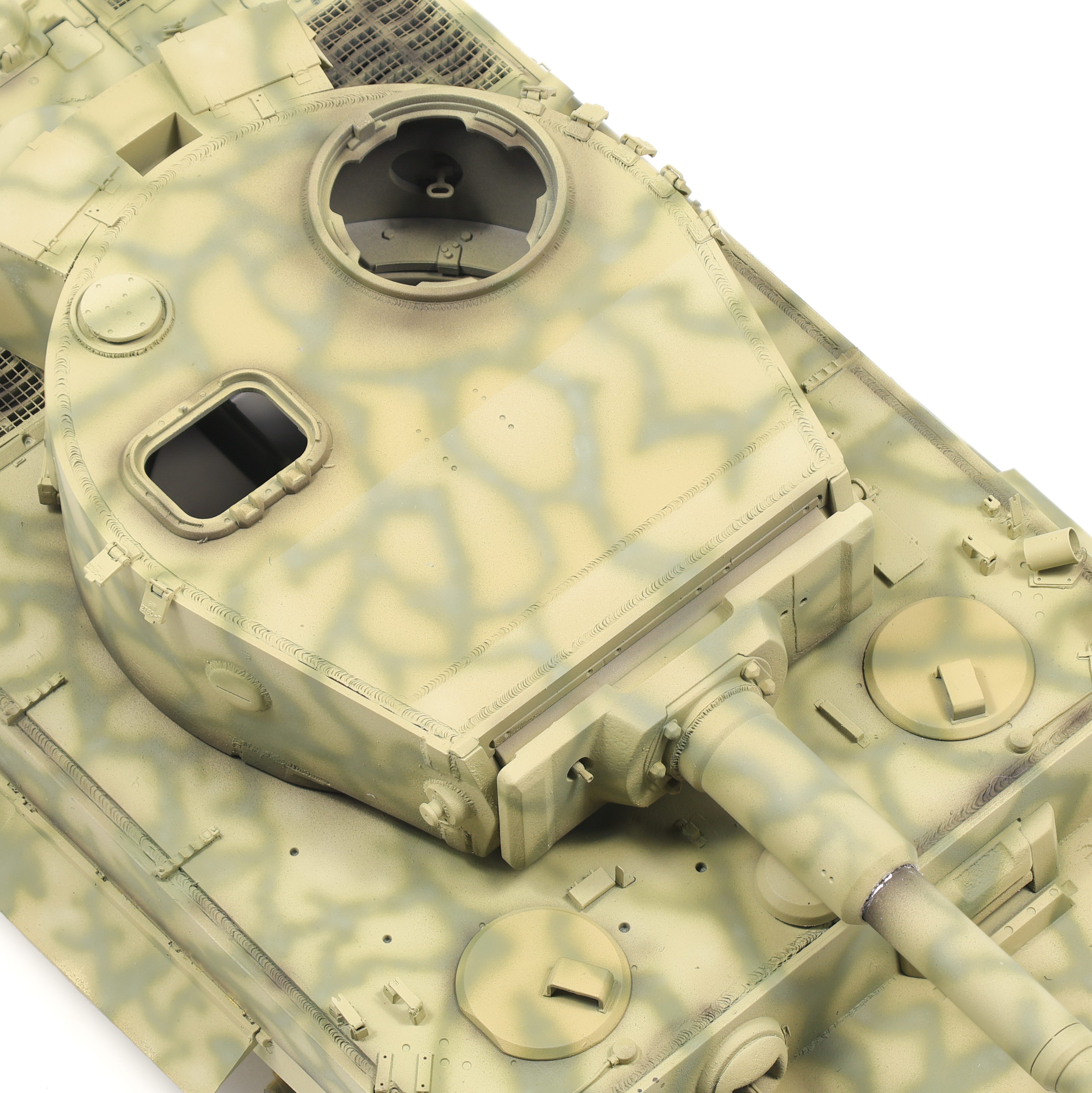
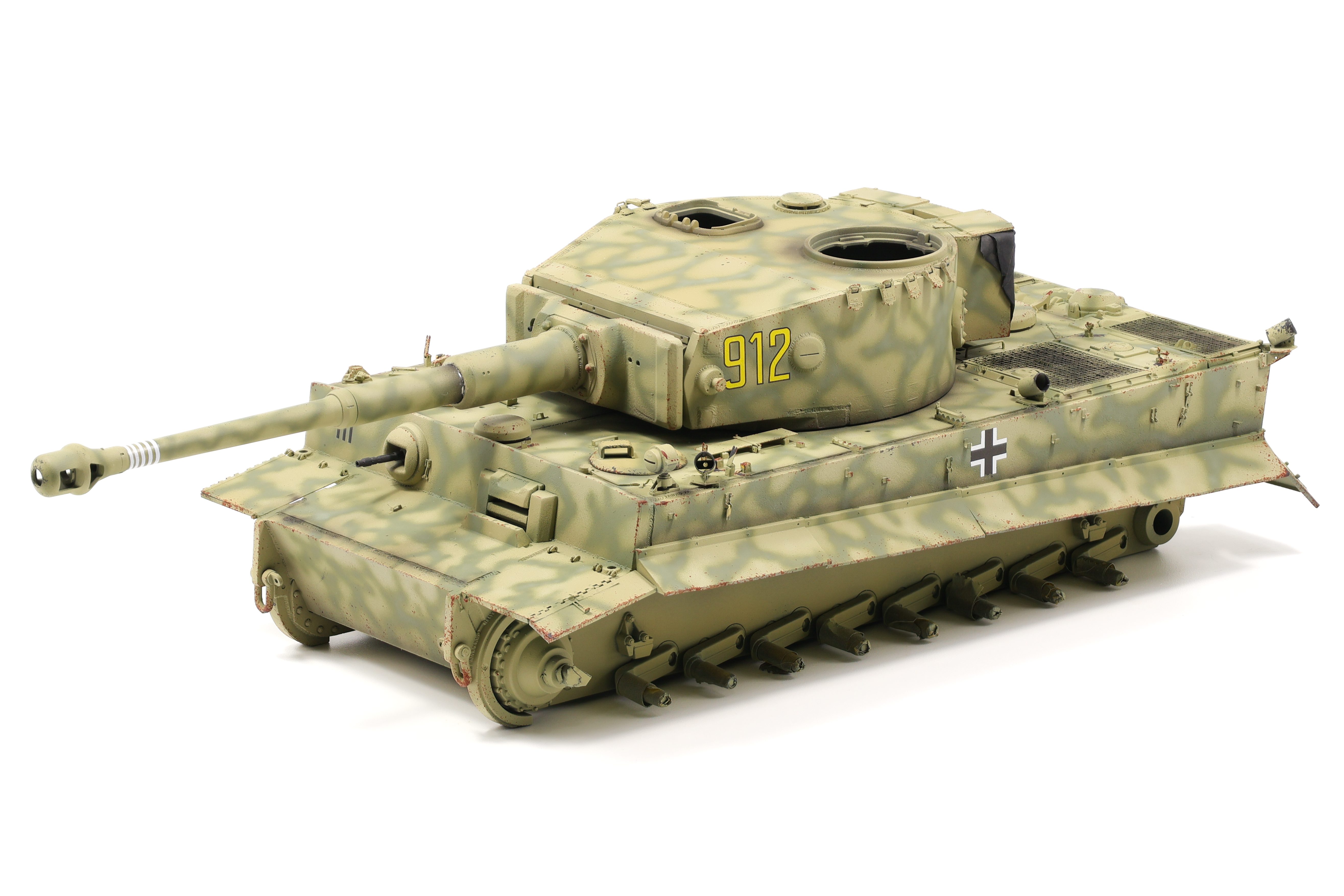
Next up in the process was the camouflage which was a process that, although it would be challenging, I was looking forward to immensely. It was hard to determine an exact scheme from reference photos and the colour profiles from Echelon FD didn’t help a lot either. The best way to describe the scheme was “dunkelgleb with olivegrun splotches”. I took a slightly different approach and tried to re-create a webbed look with long strands of olivegrun over the base dunkelgleb. It took about two days to finally finish but overall I’m very happy with how the scheme came out.
After getting the initial Olivegrun colour on I did another post-shading coat although this time I was more thorough with my approach and took the effect further in some areas. I whipped up a 50/50 mixture of Tamiya Dark Green 2 and White in order to make the initial scheme more faded and worn. Additionally, it blends in a lot better with the dark yellow base coat which is what I was after. I also did more shading with black, or at least a very dark brown. This effect can be most seen where the skirts meet the hull as well as the engine deck as well as a few other areas. Overall I really enjoyed the post-shading process on this model and at this point a decided to wrap it up and move on to the next phase of the build – Markings.
Considering that I had used Tamiya lacquers for all the paintwork, I felt confident in applying the decals straight onto paint. I’ve never worked with Echelon decals before and, after a test run on a spare piece of plastic, decided to use Tamiya Mark Fit Super Strong as the setting solution. I lightly sanded the paint surface with a 12000 grit sanding sponge in order to get the surface as smooth as possible in preparation for the decals. After a few passes the surface felt a lot smoother with no visible loss of paint.
Decals went on really well and with the help of setting solution, conformed excelently to the cast texture I had re-created. Results like these are really why I like to go the extra mile on small effects, it can really make a difference in the (almost) final result.
Truth be told, there weren’t a whole ton of markings to apply and it only took an hour or so to get them on the model. Of particular note are the kill markings on the barrel that Echelon provides. I was amazed as to how easy this decal conformed around the barrel to perfectly line up when it overlaps itself. This is done by making it slightly curved inward to match the dimensions of the barrel. It’s clear that they did their research and tested this product before selling to customers. Very happy with this sheet and I’ll be using them in the future.
After applying the decals I went along with some light chipping effects before sealing the model in VMS satin varnish. I didn’t want to go overboard on the chipping as I wanted a cleaner look from the vehicle. That’ll be it for now and enjoy the detail photos below!
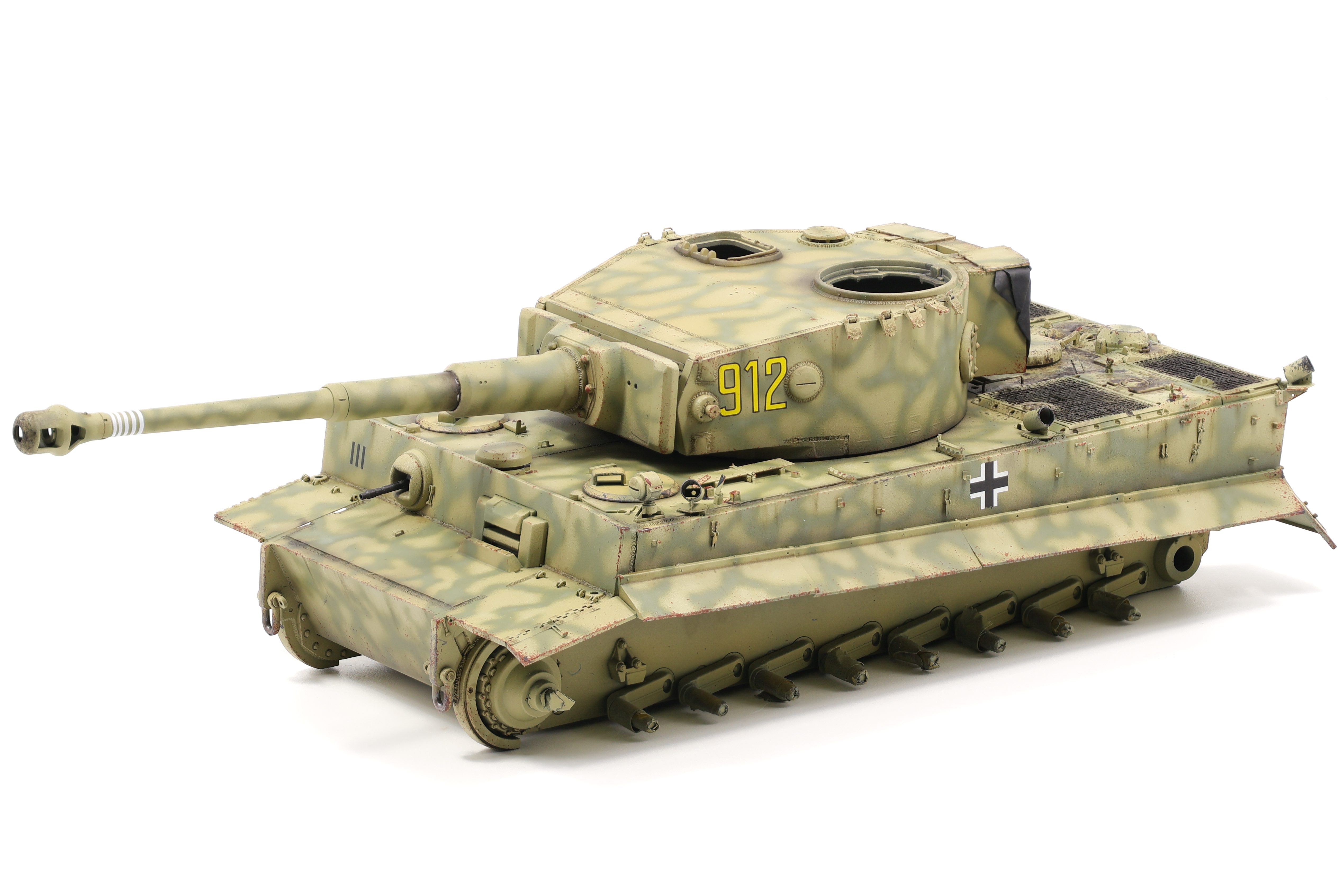
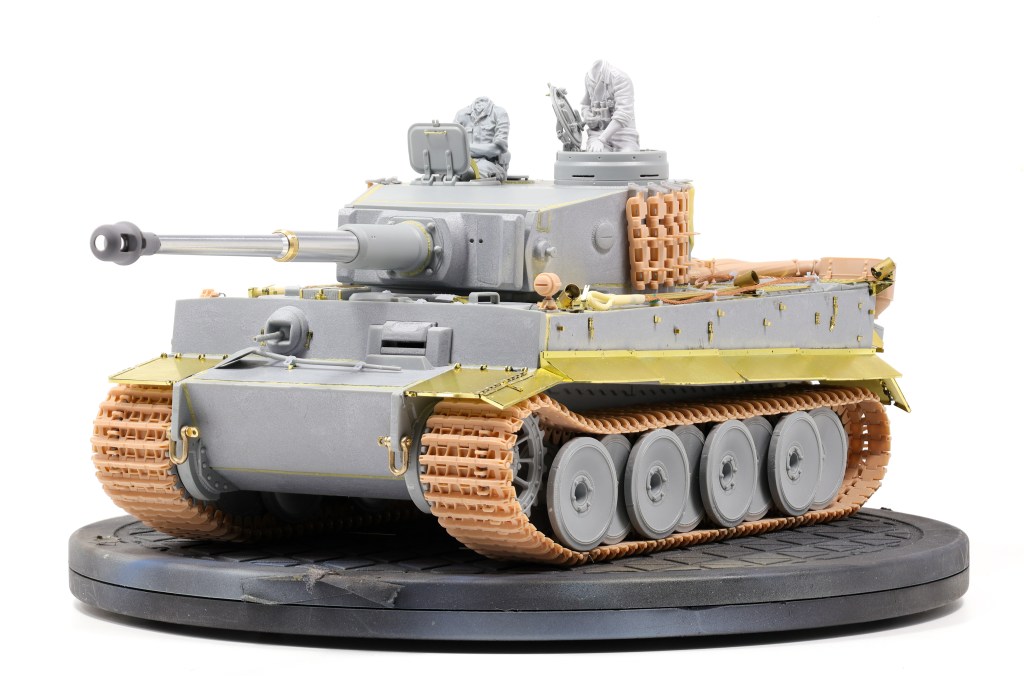
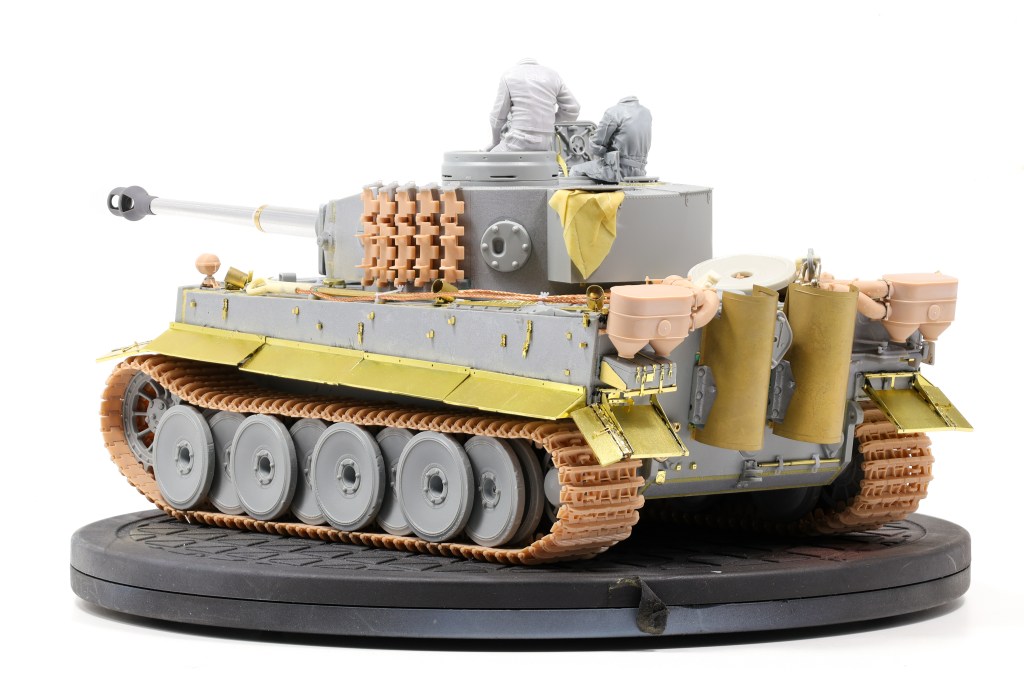
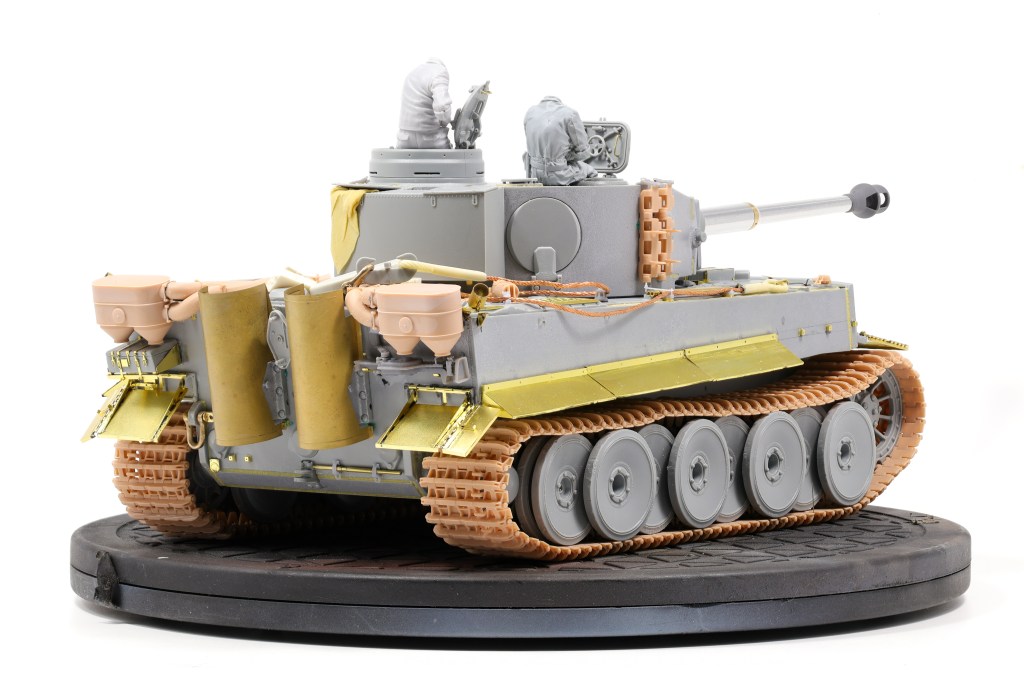
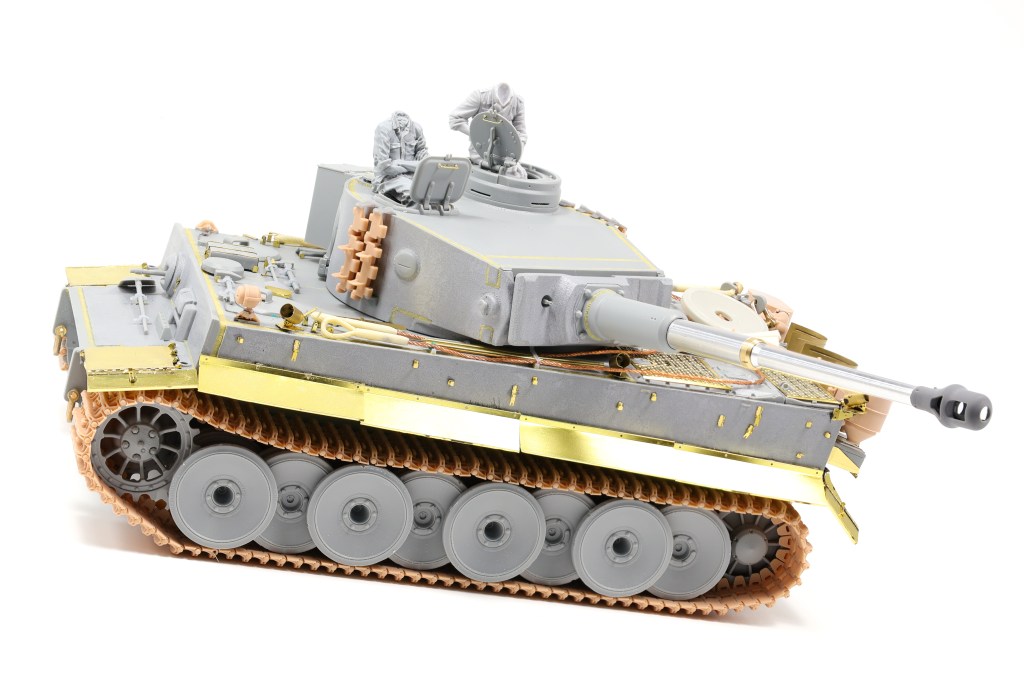
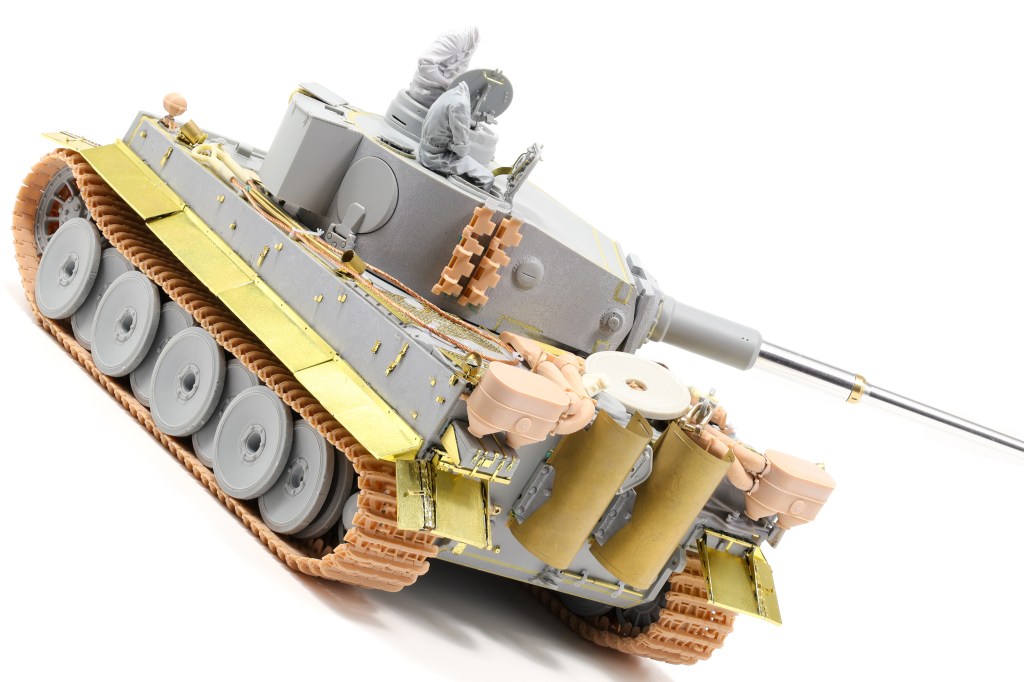
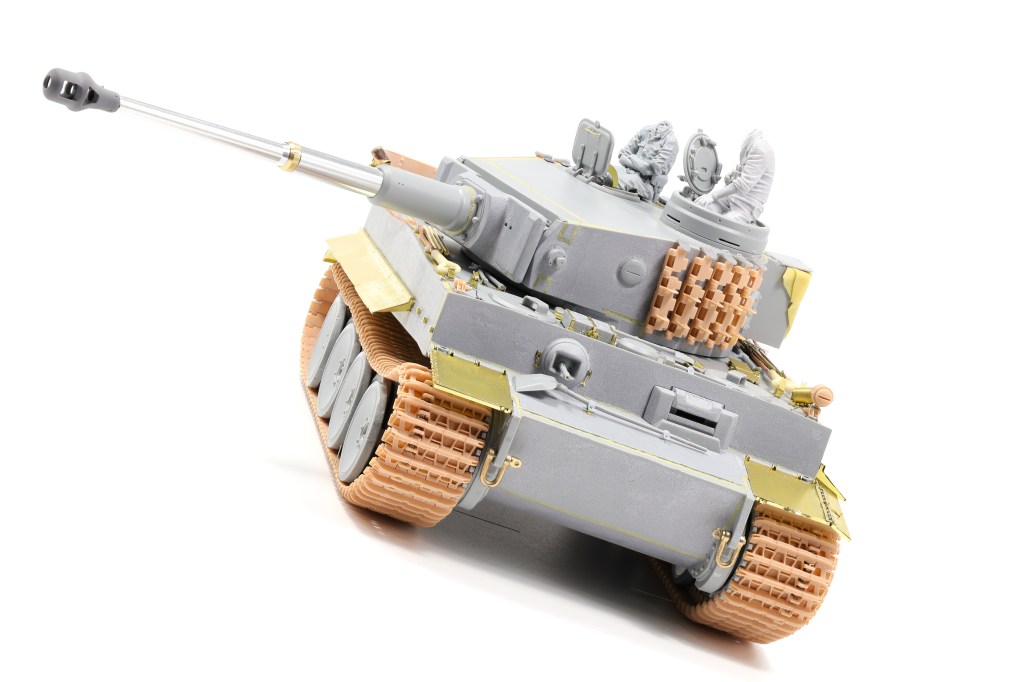
After over a month I’ve finnaly completed the major construction phase of the Tiger project. I won’t lie, it’s been a bit of a slog with all the extra detail I wanted to add to the build however it was to be expected. of course. After completing the hull construction I naturally moved onto the turret which was somewhat more straightforward.
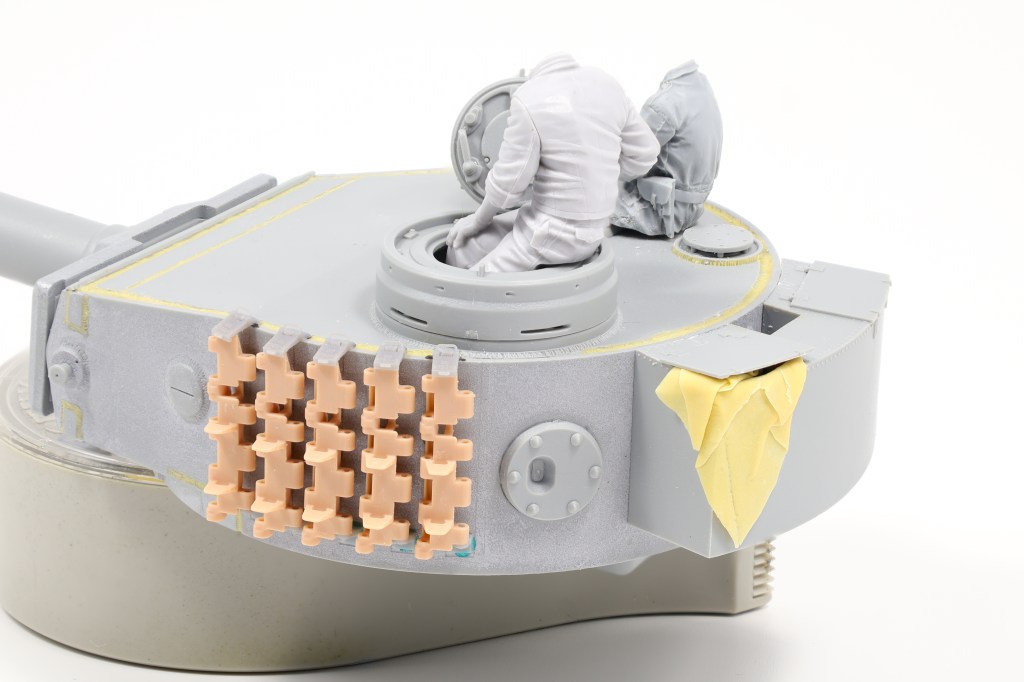
Like the hull, cast texture and weld details were added where needed. For the track brackets I added 3d printed Rochm parts which I found added a great amount of detail for being such small additions.
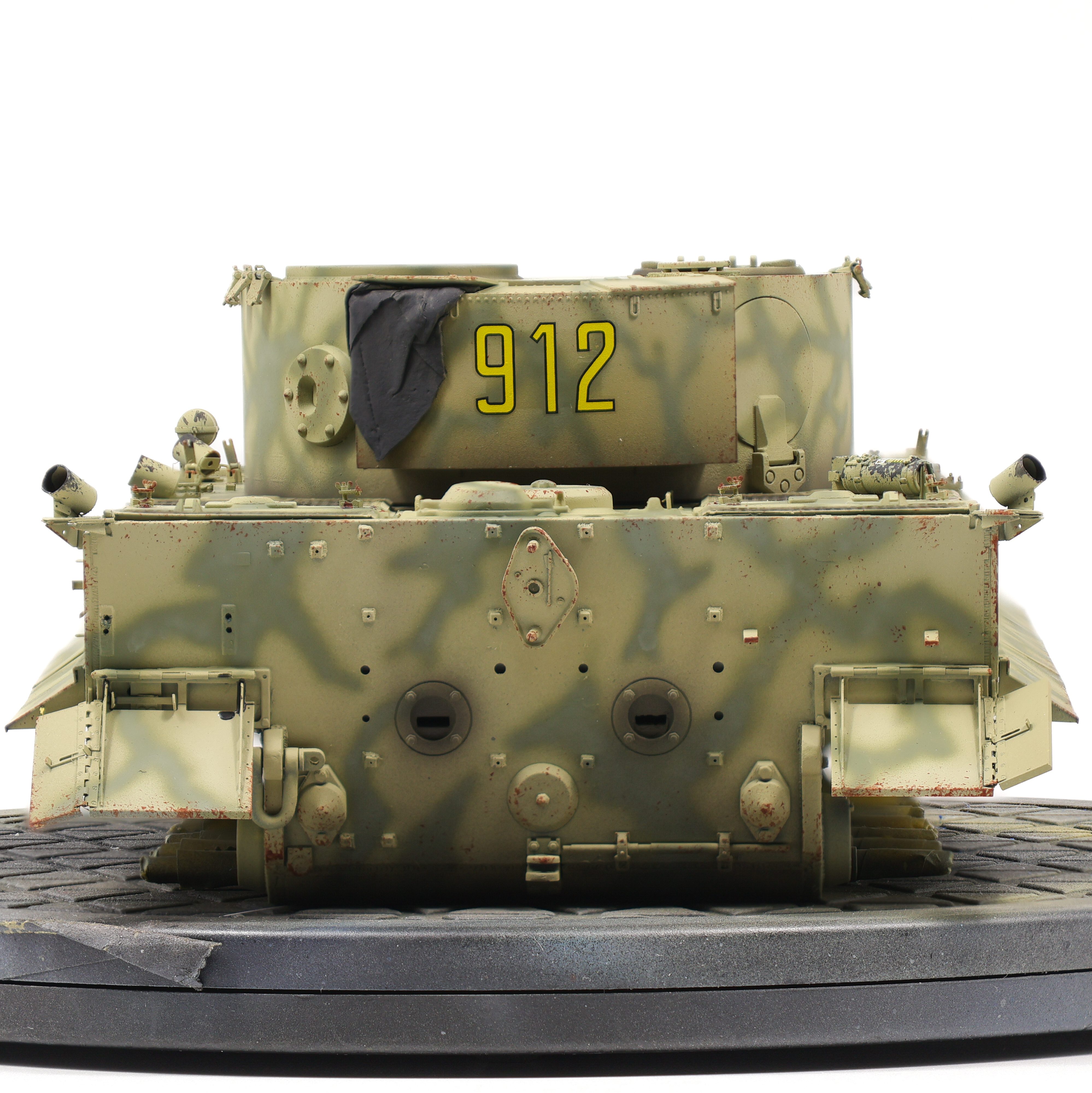
I also wanted to try my hand at adding cloth details with Tamiya epoxy putty. I really liked how this putty handles when baby powder is added, it rolls very thin and doesn’t stick at all. I’ll definitely be using this technique in the future.
Also of note are the figures I picked out for the build, which were by Alpine and Stalingrad. I really liked the quality of both, although I found that the Alpine offering was slightly better quality than the one by Stalingrad.
Part of the reason of going through the entire mockup process was that I wanted to experiment with stowage options for the Tiger. I knew from reference photos that Tigers didn’t really have a lot of stuff pilled up on the rear deck however I couldn’t resist adding some bits and pieces here and there.
It’s a short and sweet update this time around but I wanted to get some photos out of this build before moving onto the painting phase. Enjoy the glamour shots below!
With the wrap-up of my D-Day LCA build I was able to move on to a project I’ve been looking forward to for some time now, a revisit to the infamous Tiger tank. The last Tiger I built was in 2017 (see the projects tab) and at the time it was probably the best kit I had completed. I’ve been able to grow my skillset since then and it’ll be an interesting comparison to see the two builds side by side and document my growth as a modeller.
For the build itself I picked up the excellent Dragon 6820 kit, otherwise known as the “131” Tiger. Even though it is marketed as a Tunisian variant specific to Pz.Abt 504 it can be built up as any early Tiger, especially the vehicles at Kursk. Even though it’s a 2015 release this is still a high quality kit in 2024.
Speaking of the subject I had in mind I’ll be building another Kursk vehicle (exciting I know!). This project started with the markings to be honest. I was swayed by a set from Echelon that depicted the 3.SS Pz.Rgt. “Totenkopf” during Operation Citadel. I was interested in the distinct yellow numbering of the vehicle numbers and felt that over a camo scheme of dunkelgelb and olivegrun the vehicle would pop really nicely.
With such a high potential with this build I also decided to absolutely pack it to the gills with aftermarket. The full list is below:
Trex Studio 3d printed tracks
Trex Studio 3d printed Feifel filters
Rochm Full detail photo etched set
Rochm 3d printed spare track holders
Voyager brass cleaning rods
Master metal barrel
Aber late model brass shackle
Alpine Minatures Panzer commander summer
Stalingrad WSS Panzer crewman Kursk 1943
Construction was anything but straightforward on this project. Dragon can be infamous for having busy instructions and with all the accessories added in this kit, I was frequently going back and forth between different instruction sheets. Additionally the aftermarket accessories had overlap in some places and I had to decide which sets I wanted to utilize for the build. A good example of this are the tool clamps. Rochm provides photo etched tool clamps that you have to assemble. I also had a spare set of MJ miniatures 3d printed clamps in my spares drawer which I opted to use instead, as they come pre-assembled.
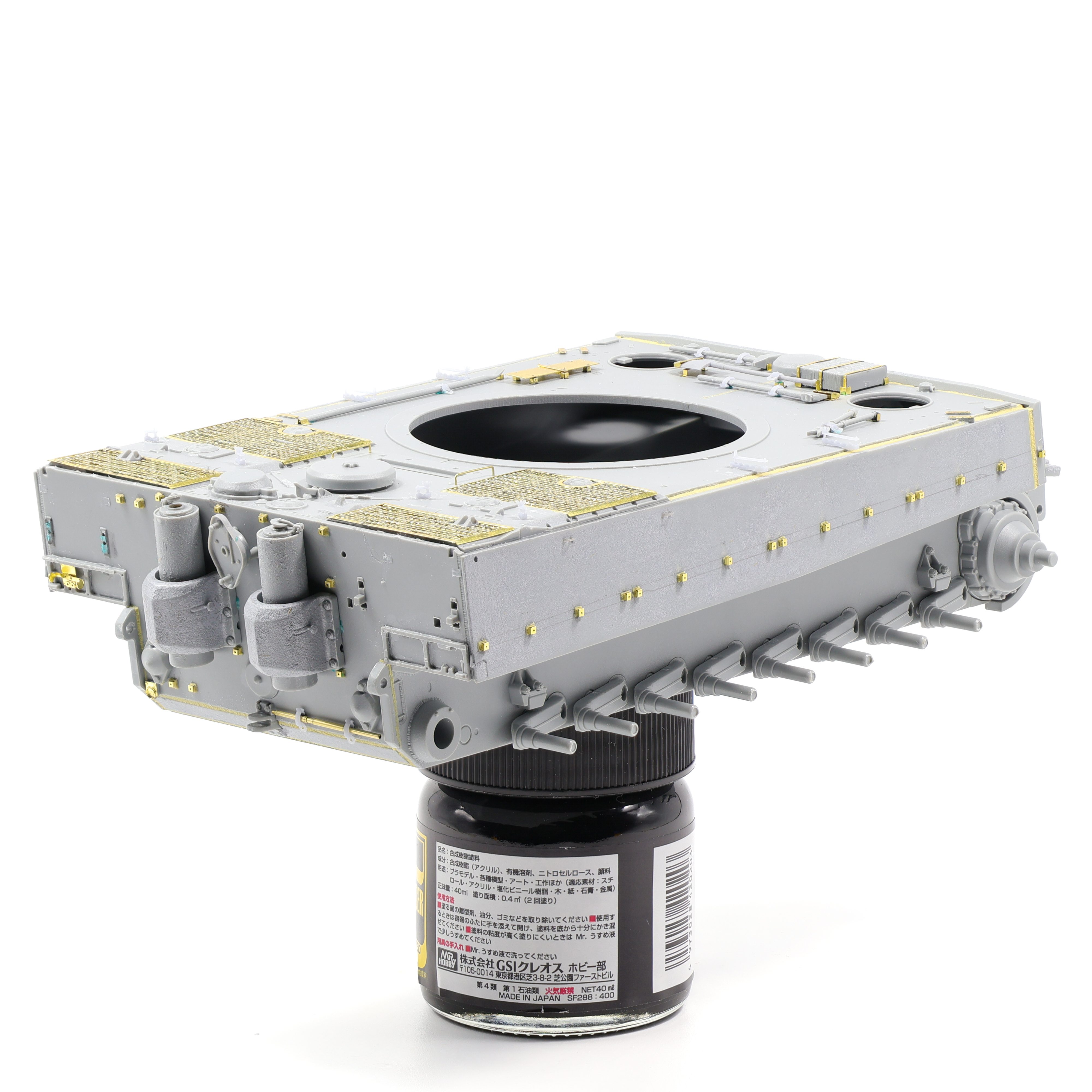
After a few weeks on the bench I had completed most of the hull construction. To enhance the detail on the model, I added cast texture and weld beads using Tamiya grey putty and epoxy putty respectivley. To add the weld beads, I first had to scribe out a groove and after assembling the hull I was able to work the putty inside the pre-made gaps and apply a weld texture with a scratch built tool.
I can’t lie, this phase of the build was very tedious and time consuming. Spending the time to attach then weld the dozen or so photo-etch mounting block took something out of me. Looks great at the end though. While joining the hull pieces together I found that the lower hull “bathtub” had quite a significant warp to it and needed additional prodding to allow other pieces to slot into their attachment points. The frontal armour pieces were especially useful in forcing the hull into the correct alignment. After the major construction of the hull was completed, I turned my focus to the small sub assemblies and parts that would be fixed in place on the final model.
Tool construction was up next, and as I touched on earlier I opted to use 3d printed clamps to improve this area of the model. The jack block was improved as well by scraping a razor saw along the surface to simulate a more realistic woodgrain texture.
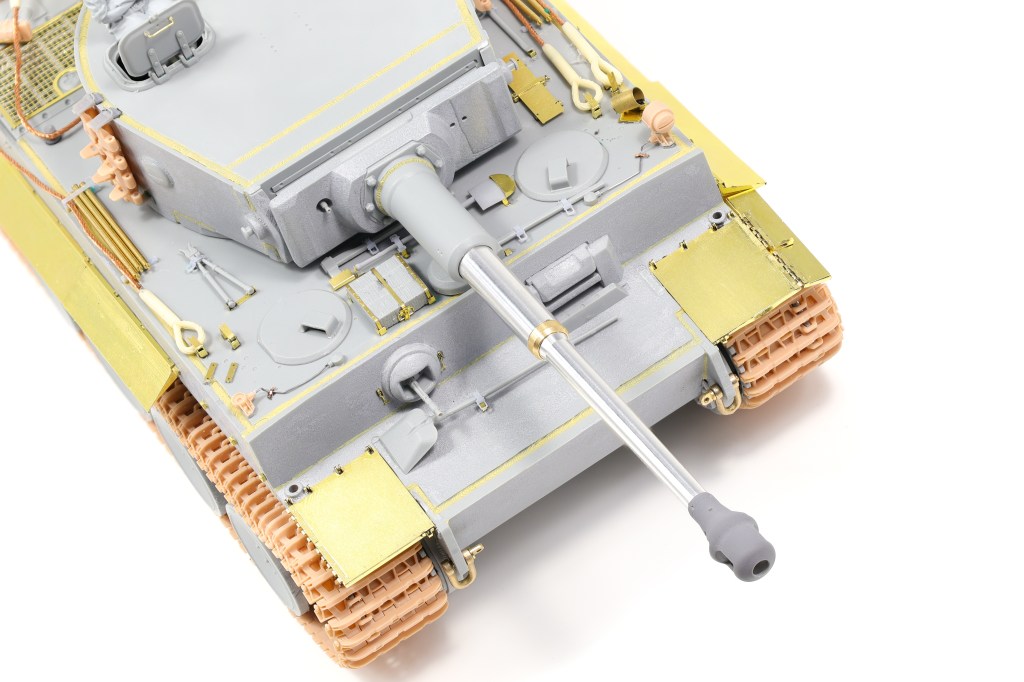
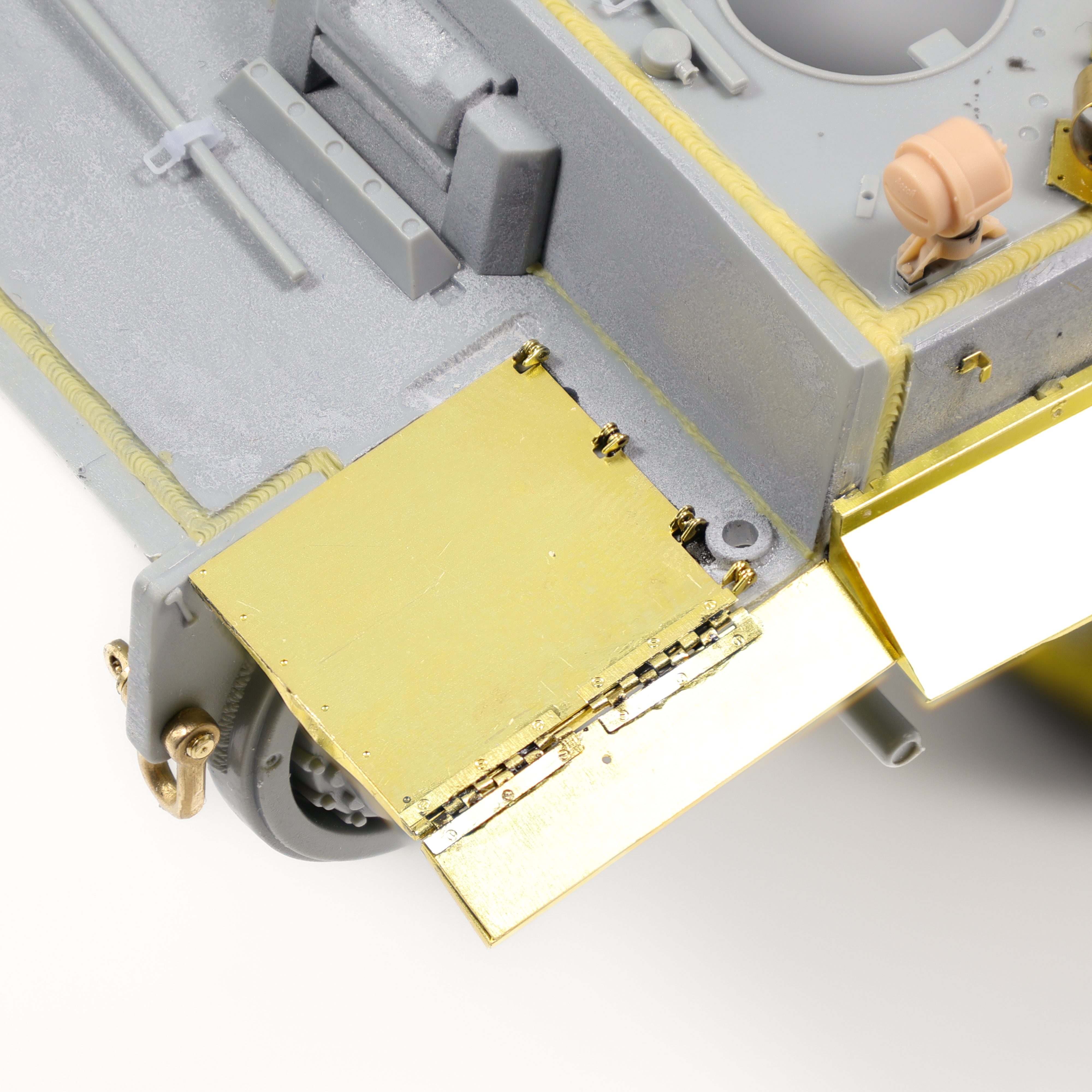
hull construction followed, unsurprisingly, with more photo-etch. I started working on the fenders and found they built up surprisingly easily. A few bends here and there and they were completed. What caused me issues however were the hinges on the front and rear fenders. Each fender required two complete hinge assemblies with two parts each. Suffice to say, this was a tedious process and somewhat time consuming. Was it worth it? You be the judge:
The side fenders were pretty straightforward and went together a lot better. I did have some issues affixing them to the hull as the mounting blocks were a bit off but all together I think they went on very well. I opted to remove some fenders on the front of the tank to add some visual interest as well.
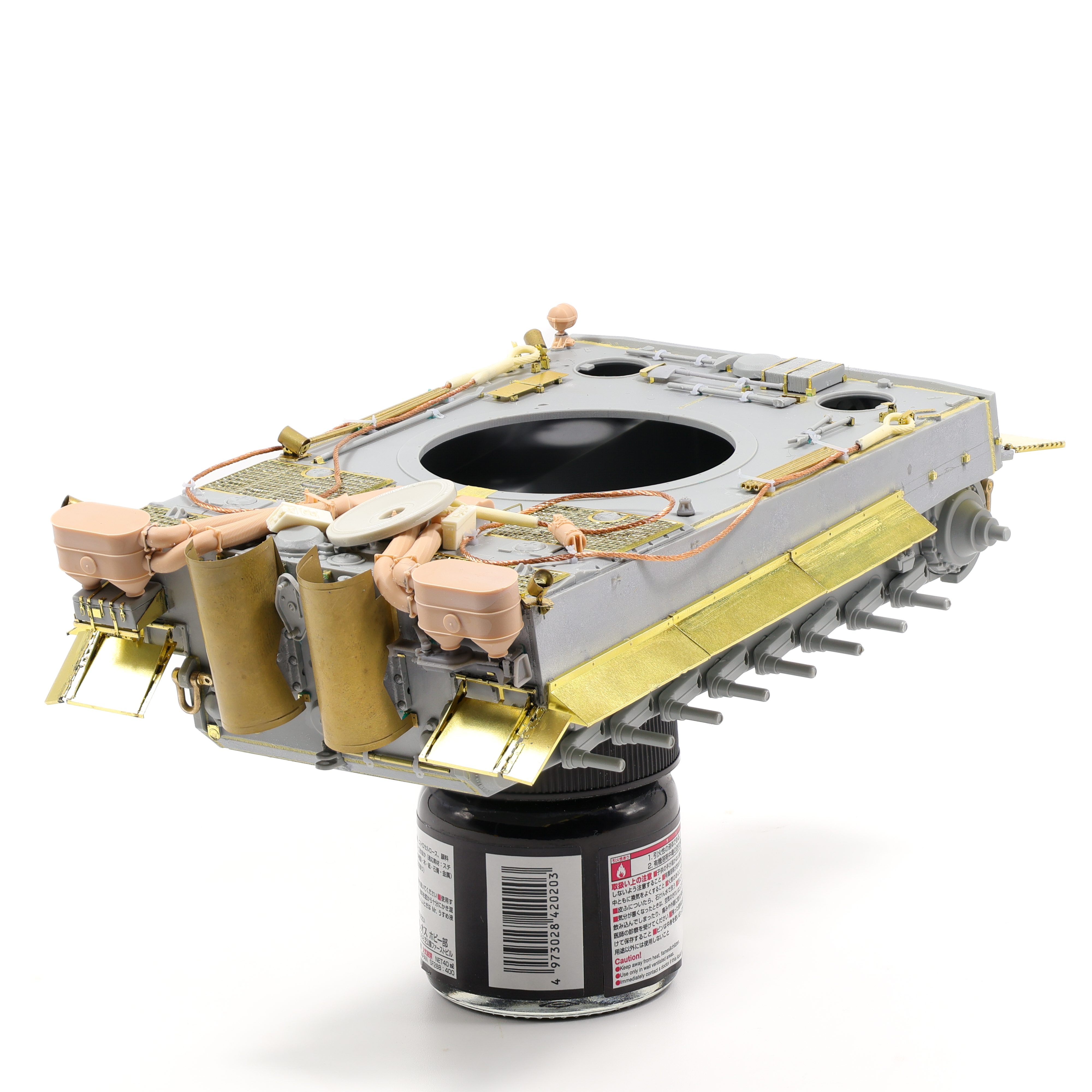
Quite a bit of work was done to the rear of the vehicle as well including test fitting the T-Rex studio Feifel filter along with some stowage from Panzerart and Ultracast. I also tested fitted the tow cable to see what positions worked in relation to the planned stowage.
I also neglected to attach one of the headlights and S-mine launchers as from my reference photos I could tell that the specific vehicle I wanted to document was missing these features on the right side.
All in all this build so far has been unnaturally slow for me. I’m almost a month in and it feels like it’s taking forever yet I know that slow and steady is the required strategy for this project. There are too many possible issues that could creep up if this project is rushed. With so much aftermarket being included in the build it’ll be easy to miss things but as long as I take my time then I’ll be able to finish this project to the standard I’m aiming for.











































 Nomad Models